
Lieferung heute & morgen

Qualitätsgarantie

Willkommens-Angebote freischalten: KOSTENLOSE Lieferung | Bis zu 80 % RABATT | Kostenlose 30-Tage-JoyPlus-Testphase
App herunterladen
As a competitive gamer, you know that every millisecond and every millimeter of desk space counts. A mechanical TKL (Tenkeyless) gaming keyboard is often the logical choice: it offers more room for sweeping mouse movements without compromising on key quality. However, the market is flooded with models whose marketing promises often obscure more than they clarify. Before you make a decision, it's crucial to understand the common pitfalls that can lead to a bad purchase.
This guide, created by your Joybuy Product Recommendation Officer, will help you separate the wheat from the chaff. We focus on the objective features that define a good Tenkeyless keyboard and steer clear of the usual marketing traps.
The 3 Most Common Traps When Buying a Gaming Keyboard:
To make an informed decision, you should focus on three core aspects that directly impact your keyboard's performance and longevity.
Mechanical switches define the typing feel and response speed. For gamers, linear switches are especially relevant:
The term "Tenkeyless" or 80% keyboard refers to a design without the right-hand number pad. This has a crucial advantage:
Besides the TKL format, there are even more compact layouts like 75% (with keys placed closer together) or 60% (without dedicated arrow and function keys), which save even more space but require some getting used to.
In the heat of battle, complex key combinations must be registered flawlessly.
Based on the objective criteria above, we have identified a few models that are suitable for different needs and budgets.
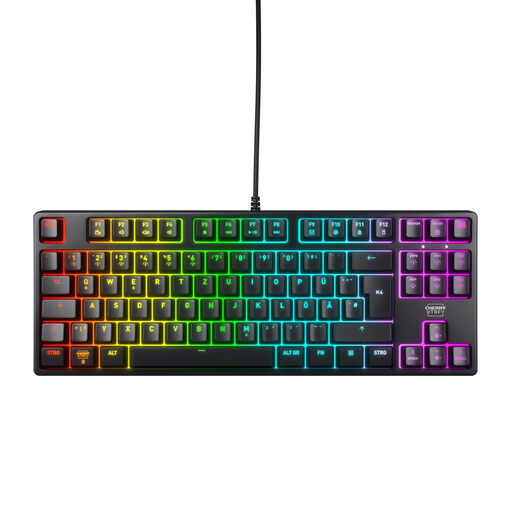
Why This Fits Their Persona: For gamers who prioritize performance and reliability above all else. This model focuses on the essentials: precise inputs, an extremely robust build, and a clean German QWERTZ layout for uncompromising use in esports and daily life.
Relies on proven CHERRY MX2A RED switches instead of vague "mechanical-feel" promises. The solid construction with a metal plate prioritizes durability over short-lived RGB effects.
High-quality linear switches with a lifespan of over 100 million actuations (according to the manufacturer). Full N-Key Rollover for flawless inputs.
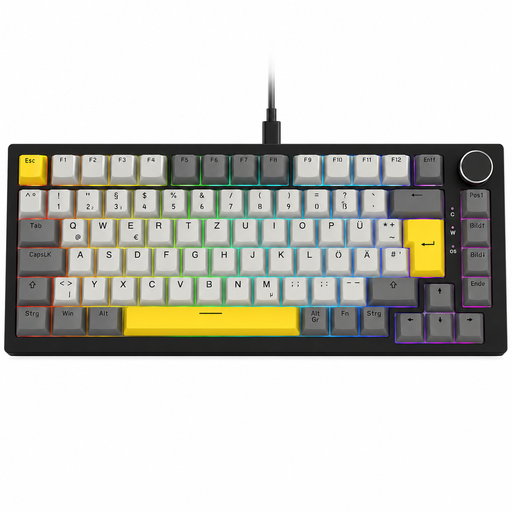
Why This Fits Their Persona: Ideal for users who appreciate a compact setup but don't want to sacrifice practical extra features. The 75% layout with a German QWERTZ setup retains dedicated arrow keys and a function row, while the volume knob and hot-swap capability offer flexibility for both gaming and work.
Offers genuine mechanical performance and a German layout. The hot-swap feature allows switches to be changed without soldering, ensuring long-term customisation and maintenance—a clear upgrade over disposable keyboards.
Hot-swap sockets for easy switch customisation and a practical rotary knob for volume control. The gasket-mount design provides a dampened and pleasant typing feel.
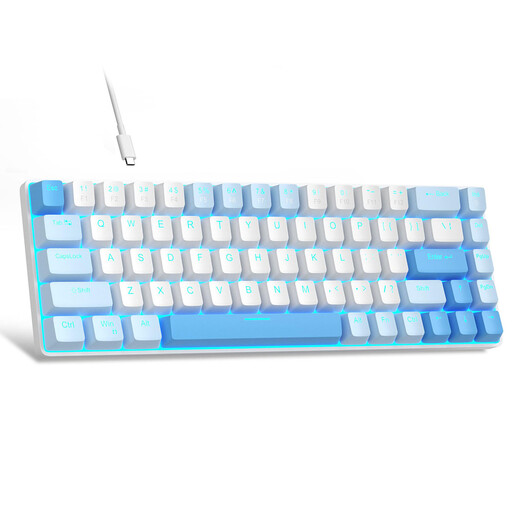
Why This Fits Their Persona: For gamers looking to enter the world of mechanical keyboards and wanting maximum space savings. The 60% format is extremely compact but retains separate arrow keys thanks to a thoughtful design, which is essential for many games. Note: This model has a QWERTY (US) layout.
Offers genuine mechanical Red switches, providing an authentic, linear typing feel that clearly stands out from mushy membrane keyboards in a similar price range.
Very compact 60% format with 68 keys, including separate arrow keys. Full Anti-Ghosting ensures all inputs are registered even in hectic situations.
We have compiled a complete, up-to-date list of products that fully meet these strict selection criteria and local regulations.
A TKL keyboard (Tenkeyless, 80%) has a traditional layout where only the number pad has been removed. The block with the arrow keys and navigation keys (Insert, Delete, Home, etc.) remains as a separate cluster. A 75% keyboard compresses this layout further by moving the arrow keys and some navigation keys directly under the Enter and Shift keys, eliminating the empty space. This makes it narrower than a TKL keyboard while retaining most of the keys.
High-quality mechanical switches are known for their durability. The manufacturer Cherry, for example, states a lifespan of over 100 million keystrokes for its CHERRY MX2A RED switches. With average use, this translates to many years of durability, far exceeding the lifespan of a conventional membrane keyboard.
Not necessarily. Many keyboards, like the CHERRY XTRFY K4V2 TKL featured here, allow you to control the RGB lighting (effects, colors, brightness) directly via key combinations (e.g., with the FN key). This avoids the need to install additional software that can consume system resources. Other models offer optional software for more detailed customization and synchronization with other devices.