For keen writers with a permanent desk
If you write at length, start by considering the key feel, key layout and a hand position that feels comfortable while you type.


For longer writing sessions, start by deciding which key feel and layout suit you best. If you share your space, the exact switch variant and the sound of the complete keyboard matter too. A compact model frees up desk space but leaves out the number pad, while wireless options are worth considering if you switch between devices. Manufacturer specifications can’t replace trying the keyboard for yourself.
If you write at length, start by considering the key feel, key layout and a hand position that feels comfortable while you type.
If other people work or relax in the same room, you should also consider the exact switch variant and the sound of the complete keyboard.
If desk space is limited, a more compact design could be a good fit. If you switch between computers, check which connection types and devices are supported.
When writing and editing from home, your choice will largely depend on whether key feel, quieter typing, more desk space or switching between devices matters most to you.
| What to consider | What to look for | Who is it important to? |
|---|---|---|
| Key feel and layout | Check the switch type and the German legends on the exact version. Trying it out can help you assess the key feel and hand position. | If I write long pieces, I want a key feel and layout I enjoy using. Around 33% of consumers put key feel and layout first. |
| Typing noise | Check that the exact version has Silent or Tactile Quiet switches. The switch name alone doesn’t tell you how loud the complete keyboard will be at your desk. | If other people work or relax in the room, I want to avoid disruptive typing noise as much as possible. For around 25% of consumers, keeping typing noise to a minimum is the priority. |
| Space and keys | Decide whether you need a number pad and check the layout of frequently used navigation and function keys. | If my keyboard, notes and mouse are competing for space, I want to know which keys I’d have to give up. Around 25% of consumers prioritise more desk space. |
| Connection | Check the connection types and whether your devices are supported. For wireless models, factor in setup and power requirements. | If I edit drafts on several devices, I want to know in advance whether the keyboard will connect to them. For around 17% of consumers, switching between devices is the top priority. |
A model range may be available with different switches. The noise and key feel of one version don’t automatically apply to every configuration.
Check the full switch name in the specific listing rather than relying on the model name alone.
ISO versions can have different country layouts. The physical design alone doesn’t confirm that the keyboard has German legends.
Before buying, make sure the selected version is explicitly listed as DE-ISO and check its key legends.
TKL and Mini models leave out the number pad, and the layout of other keys may also differ.
Think about which number, navigation and function keys you use regularly when editing.
The KC 200 MX is a full-size, wired office keyboard. The exact country layout and switch variant are key when choosing one.
The MX Mechanical and MX Mechanical Mini are wireless options, respectively in a full-size and more compact design.
The K8 Pro is a tenkeyless keyboard for writers considering a more compact design and a customisable layout.
The Light Mount TKL Silent Linear, listed with a DE-ISO layout, is a wired tenkeyless option.
This selection includes wired and wireless mechanical keyboards listed with German layouts, including full-size, TKL and compact models.
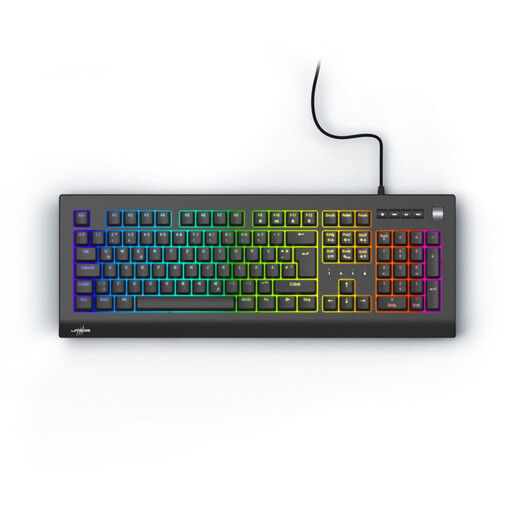 No image available
A wired, full-size option with a number pad for a permanent desk.
German QWERTZ layout; Red switches. The description lists Outemu Red as linear switches.
 No image available
A wired TKL option for writers looking for a more compact design and customisable switches.
ISO-DE-QWERTZ layout; Cream Yellow switches, described as linear; hot-swappable support.
 No image available
A wired, full-size option if you prefer a number pad and tactile switches.
German QWERTZ layout; tactile CHERRY MX2A Brown switches; detachable USB connection.
 No image available
A compact option for a desk with limited space, if you want to choose between several connection types.
75% layout; Bluetooth, 2.4 GHz wireless and USB-C wired connection; hot-swappable support.
 No image available
A full-size option with a number pad if you want several connection options at your desk.
German QWERTZ layout with 104 keys; Bluetooth, 2.4 GHz wireless and USB-C wired connection; hot-swappable support.
Compare the dampened options explicitly listed and, if possible, try the complete keyboard. CHERRY describes MX2A Silent Red as linear and dampened; Logitech lists Tactile Quiet as a separate option alongside Clicky. These names don’t guarantee a particular noise level at your desk.
First check whether your chosen version connects by cable or wirelessly, and whether it works with your devices. For cleaning, Bitkom advises avoiding harsh products and keeping liquids out of the keyboard. Also follow the instructions for your specific model.
No. When you buy as a consumer from a business seller, you have statutory rights against the seller. These are separate from any voluntary guarantee. The European Union’s consumer information states that covered purchases of goods have a minimum two-year period for the legal guarantee.
The European Union’s Radio Equipment Directive governs the placing of radio equipment on the market. For market surveillance, Germany’s Federal Network Agency lists CE marking, product identification, German instructions and a declaration of conformity among the points it checks. A product listing alone doesn’t confirm that an individual device is compliant.
In Germany, waste electrical equipment must not go in household rubbish. The Federal Environment Agency recommends separate collection. Find a suitable take-back point and dispose of removable batteries separately.