Prolific chapter writers
If you write long passages at a permanent desk, focus on comparing switch types and their feedback rather than gaming extras. Logitech and CHERRY offer different switch options for their respective keyboard models.


For longer writing sessions, start by choosing a switch feel that suits you, and consider how it sounds too. Then check the exact German layout selected and how much desk space it needs. A compact or split keyboard may work well if space is limited, although a split layout can take time to get used to. No single feature, on its own, proves a health benefit.
If you write long passages at a permanent desk, focus on comparing switch types and their feedback rather than gaming extras. Logitech and CHERRY offer different switch options for their respective keyboard models.
If you want to keep disruption to others in the room to a minimum, check the specific switch type and whether it makes an audible click. Logitech describes several switch types for the MX Mechanical, each with a different sound profile.
If you want to leave room for a mouse or papers, consider a compact model without a number pad or a split keyboard. Keychron describes the K3 Max as a compact model, while ZSA describes the ErgoDox EZ as a split keyboard whose different key layout may take time to get used to.
First compare the switch feel and sound, then check the German layout and the space it takes up. Extra connectivity options matter most if you use several devices.
| What matters | What to check | Who it matters most to |
|---|---|---|
| Typing feel | Check the exact switch type and compare tactile, linear and clicky options. | When I write for a long time, I want feedback that feels comfortable to me. Around 33% of consumers prioritise typing feel above all else. |
| Keyboard noise | Check the exact switch name; no audible click does not mean silent. | When I’m sharing a study, I want to avoid disruptive clicking as much as possible, without assuming a model’s volume from its name alone. Around 27% of consumers prioritise a quiet keyboard. |
| Layout and desk space | Check that your chosen version has a DE-ISO or German QWERTZ layout, with the keys you need. | When I write in German and need space for a mouse or papers, I want to consider the layout and size together. Around 27% of consumers put layout and desk space first. |
| Switching devices and customisation | Check the connection options and, if you want it, whether the specific version is hot-swappable. | When I write on several devices or want to change switches later, I need the relevant features to be listed. Around 13% of consumers prioritise switching devices or customisation. |
Switches can sound different even within the same model range. A version without an audible click is not automatically silent.
Before buying, check the exact switch name and compare the option with the typing feel you prefer.
DE-ISO options were listed for the Keychron K3 Max, but the configuration shown as selected was ES-ISO.
Just before ordering, check which layout is specified for the exact version you’re buying.
Hot-swap functionality is only available on suitably configured versions, and any replacement switches must be compatible with the specific keyboard.
Check the model version and switch compatibility before choosing replacement switches.
The MX Mechanical is available in standard size and as the MX Mechanical Mini, with a choice of low-profile mechanical switches.
The range includes wired office keyboards and other mechanical models, including the KC 200 MX and MX 2.0S.
The K3-Max-ISO collection is aimed at those looking for a compact, low-profile keyboard with a choice of connection options.
The ErgoDox EZ is a configurable split mechanical keyboard for writers considering a different position for each half.
This selection from Joybuy includes mechanical keyboards for German-language writing, compact desks and switching between devices. Check the layout of the exact version especially carefully, as the selection also includes models with US QWERTY.
 No image available
An option if you want a clearly specified German layout and several connection options for writing.
German QWERTZ; Bluetooth, 2.4G and USB-C; hot-swap; 10000mAh battery; 1.14-inch TFT colour screen.
 No image available
Its compact size may suit you if you want to save desk space and use an ISO-DE layout.
75% form factor; ISO-DE; linear V3 Pro Cream Yellow switches; Bluetooth, 2.4G and USB-C; hot-swap.
 No image available
An option if you’re looking for a low-profile mechanical keyboard with a German layout and a switch type described as Tactile Quiet.
German QWERTZ; Bluetooth and Logi Bolt; connects to up to three devices; smart backlighting.
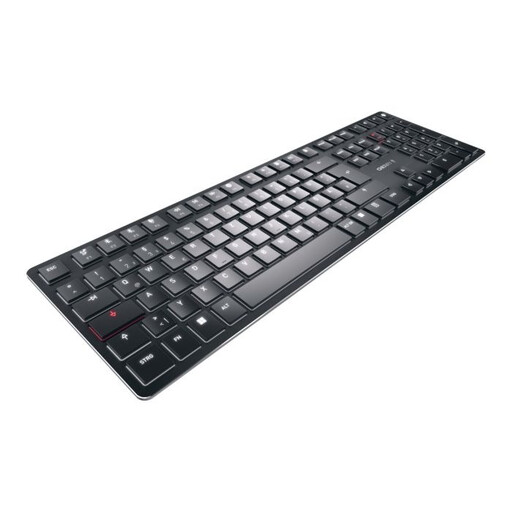 No image available
This version is only suitable if you’re comfortable with a US layout; it is not listed as German QWERTZ.
Mechanical tactile MX switches; Bluetooth, 2.4 GHz and USB-C; US layout (English, QWERTY); white backlighting.
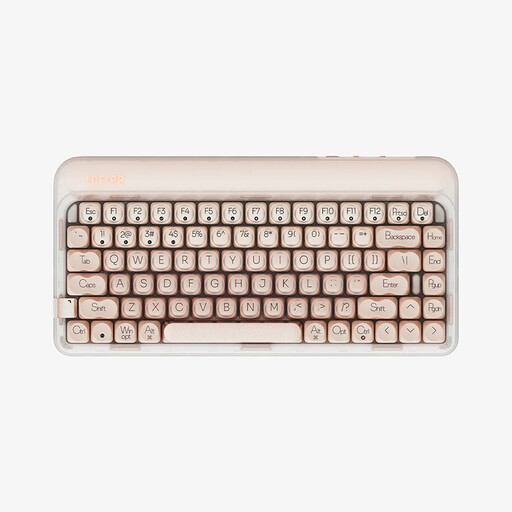 No image available
The compact layout may suit a small desk, as long as the US QWERTY layout works for the way you type.
84 keys; linear hot-swap switches; USB-C, Bluetooth and 2.4 GHz; 4000mAh battery; warm-coloured LED backlighting.
Not necessarily; what matters is whether you’re comfortable with the key labels and layout of your chosen keyboard. If you want to find umlauts and special characters directly on a German QWERTZ layout, make sure you specifically check for the DE-ISO version rather than relying on the model name alone.
For the ErgoDox EZ, ZSA says to connect the two halves to each other first, then connect the keyboard to your computer. The manufacturer’s instructions recommend not placing the halves directly next to each other as you would with a conventional keyboard. Allow some time to get used to the different key layout too.
No. Your statutory consumer rights apply to the seller, while a warranty is an additional voluntary promise. The Verbraucherzentrale recommends checking warranty terms separately; if you’re making a complaint about a fault, the seller is an important point of contact.
In Germany, consumers buying online generally have a 14-day right to cancel, starting from the day they receive the goods. You must notify the other party to the contract that you’re cancelling. Check separately for any exceptions and the terms of any additional voluntary returns policy.
No. The Umweltbundesamt advises that old electrical equipment must be collected separately and must not go in household rubbish. You can take an old keyboard to a recycling centre, for example; retailers’ take-back options are subject to their own terms.