What should you look for when buying?
External HDD
A good fit if: You keep a larger archive mainly in one place and rarely copy large collections elsewhere.
Trade-off: This may not be the best choice if you regularly transfer large files or take the drive with you.
External SSD
A good fit if: You often take recordings between devices or regularly copy large files.
Trade-off: Capacity and security features vary by model. Manufacturer speed claims are not a guarantee of performance on every computer.
For a local meeting archive, the most important factor depends on whether you prioritise storage space, confidentiality, recovery, portability or device compatibility.
| Priority | What to look for when buying | Who is this especially important for? |
|---|
| Archive capacity |
Compare the capacity of the specific variant with the actual storage needs of typical recordings, the planned number of files and separate backup copies. |
As my collection grows, I want to plan the space I need based on my recordings, rather than focusing only on copy speed. Around 26% of consumers prioritise having enough storage for their archive. |
| Confidentiality |
Check whether the specific variant offers password protection or encryption, how to set it up and how to store the recovery key. Check the legal basis for recording and further processing separately from your choice of drive. |
For sensitive recordings, I want to control access to stored files and clarify the purpose and legal basis separately. Around 21% of consumers prioritise protecting confidential recordings. |
| Recovery |
Plan a separate backup and test whether you can open and restore selected files. The BSI recommends disconnecting the backup drive from the device when it is not being used for the backup process. |
If a drive fails, I want a usable local copy rather than relying on a single storage device. Around 21% of consumers put recoverability first. |
| Transfers and portability |
Choose an HDD or SSD to suit how often you copy large files and take the drive with you. Check the USB standard and cables for both the drive and computer. |
If I transfer files often or work in different places, compact storage that’s easy to carry matters to me. Around 16% of consumers prioritise portability and frequent file copying. |
| Connection and file system |
Check that your operating systems, connections and backup software are compatible. Apple says a Windows-formatted volume cannot be used unchanged for Time Machine; reformatting it will erase existing data. |
If I want to use my archive on the devices I already have without unexpected reformatting, I check the whole backup process in advance. Around 16% of consumers prioritise device compatibility. |
Joybuy products for a local HDD archive
The following Joybuy products are portable external HDDs for a meeting archive stored locally. Choose a capacity to suit your planned storage needs and check that the connection and file system work with your devices.
 No image available
WD Elements Portable 5TB USB-C
For an archive stored locally, compare the capacity with the size and planned number of your recordings.
Listed capacity: 5 TB. USB-C.
Joybuy
No image available
WD Elements Portable 6TB USB-C
If your local recording archive is growing, compare the 6-TB variant with your estimated storage needs.
Listed capacity: 6 TB. USB-C.
Joybuy
No image available
WD Elements Portable 4TB USB-C
Compare this capacity variant with the expected storage needs of your recordings to see if it suits your local archive.
Listed capacity: 4 TB. USB-C.
Joybuy
 No image available
WD Elements Portable 2TB USB-C
Check that the listed capacity suits your planned archive and that the connection type works with your computer.
2 TB; USB-C; USB 3.2 Gen 1; 2.5 inches; exFAT. An adapter may be required for the stated backward compatibility with USB 3.0 or USB 2.0.
Joybuy
 No image available
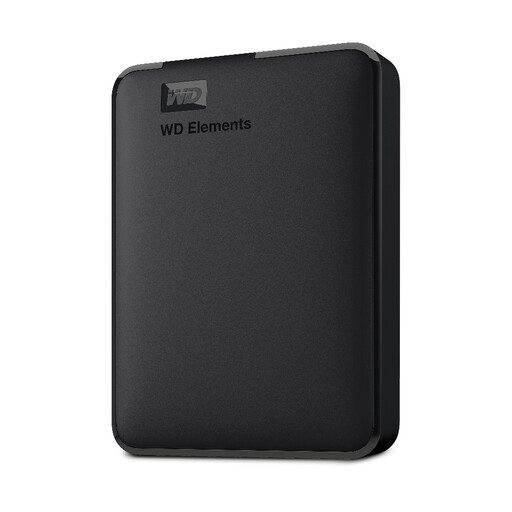
Western Digital Elements Portable 1TB
Compare the listed storage capacity with the amount of local recordings you plan to keep.
Listed capacity: 1 TB. USB 3.0. Reformatting is required for the stated use with Mac; back up any existing files first.
Joybuy
Frequently asked questions
How do I set up a local archive that I can still use if a drive fails?
Don’t keep the only copy on the new drive. Create a separate local backup, disconnect its drive when it is not being used for the backup process, and test that you can restore selected files. The BSI treats backup and recovery as related parts of a backup plan.
Do I need to reformat a new drive for Time Machine?
That depends on the existing file system. Apple says a Windows-formatted volume cannot be used unchanged as a Time Machine destination. Reformatting it for the Mac file system will erase the data stored on it, so back up your files first.
What ongoing costs or services should I check?
Plan for a separate backup if you want your archive to remain available in the event of a drive failure. Check the warranty period and what it covers for the specific model variant. Seagate notes that the Rescue services mentioned in its data sheet are not available in every country.
Does storing meeting recordings on an external hard drive make recording them lawful in Germany?
No. If personal data is involved, you need to check the legal basis for the recording and its further processing separately. The Data Protection Conference’s video-conferencing checklist also refers to valid consent; whether consent is required or another legal basis applies depends on the specific meeting, the participants and the purpose.


