
Lieferung heute & morgen

Qualitätsgarantie

Willkommens-Angebote freischalten: KOSTENLOSE Lieferung | Bis zu 80 % RABATT | Kostenlose 30-Tage-JoyPlus-Testphase
App herunterladen
Choosing the right memory card can be more complex than it first appears. The wrong decision not only leads to unnecessary expense but can also hinder your device's performance or, in the worst-case scenario, result in data loss. As a Joybuy Product Recommendation Officer, I analyse the market to provide you with objective, practical advice, ensuring you make the perfect choice for your needs.
In this guide, we'll focus on the crucial factors and highlight common pitfalls to avoid.
Before we dive into the technical details, it's important to clear up two common misconceptions that often lead to frustration and buyer's remorse.
The Speed Trap: Paying for Untapped Potential A common mistake is buying an ultra-fast UHS-II card for a device that only supports the UHS-I standard. While the card will work, it will only operate at the device's maximum speed. You're effectively paying for performance you can't use. It's like buying a sports car to drive exclusively in a 20 mph zone.
The Endurance Trap: The Wrong Card Type for Continuous Use Devices that write data continuously—like a dash cam memory card or a security camera—require special "High Endurance" cards. A standard microSD card is not designed for this purpose. The constant write and erase cycles lead to rapid wear and can render the card useless within a few months, often causing data loss precisely when the footage is most critical.
To make an informed decision, you need to understand three core parameters: speed, capacity, and the specific card type.
The symbols printed on memory cards aren't just marketing terms; they are defined standards that guarantee a minimum write performance.
Capacity determines how much data you can store, while the format designation indicates which devices are compatible.
Most modern cameras, smartphones, and consoles support the SDXC standard. Older devices may only be compatible with SDHC. Therefore, always check your device's specifications to expand your storage without running into compatibility issues.
For specific use cases, there are optimised card types:
Here are some product recommendations tailored to specific user profiles and the criteria mentioned above.
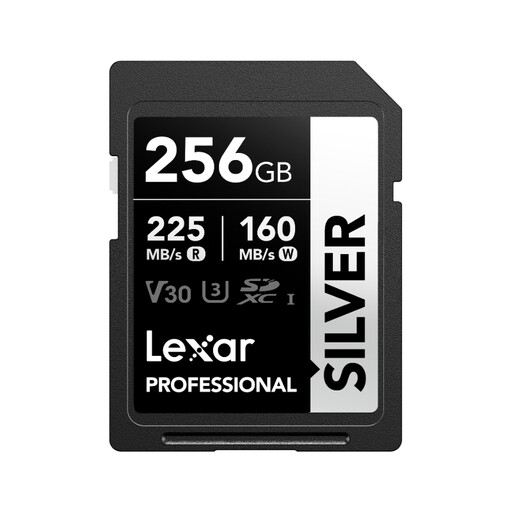
Why This Fits Their Persona: Ideal for users of DSLR or mirrorless cameras who need reliable performance for holiday photos, family videos in Full HD or 4K, and general photography. The 256 GB capacity offers plenty of space without breaking the bank.
This card avoids the speed trap by delivering the maximum performance of the widely used UHS-I standard, without the higher cost of UHS-II cards that offer no benefit in most hobbyist cameras.
The V30 classification ensures stable 4K video recording. Its high read speed of up to 205 MB/s (with a compatible reader) significantly accelerates data transfer to your computer.
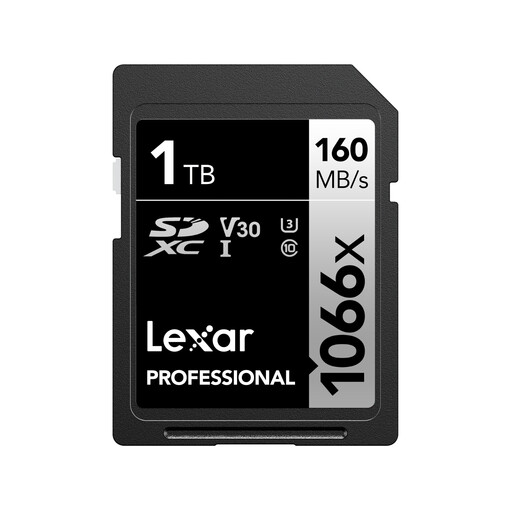
Why This Fits Their Persona: For professional users who shoot large volumes of RAW photos or 4K UHD video during long shooting days, weddings, or events. The massive 1 TB capacity eliminates the need to swap cards, minimising the risk of missing a critical moment.
This card solves the problem of insufficient capacity during long recording sessions. Instead of managing multiple smaller cards, it provides a single, high-performance storage solution that simplifies the workflow.
The high write speed of up to 120 MB/s quickly clears the camera's buffer during burst shooting. The V30 certification guarantees reliable performance for demanding 4K video projects.
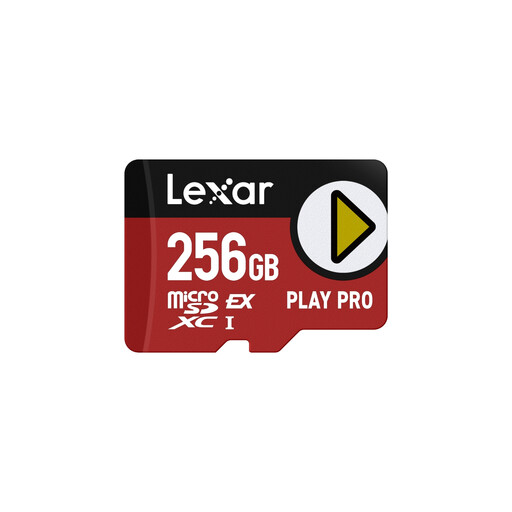
Why This Fits Their Persona: Designed for the next generation of handheld consoles and mobile devices. Anyone looking to minimise game loading times and be ready for future hardware like the Nintendo Switch 2 will find the right technology here.
This card prevents the bottleneck that a slow memory card creates in a powerful gaming device. It's a future-proof investment that also works in older devices (at UHS-I speeds).
The microSD Express technology delivers manufacturer-rated read speeds of up to 900 MB/s, which drastically shortens loading screens. The A2 classification also optimises performance when running apps directly from the card.
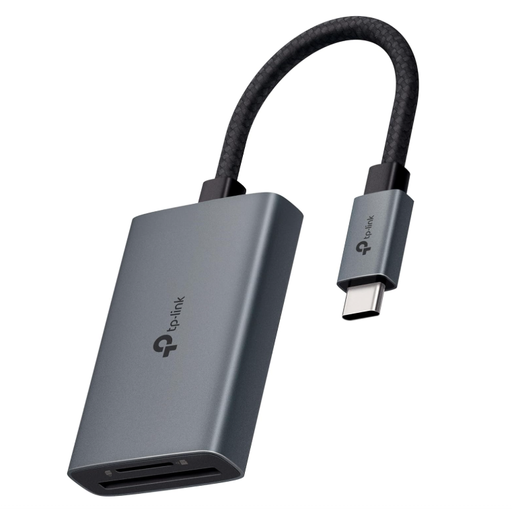
Why This Fits Their Persona: An essential accessory for anyone who regularly transfers large amounts of data from an SD card or microSD card to a modern laptop, tablet, or smartphone with a USB-C port. It accelerates the workflow for photographers, videographers, and all other users.
This card reader prevents a slow accessory from throttling the speed of your expensive memory card. Its support for UHS-II ensures you can leverage the full transfer rate of even the fastest cards.
It supports simultaneous reading of SD and microSD cards, doubling productivity. The plug-and-play functionality ensures instant compatibility with a wide range of operating systems without any driver installation.
We have compiled a complete, real-time updated list of products that fully meet these strict selection criteria.
1. How should I format a new memory card correctly? It is highly recommended to always format a new memory card directly in the device where it will be primarily used (e.g., in your camera memory card). This ensures the file system is optimally configured for the device's hardware, which improves stability and performance while preventing potential data errors.
2. Why does my 256 GB card only show about 238 GB of available space? This is due to the different ways capacity is calculated. Manufacturers typically use the decimal system (1 GB = 1,000,000,000 bytes), whereas operating systems use the binary system (1 GiB = 1,073,741,824 bytes). This discrepancy means the capacity displayed by your operating system will always be slightly less than the capacity advertised on the packaging. This is normal and not a product defect.
3. Can I use a microSD card in an SD card slot? Yes, this is possible with a passive SD adapter. Many microSDXC cards are already sold with such an adapter. Simply insert the microSD card into the adapter, which you can then use like a standard SD card in the corresponding slot on your laptop or camera. The card's performance will not be affected.