Working across several floors
You back up documents at a workstation that your current router can only reach unreliably, so you need to work out where to place the nodes and how to connect them to the rest of your network.


First, check whether the bottleneck is between floors, on the way to your local backup destination or with your internet connection for cloud backups. If there’s Ethernet between suitable node locations, Ethernet backhaul is an obvious option. Without cabling, your choice depends on whether Wi-Fi or powerline actually works at the planned location. Mesh won’t replace a separate backup, and you’ll still need to check that the system works as expected with your existing router.
You back up documents at a workstation that your current router can only reach unreliably, so you need to work out where to place the nodes and how to connect them to the rest of your network.
You transfer work files to a backup destination on your home network, so consider the entire transfer route rather than just the advertised Wi-Fi speed.
You want to make as few changes as possible to your existing home network, so check whether a compatible mesh extender in the mode you want will do the job.
Work through these points in order: the connection between floors, the actual backup route, how your router will connect to the system and ongoing data protection.
| What you need | What to check before buying | Who it matters most to |
|---|---|---|
| Connection between floors | Check node locations and reception on all three floors. If you have Ethernet, check that the specific model has the right ports and supports Ethernet backhaul. | If the signal at my workstation is weak across several floors, I need a reliable connection between the nodes. Around 34% of consumers put reception between floors first. |
| Backup transfer route | Decide on your backup destination and transfer route. Test local transfers at your workstation, and measure your internet connection separately for cloud backups. | When backing up my work files, what matters is the route to the local destination or the cloud, not just the Wi-Fi figure on the box. Around 33% of consumers prioritise actual backup transfer performance. |
| Connecting your existing router | Check your router model and decide which mesh, router or access point mode you want before buying. Deco set-up requires the app and a TP-Link ID. | If I want to keep my existing router, the extender must work with it in the mode I want. Around 20% of consumers prioritise keeping their existing network. |
| Security and ongoing maintenance | Check Wi-Fi security, firmware updates and how you’ll manage the system. Also plan for separate backups and recovery tests. | I want to manage updates and backups reliably for my work files, without assuming that Wi-Fi coverage is the same as data protection. Around 13% of consumers prioritise security and management. |
Actual transfer speeds depend on the entire route to your backup destination. Cloud backups also rely on your internet connection.
First, choose your backup destination and test a file transfer at the intended workstation. Measure your internet connection separately from a local backup.
An extra wireless node won’t help if it only has a weak connection to the rest of your network.
Check reception at the planned location, then decide whether Wi-Fi or Ethernet backhaul is an option.
Depending on your set-up, you may need an extra node or a wired connection.
devolo notes that transfer speeds can be low at some sockets, so you can’t judge the connection by the advertised Wi-Fi speed alone.
Test the sockets you plan to use with an actual file transfer before relying on powerline for regular backups.
A reachable backup destination won’t automatically protect every accessible copy from loss or encryption.
For work files, arrange separate backups and test that you can restore your data.
Separate copies and recovery tests take ongoing time and organisation.
Deco mesh systems are worth considering if you want to use several nodes and may want to connect them by cable.
FRITZ!Repeaters are worth considering if you already have a compatible FRITZ!Box at home.
The ZenWiFi XD5 is worth considering as a three-piece mesh system if you want to connect nodes over LAN or use ASUS AiMesh.
The Magic 2 WiFi 6 next Multiroom combines powerline with Wi-Fi adapters. It may be an option if you don’t have Ethernet between floors or a reliable wireless backhaul.
Here you’ll find products for a multi-storey home network using a mesh or access point set-up. Check how each model fits into your existing network and what type of connection is possible between the nodes.
 No image available
May be an option if you want to keep using your existing router in access point mode. Check that this mode is right for your network.
 No image available
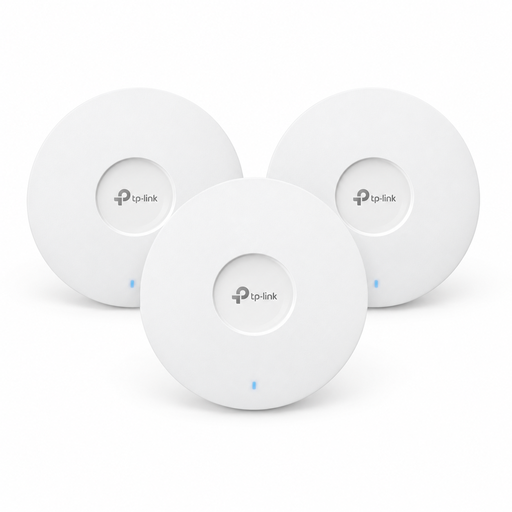
The 3-pack is worth considering for a set-up with several access points. Check that the connection between the devices works at the locations you have in mind.
 No image available
May be suitable if you want to use several mesh units and keep using your existing router in access point mode. Check first that this mode works with your router.
 No image available
For a mesh connection with two units. Before buying, check that the ports suit the wired devices you want to connect.
 No image available
A single access point doesn’t create a multi-node mesh. If you want coverage across several floors, plan to add more access points.
No. The number of floors alone doesn’t mean you need Wi-Fi 7 or a new system. First, decide on your backup destination and test the connection at your workstation and node locations. Local backups, cloud backups and internet connection problems all have different bottlenecks. The Bundesnetzagentur’s broadband measurement checks your internet connection, not the speed of a local NAS backup.
For Deco, TP-Link recommends first setting up the units on the same network using the app, then connecting them by cable. In Deco router mode, TP-Link says a satellite must connect to the LAN port on the main Deco or to a switch connected to it. TP-Link describes different connection options for access point mode. ASUS AiMesh and ZenWiFi have their own instructions for switches and operating modes.
No. To protect against ransomware, the Federal Office for Information Security recommends separate offline backups and a recovery process that’s prepared and tested. If you’re backing up work files, you should also follow your organisation’s requirements.
Depending on your set-up, you may need extra nodes, Ethernet cables or a switch. Before buying, check what’s included and the warranty for the specific offer, then keep your router firmware up to date. TP-Link also requires a mobile app and a TP-Link ID to configure a Deco system.
Wi-Fi operating under the applicable general frequency allocations doesn’t normally require an individual frequency allocation, but you must comply with the conditions of use. The Bundesnetzagentur publishes the applicable general allocations. Relevant radio equipment placed on the EU market must meet harmonised requirements, including CE marking. If you’re buying an imported device, check that it’s intended for use in Germany and carries the appropriate conformity information.