Gaming area behind walls, with a possible cable route
If you can reach the room with Ethernet, you can connect a mesh node there by cable. ASUS describes Ethernet backhaul for AiMesh and ZenWiFi, while TP-Link lists it as an option for the Deco X50.


First, check whether your internet connection or the Wi-Fi link to your gaming device is slowing down your download: a mesh system won’t make a slow broadband connection faster. If your home network is the bottleneck, Ethernet backhaul is an option if you can run a cable. Otherwise, consider placing a wireless node where it can get a good signal, or try Powerline using the sockets you plan to use.
If you can reach the room with Ethernet, you can connect a mesh node there by cable. ASUS describes Ethernet backhaul for AiMesh and ZenWiFi, while TP-Link lists it as an option for the Deco X50.
If running a network cable isn’t an option, you’ll need to place the wireless node somewhere it still has a good connection to the router or the previous node. Bitkom e. V. and Deutsche Telekom highlight the importance of placement.
If you’re not sure whether your broadband connection or home network is slowing things down, compare your connection speed with the connection at your gaming device. Bitkom e. V. and the Bundesnetzagentur provide information on broadband speeds and broadband testing.
First, measure the connection at your router and gaming device. Then choose how to connect the router to the room at the other end of your home.
| What matters | What to check before buying | Who it matters most to |
|---|---|---|
| Connection through walls | Does the system support Ethernet backhaul or an Ethernet bridge? Is there an Ethernet socket in the room for your PC or console? | If I can connect my gaming room by cable, I’d rather have a reliable connection than a completely wireless setup. Around 31% of consumers put a cable connection first. |
| Wireless backhaul | Can the node be placed somewhere with a good connection to the router? Can you check its connection indicator? | If I can’t run a cable, I need to place the node somewhere it can still get a good signal. Around 25% of consumers prioritise this wireless connection. |
| Download bottleneck | Compare your broadband speed with the connection at your gaming device; don’t treat advertised Wi-Fi speeds as a guaranteed download speed. | If I want to find out before buying whether my broadband or Wi-Fi is slowing things down, I need to test both connections separately. Around 19% of consumers put this diagnosis first. |
| Router compatibility | Check the exact router model, the firmware required and the supported operating mode. | If I want to keep my existing router, I need a combination that’s explicitly confirmed as compatible. Around 13% of consumers prioritise compatibility with their router. |
| Powerline as a fallback | Test the connection using the sockets you plan to use and check compatibility with any adapters you already own. | If running a cable or finding a good spot for a wireless node isn’t practical, I want to test a connection through my electrical sockets. Around 12% of consumers put this fallback option first. |
A strong signal between the node and your gaming device won’t make up for a weak connection between the node and the router.
Try placing it somewhere in between, where it can still get a good signal. If there’s no suitable spot for a wireless node, consider Ethernet or test Powerline at home.
Wi-Fi specifications don’t tell you the actual internet and home network speeds your gaming device will receive.
Compare your broadband speed with the connection in the room you want to reach, and remember that advertised speeds aren’t a guarantee through thick walls.
The location of your sockets and electrical devices can affect data transmission over your home’s wiring.
Test the adapters using the sockets you plan to use, then check the connection there.
Whether a router can be used as the mesh base depends on its exact model and, in some cases, its firmware.
Compare your router’s model name with the compatibility information and setup guide for the system you’re considering.
FRITZ!Repeaters are a possible addition to compatible FRITZ! networks, while the FRITZ! Mesh Set 2700 is a standalone mesh system.
The Deco X50 is a standalone dual-band mesh system with optional Ethernet backhaul.
AiMesh and ZenWiFi are worth considering if you want to set up a wired backhaul.
Magic 2 WiFi next combines Powerline with mesh Wi-Fi, making it a possible option to test over your home’s electrical wiring.
Speed Home WLAN can be added to a compatible Speedport mesh base.
This selection includes wireless mesh systems and individual devices designed for use in a mesh setup, according to their product details. With a wireless backhaul, the node needs to be placed somewhere with a good connection to the router or the previous node.
 No image available
This two-unit mesh system could suit a gaming room with several connected devices.
Dual-band; two Gigabit WAN/LAN ports per unit. The product description says an Ethernet cable is included in the box.
With a wireless backhaul, the node needs to be placed somewhere with a good connection to the router or the previous node.
 No image available
This two-unit mesh system is an option if you want to set up Wi-Fi in several areas of your home.
Dual-band; two Gigabit ports per unit. The product description mentions app-based setup.
With a wireless backhaul, the node needs to be placed somewhere with a good connection to the router or the previous node.
 No image available
This two-unit mesh system could be a good fit if you want to cover several rooms with one shared network.
Dual-band; three Gigabit ports per unit. The product description mentions an app for setup and management.
With a wireless backhaul, the node needs to be placed somewhere with a good connection to the router or the previous node.
 No image available
According to the product description, the set includes two units and is designed for a mesh network with several nodes.
Dual-band; three Gigabit ports per unit.
With a wireless backhaul, the node needs to be placed somewhere with a good connection to the router or the previous node.
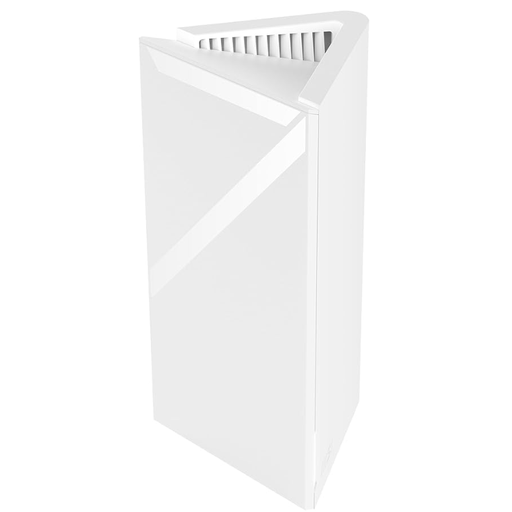 No image available
This standalone device could be a starting point for expanding your mesh network; you’ll need additional units for a multi-node network.
Wi-Fi 7 with MLO; one 2.5-GbE WAN/LAN port and one Gigabit LAN port.
With a wireless backhaul, the node needs to be placed somewhere with a good connection to the router or the previous node.
First, compare your broadband speed with the connection at your gaming device. If your broadband connection is already slow, mesh won’t fix that bottleneck. If the connection only drops in a room further away, check how the network reaches that room.
Don’t place it at the point where hardly any signal reaches it: the node needs a good connection to the router or a previous node. Check the device’s connection indicator, then test the connection at your gaming device.
It depends on the exact router model, its mesh support and the system’s operating mode. Check the manufacturer’s guide for your specific combination. For example, Deutsche Telekom says the Speedport Smart and Smart 2 can’t be used as a mesh base.
Look out for firmware updates and check the node’s connection if you run into problems. Deutsche Telekom notes that missing firmware updates on Speed Home devices can cause faults and security vulnerabilities; for other systems, follow the relevant manufacturer’s guidance.
Powerline could be an option if running a cable or finding a spot with a good wireless signal isn’t practical. However, transmission over your home’s electrical wiring depends on socket locations and electrical interference, so you should check the connection where you plan to use it.