What should you look for when choosing?
First, test your internet connection, then check the route to your gaming device. This will help you compare Ethernet backhaul, wireless backhaul and a targeted extension to your existing router, based on the actual bottleneck.
| What matters |
What to check before buying |
Who should pay particular attention |
| Connection between floors |
Check for existing cable routes and Ethernet backhaul support. Without cables, choose a location where the node still gets a good signal from the previous node. |
If I need to connect my gaming device to my router across several floors, a stable backhaul is essential. Around 36% of consumers say the connection between floors is their main concern. |
| Download speed |
Compare your internet speed with the connection on your gaming device; if necessary, check whether the node has an Ethernet port. |
If large updates are taking too long to download, I want to know whether the internet connection or the home network is slowing things down. Around 29% of consumers focus on actual download speeds. |
| Keeping your existing router |
Check the router model, mesh compatibility and operating mode. For a standalone system, find out whether it’s designed to run as a router or an access point. |
If I only want to improve coverage on one weak floor and keep my router, compatibility with my specific model is key. Around 21% of consumers prioritise keeping their router. |
| Scale and ongoing costs |
Consider how many nodes you need, whether cabling might be required and whether separate subscriptions may apply. |
If a targeted upgrade is all I need, I don’t want to pay for a larger set or extra features I won’t use. Around 14% of consumers focus mainly on the overall outlay. |
Joybuy mesh Wi-Fi products at a glance
The Joybuy products below are for mesh Wi-Fi and network coverage in a multi-storey home. Before buying, check the specific EU version on offer and that the wireless device has the required CE marking.
 No image available
TP-Link Deco M4 AC1200, 3-pack
This 3-pack is an option if you want to set up a mesh network with several units.
Specifications listed in the product name: AC1200, three units and Gigabit ports.
View at Joybuy
 No image available
TP-Link Deco X1500 AX1500, 2-pack
This 2-pack is an option if you want to use several mesh units and connect a gaming device by cable.
Specifications listed in the product name: Wi-Fi 6, AX1500 and Gigabit ports.
View at Joybuy
 No image available
TP-Link Deco S4 AC1200, 3-pack
This 3-pack is an option if you’re planning to use several mesh units on one network.
Specifications listed in the product name: AC1200 and Gigabit ports.
View at Joybuy
 No image available
MERCUSYS Halo H1200G AC1200, 2-pack
This 2-pack is an option if you want to set up mesh nodes and connect a gaming device via Ethernet.
Specifications listed in the product name: AC1200 and Gigabit ports.
View at Joybuy
 No image available
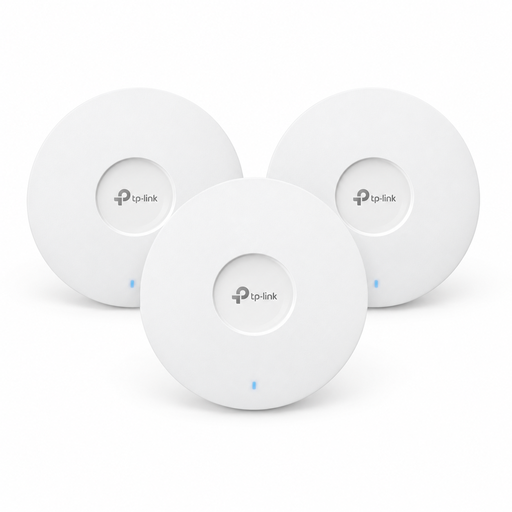
TP-Link Omada EAP653 AX3000, 3-pack
As a Wi-Fi 6 access point in a 3-pack, this model is an option if you’re planning several access points for one network.
It requires an 802.3at PoE+ power source or a 12 V power adapter. According to the product information, the power adapter is sold separately.
View at Joybuy
Frequently asked questions
How can I tell whether mesh could speed up my game update?
First, test your internet connection without the problematic Wi-Fi section if possible, then check the connection on your gaming device. The Federal Network Agency’s desktop app lets you compare your measured connection speed with the rate specified in your contract. If the connection is already slow near the router, the bottleneck may not be the Wi-Fi between floors.
Where should I place a wirelessly connected mesh node?
Place it somewhere it can still get a sufficiently strong wireless connection to the router or previous node. Then check the connection in your gaming room; the number of floors alone doesn’t tell you where to put it or how many nodes you’ll need.
Can I keep my existing FRITZ!Box?
Yes. A compatible FRITZ!Repeater can extend a FRITZ! mesh. FRITZ! describes how to set up a wired LAN bridge with a FRITZ!Box and repeater. Before buying, check that your specific router model and planned connection are compatible.
Could a mesh system involve extra costs or work?
Yes. Alongside the size of the set, consider any cabling you may need and optional services. Some providers only offer security or management features with a separate subscription; whether you need them is a decision for you to make.
What are the legal requirements when buying a Wi-Fi mesh device in Germany?
According to the Federal Network Agency, radio equipment covered by harmonised EU legislation and placed on the EU market must carry a CE marking. Check the specific EU version on offer; the marking doesn’t tell you how well Wi-Fi will perform in your home.


