For regular or larger course downloads, a mesh node with a wired Ethernet backhaul is a sensible choice if you can run a network cable. If you can’t, place a wirelessly connected node where there’s already a usable signal. For outdoor installation, you’ll also need to check that the specific device and location are suitable, that power is available and that the relevant German radio regulations are met.
Who uses a garden office?
Regular course downloaders
If you regularly download large files, consider the whole connection from your internet service to your device. Germany’s Federal Network Agency offers a measurement tool that compares your actual connection speed with the speed specified in your contract.
A garden office with no cable route
If you don’t want to run a network cable, there needs to be a usable signal from your home at the planned location for the mesh node. TP-Link gives model-specific distance recommendations for the wireless connection of the Deco X50-Outdoor; these shouldn’t be taken as a general range for other mesh devices.
Users with an existing mesh network
If you want to extend your existing home network, check that the device belongs to the right mesh family and supports your preferred operating mode. TP-Link lists the Deco X50-Outdoor as compatible with other Deco models, while FRITZ! describes a LAN bridge within its own mesh system.
What should you look for when buying?
| Buying priority |
What to check |
Who is this especially important to? |
| Reliable downloads |
Check your internet connection and Wi-Fi at the destination separately. A wired backhaul requires a suitable cable route. |
If I need to download course materials regularly or as large files, the connection all the way to my device matters. Around 36% of consumers put download reliability first. |
| Connection without running a new cable |
Test reception at the planned node location; if using Powerline, try the actual sockets you intend to use. |
If you don’t want to install a new cable route, you’ll need a usable signal at the node location or a suitable alternative. Around 29% of consumers prioritise a setup that uses as few cables as possible. |
| Outdoor installation |
Check the IP rating, intended area of use and power supply for the specific model against the installation location. |
If the best location is outside the house, I want to know whether the device is designed for that exact spot. Around 21% of consumers put outdoor installation first. |
| Existing network and installation effort |
Check the mesh family, operating mode, number of nodes and any accessories you’ll need. |
If you want to keep a working router, check in advance that the additional node is compatible with your existing system and how it will connect. Around 14% of consumers prioritise their existing network and the effort involved in installation. |
Common buying and planning mistakes
-
Assuming the maximum Wi-Fi speed is your download speed
A stated maximum Wi-Fi data rate doesn’t guarantee real-world throughput or coverage. Your internet connection can also limit download speeds; TP-Link notes in the Deco BE25 manual that network conditions can cause fluctuations.
Check your internet connection and the signal at the planned location separately. Germany’s Federal Network Agency broadband measurement compares your actual connection speed with the speed specified in your contract, but it doesn’t measure the mesh wireless link.
-
Placing the node in a Wi-Fi dead zone
A wirelessly connected mesh node needs a reliable connection to the node upstream. A device placed where reception is at its worst can’t, by itself, fix the missing connection to your home.
Test reception at the planned node location. If the backhaul signal is too weak there, consider a wired connection or another way to connect it.
-
Assuming ‘outdoor’ means suitable for every installation location
Specifications vary by model: TP-Link gives the Deco X50-Outdoor an IP65 rating, while FRITZ! describes the Repeater 1610 Outdoor, rated IP54, as suitable for sheltered outdoor areas. These ratings aren’t equivalent.
Check the manufacturer’s specifications for the specific installation location and power supply. For an outdoor installation, you must also follow the radio regulations that apply to the device and location.
-
Planning to use Powerline without testing the sockets at your destination
Data transmission over power lines can be affected by socket placement and electrical interference. devolo notes that electrical devices can affect data transmission.
Try the adapters in the sockets you plan to use and assess the connection under normal operating conditions.
Brands to consider
The features listed relate to the respective product ranges and don’t replace checking the backhaul, installation location and compatibility.
TP-Link
Deco models may suit an existing Deco mesh, while the Deco X50-Outdoor is designed for outdoor use.
- TP-Link lists IP65, PoE and compatibility with other Deco models for the X50-Outdoor.
- The manufacturer’s recommendations for wireless connection apply to this model. The F.A.Z. Kaufkompass recommendation of the Deco BE25 as a home network system doesn’t demonstrate how it will perform on a specific route to a garden office.
FRITZ!
A potential addition to an existing FRITZ! mesh, particularly if you can set up a LAN bridge.
- FRITZ! lists IP54, PoE+ and use in sheltered outdoor areas for the Repeater 1610 Outdoor.
- The manufacturer’s specification doesn’t mean it’s approved for every exposed installation, and IP54 isn’t equivalent to IP65.
ASUS
The ZenWiFi BD4 Outdoor is a possible outdoor mesh option if it suits your planned system and setup.
- ASUS lists Wi-Fi 7, IP65 and PoE for this model.
- The model specifications aren’t an independent measurement of download performance in a garden office. Check compatibility with your existing router.
devolo
A Powerline adapter with Wi-Fi may be worth testing if a wireless link or running new cables isn’t practical.
- devolo describes data transmission over power lines.
- According to devolo, socket placement and electrical interference can affect data rates, so it’s important to test the adapters in the sockets you plan to use.
Joybuy products for your garden office
The mesh kits and nodes below offer options for a wired or wireless connection to your garden office. The indoor models listed aren’t designed for outdoor installation; for outdoor setups, check the specific area of use and the applicable radio regulations.
 No image available
TP-Link Deco BE22, 2-pack
A two-node indoor system to consider if you’re looking at a wired connection.
Wi-Fi 7, dual-band and two Gigabit WAN/LAN ports per device are listed. The kit is designed for dry indoor spaces; check that it supports your preferred backhaul mode.
View at Joybuy
 No image available
Ubiquiti U7 Mesh, 5000 Mbit/s, PoE
An option if you need a PoE-capable Ethernet uplink and an access point for a mesh installation.
Wi-Fi 7, IPX6 and PoE are listed; the product name states 5000 Mbit/s, which isn’t a guaranteed download speed in your garden office. For the outdoor installation described, shielded network cables, grounding and surge protection are specified. Also check that you have a suitable PoE power supply and comply with the applicable radio regulations.
View at Joybuy
 No image available
TP-Link Deco M4, 1-pack
For adding a single node to an existing Deco network if you plan to use Ethernet backhaul.
Dual-band AC1200 and two Gigabit ports are listed. The device is designed for indoor use and is sold as a single expansion node, not as a multi-node kit.
View at Joybuy
 No image available
TP-Link Deco M4, 3-pack
For a multi-node system if you need to cover several areas indoors.
Dual-band AC1200 and two Gigabit LAN/WAN ports per device are listed. The kit includes three Deco devices and, according to the product details, can operate as a router or access point.
View at Joybuy
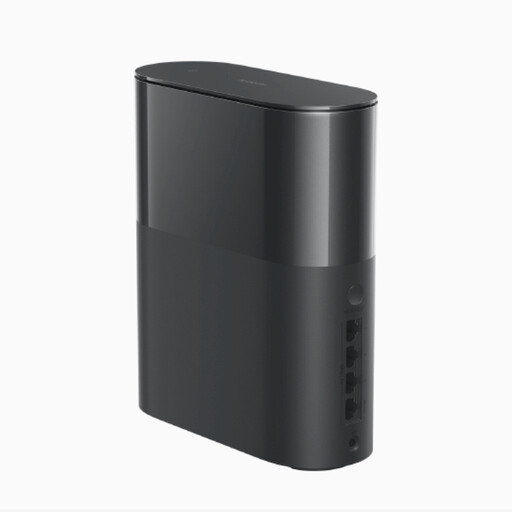 No image available
Xiaomi Mesh System BE3600 Pro, 1-pack
For expanding a mesh network with a single device if you’re looking for a starting point that can be extended.
Wi-Fi 7, one 2.5 Gbit/s WAN/LAN port and three Gigabit Ethernet ports are listed. The offer includes one device; you’ll need an additional unit to create a mesh network with multiple devices.
View at Joybuy
Frequently asked questions
How can I tell whether the internet connection is slow or the Wi-Fi is weak in my garden office?
First, measure your fixed broadband connection, then check the signal at the planned Wi-Fi locations. Germany’s Federal Network Agency broadband measurement compares your actual connection speed with the speed specified in your contract; it doesn’t assess the quality of a particular mesh wireless link.
Can I run an outdoor node without installing an additional power cable?
With a model that supports Power over Ethernet, power and data can run through the same Ethernet cable. TP-Link lists IEEE 802.3at for the Deco X50-Outdoor; you’ll still need to check the power source, cable route and requirements for outdoor installation.
Do I need to register a private mesh Wi-Fi network for my garden office?
Germany’s Federal Network Agency doesn’t require registration for Wi-Fi used exclusively for private or internal business purposes. You must still comply with the applicable frequency rules and requirements for radio equipment; this doesn’t mean that every frequency band or device is approved for every outdoor installation.
What are my rights if a device bought online is faulty?
When you buy from a business seller in the EU, you’re entitled to a statutory guarantee of at least two years from receipt of the goods; this is separate from any voluntary manufacturer’s warranty. For ordinary online purchases of goods, you’re generally also entitled to a 14-day right to cancel from delivery, subject to the applicable conditions and exceptions.


