What should you consider when choosing?
In a three-storey home, check the connection between the nodes first. Then consider access to your music library and how to connect your existing router. An advertised maximum speed alone won’t tell you how good the signal will be where you want to play music.
| What matters |
What to look for when buying |
Who it matters most to |
| Connection across three floors |
Check where you can place the nodes and the signal at each location; consider existing LAN cabling and Ethernet backhaul. |
If the connection drops on one floor, I want to place the nodes appropriately and test playback there. Around 36% of consumers give the connection between floors the highest priority. |
| Local music library |
Check where the files are stored, whether the computer or NAS is switched on and sharing the files, and whether playback and controlling devices stay on the intended home network. |
I want to access music from my computer or NAS without a missing share or separate network getting in the way. Around 29% of consumers prioritise access to their local library. |
| Connecting an existing router |
Check your router model, operating mode and which device will handle DHCP; find out which features remain available in access point mode. |
If I want to keep using my router, I want the mesh system to fit into my existing home network. Around 21% of consumers prioritise keeping their current router set-up. |
| Installation effort |
Compare the number of units you need and the available connections, as well as any cabling work, with the features you actually need. |
If I don’t need an especially high peak Wi-Fi speed, I want to avoid unnecessary units and installation steps. Around 14% of consumers prioritise the cost and effort of buying and installing a system. |
Joybuy products for mesh and Wi-Fi across floors
This selection includes mesh systems designed to work with an existing router, as well as an Omada access point set for wireless connections between access points. Before buying a specific product, check the label on the version actually being offered: according to the Bundesnetzagentur, products covered by the rules and placed on the EU market must carry CE marking.
 No image available
TP-Link Deco BE22, 2-pack
Listed as a mesh system with router and access point modes; check how it will fit into your existing home network before buying.
Wi-Fi 7, dual-band and Gigabit Ethernet according to the product name.
View at Joybuy
 No image available
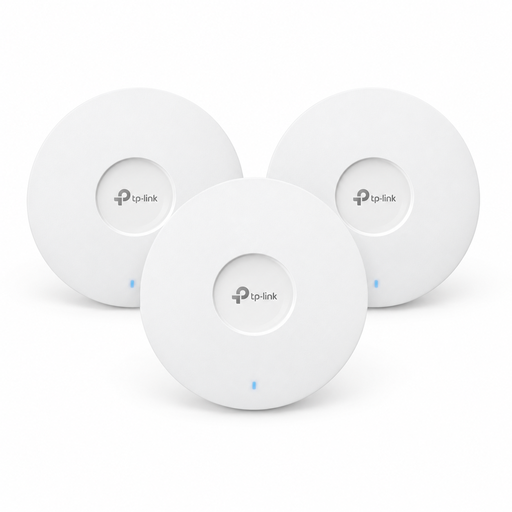
TP-Link Omada EAP653 AX3000, 3-pack
An option if you need several access points with wireless connections between them.
Wi-Fi 6 and ceiling mounting according to the product name. Plan for power: PoE+ or a 12 V DC adapter, sold separately, is specified.
View at Joybuy
 No image available
TP-Link Deco M4 AC1200, 3-pack
A three-unit mesh system if you’re planning to use several access points and router or access point mode.
Dual-band and Gigabit ports according to the product name.
View at Joybuy
 No image available
TP-Link Deco S4 AC1200, 3-pack
A three-unit mesh system that, according to the product description, can be used with a router.
Dual-band and Gigabit ports according to the product name.
View at Joybuy
 No image available
MERCUSYS Halo H1200G AC1200, 3-pack
A three-pack if you want to cover several floors and have devices switch between mesh units.
Dual-band according to the product name.
View at Joybuy
Frequently asked questions
Does a mesh system need to store the music files itself?
No. For local music playback with Sonos, the files can be stored on a computer or NAS on your home network, with file sharing enabled. The mesh system provides the network connection; sharing and access permissions need to work as well.
How should I position the nodes without LAN cables between floors?
Choose locations where the nodes themselves still have a usable wireless connection, then check the places where you want to play music. TP-Link notes that building materials and obstacles affect actual coverage, so a coverage figure doesn’t guarantee service throughout your home.
Can I put my music devices on the guest network?
Not with a Sonos system controlled through the Sonos app: Sonos Support requires the app and products to be on the same Wi-Fi network and says guest networks are incompatible. For other music systems, check their network requirements.
Do I need an individual radio licence for a typical home Wi-Fi network in Germany?
According to the Bundesnetzagentur’s Wi-Fi information, you don’t need to make an individual application or obtain formal permission to use Wi-Fi on the frequencies generally allocated by the Bundesnetzagentur. The relevant frequency usage conditions still apply. For 6 GHz, the current Vfg. 76/2025 applies, not Vfg. 12/2025, which it repealed.
What should I look for in a Wi-Fi device sold in Germany?
As the Bundesnetzagentur explains, products covered by the relevant EU harmonisation rules must carry CE marking when placed on the market. Check the version actually supplied and its labelling; a product description alone doesn’t confirm the marking on a specific item.


