Uploading from distant floors
If you upload photo albums in places the router can’t reliably reach on its own, the position of the mesh units and the connection between them are important factors to consider.


A mesh Wi-Fi system can help with photo uploads across three floors if the wireless connection where you upload is the bottleneck; it won’t increase your internet plan’s upload speed. First, check that speed using the Federal Network Agency’s broadband measurement tool. If you have usable LAN connections between floors, wired backhaul is worth considering: F.A.Z. Kaufkompass describes it as usually faster and less prone to interference than a wireless connection.
If you upload photo albums in places the router can’t reliably reach on its own, the position of the mesh units and the connection between them are important factors to consider.
If network cables run between floors, check whether your chosen mesh system supports Ethernet backhaul and can be connected where you need it.
If you want to keep using your existing router, check the required connection type and which device manages the mesh in your chosen operating mode.
First, work out whether the bottleneck is your internet connection or the wireless signal around your home. Then consider the backhaul between units, how the system connects to your router and the right kit size.
Suitable when: usable network cables connect the units you plan to install.
Trade-off: cables and suitable connections need to be available at each location; your internet plan’s upload speed remains a separate limit.
Suitable when: there are no cables between floors and each unit can still get a good signal from the main unit or the next one.
Trade-off: placement is more flexible, but a weak wireless backhaul can limit the connection to a device further away.
Suitable when: you can’t use LAN connections between floors or get a good wireless backhaul, and can test the connection using the sockets you plan to use.
Trade-off: sockets and electrical devices can affect performance; devolo also notes possible interference with certain VDSL profiles.
| What matters | What to check before buying | Who is it important to? |
|---|---|---|
| Stable backhaul | Check where the units will go and the quality of their connection; if you have LAN between floors, check for Ethernet backhaul support. | If I upload photos from a distant floor, I want a stable connection between the units; around 36% of consumers put backhaul first. |
| Available upload speed | Check your internet speed using the broadband measurement tool, then compare it with the connection where you upload. Advertised Wi-Fi speeds are not internet upload speeds. | If uploads remain slow, I want to know whether my internet connection, rather than the Wi-Fi, is the bottleneck; around 29% of consumers see their internet plan’s upload speed as their main concern. |
| Router compatibility | Check the router or modem connection, operating mode and mesh compatibility of the specific kit. | If I want to keep my existing router, the mesh system needs to suit the connection and operating mode I want; around 21% of consumers prioritise router compatibility. |
| Ongoing costs and maintenance | Check that the pack size is right, along with the terms for optional services and the updates available for the specific system. | When choosing a kit, I want to factor in extra units and optional services; around 14% of consumers focus mainly on ongoing costs and maintenance. |
A model’s advertised Wi-Fi speed doesn’t tell you the upload speed your internet connection can actually deliver.
First, test your internet connection, then check the signal where you upload photos.
The unit furthest from the router still needs a usable connection to the main unit or another mesh unit.
Check the connection at your planned locations and use existing LAN connections between floors if your system supports Ethernet backhaul.
Performance can vary depending on the socket and electrical interference. devolo notes possible interference with certain VDSL profiles.
Test the sockets you plan to use and, if you have VDSL, check the manufacturer’s guidance on the requirements.
A single unit doesn’t automatically include the number of mesh units you need for your planned set-up across multiple floors.
Compare the stated pack size with your placement plan; coverage figures are no substitute for testing in the locations you intend to use.
Deco X50 is a Wi-Fi 6 mesh system with optional Ethernet backhaul. It’s worth considering if you have, or plan to add, LAN connections between floors.
The FRITZ!Mesh Set 4200 is available as a two- or three-pack and is designed to connect to an existing router or a FRITZ!Box.
ZenWiFi XD5 is a Wi-Fi 6 option if you need Ethernet backhaul or want to connect it to an AiMesh-compatible router.
The Orbi 770 RBE773 is a three-pack with tri-band Wi-Fi 7 and, according to the manufacturer, the option of wired backhaul.
WiFi 7 Mesh BE6500 is available as a two- or three-pack. Magic 2 WiFi 6 next is a separate powerline alternative to wireless backhaul.
This selection includes multi-unit mesh kits and an access point kit for locations connected by wireless mesh. For the access point option, pay particular attention to the power supply required and how it connects to your home network.
 No image available
This three-pack is designed for several mesh units placed around your home; check the connection between them at your planned locations.
AC1200, dual-band.
 No image available
This three-pack is described as a mesh system for multiple locations; check that the pack size suits your placement plan.
AC1200, dual-band, Gigabit Ethernet ports.
 No image available
This kit includes three units for different locations; check that your planned placement gives them a usable connection to one another.
AC1200, dual-band, Ethernet ports.
 No image available
According to the product name, this two-pack contains a router unit and a repeater unit; check whether two devices are enough for your planned set-up.
Wi-Fi 7, dual-band, three Gigabit ports per unit.
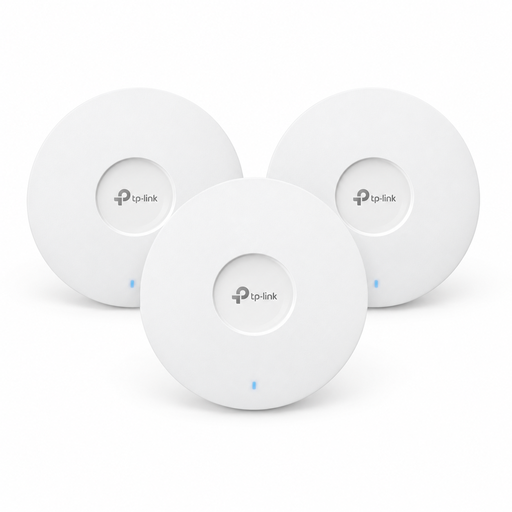 No image available
This kit is designed for access points placed around your home, with wireless connections between the units. Before buying, check that it will work with your existing home network.
Requires a suitable 802.3at PoE+ power supply or a 12-V-DC adapter, sold separately.
Check your connection’s actual transfer speed using the Federal Network Agency’s broadband measurement tool, then compare it with the connection where you upload. A better wireless network can’t increase your internet connection’s upload speed.
Choose locations where each unit can still get a sufficiently strong wireless connection to the main unit or another mesh unit. A unit placed at the very edge of a dead spot can’t be expected to have a good backhaul connection.
It depends on the kit and how it connects. According to FRITZ! Company, the FRITZ!Mesh Set 4200 can connect to another router or use a FRITZ!Box as the mesh hub; mesh management varies depending on how you connect it.
Check that the pack size is enough for your planned set-up and whether any extra services you want are sold separately. NETGEAR lists optional Armor services for Orbi 770; add-on services aren’t essential for every photo upload.
No. According to devolo, some sockets may deliver low transfer speeds, and electrical devices can affect performance. Test the connection using the sockets you actually plan to use.