What should you look for when buying?
First, check your internet connection and Wi-Fi separately, then look at the link between your router and the additional node. If you can run a network cable, wired backhaul may be an option. Without a cable, the planned location for the node should still have a usable connection to the rest of your network.
The percentages below rank consumers in this usage scenario by their main purchasing priority.
| Priority |
What to check before buying |
Who is this important for? |
| Signal in the study |
Check Wi-Fi in the study and at potential node locations separately; find out how the system links back to the network. |
When I’m streaming a lesson in a room behind thick walls, I need a stable connection there. Around 36% of consumers put signal in the study first. |
| Connection back through the walls |
Check the cable route, Ethernet ports and how to set up Ethernet backhaul. |
If there’s a network cable running to my study area, I want to use it to connect the nodes. Around 29% of consumers prioritise a wired backhaul. |
| Integration with your home network |
Check that your router model, the extender’s operating mode and the requirements for shared mesh features are compatible. |
If my router is already working, I’d prefer to keep it and add a compatible extension. Around 21% of consumers prioritise keeping their existing router. |
| Effort involved |
First identify the bottleneck, then compare the devices, cable route and setup you’ll need. |
If I only need to improve one specific area, I don’t want to replace devices unnecessarily or take on extra setup. Around 14% of consumers prioritise a targeted solution. |
Joybuy products for this topic
The following Joybuy products are options for extending a mesh network. Depending on the model, check whether you need a multi-node set, a single unit or an access point, and how it will connect back to the network.
 No image available
TP-Link Deco M4, AC1200, single pack
For extending a Deco network when you can connect the nodes with a network cable.
AC1200; dual-band; Gigabit Ethernet ports; single pack.
Joybuy
 No image available
TP-Link Deco S4, AC1200, 3-pack
A mesh set with three units for households looking to cover several rooms; placement and backhaul are still key.
AC1200; dual-band; Gigabit ports on each unit; one network name.
Joybuy
 No image available
MERCUSYS Halo H1200G, AC1200, 2-pack
For a mesh network with two units, if you can check the connection at your planned locations.
AC1200; dual-band; Gigabit Ethernet ports; setup via the MERCUSYS app.
Joybuy
 No image available
MERCUSYS Halo H25BE, Wi-Fi 7 BE3600, 2-pack
For a mesh set with two nodes; according to the product description, the second node should be within range of the first.
Wi-Fi 7 BE3600; three Gigabit ports on each unit.
Joybuy
 No image available
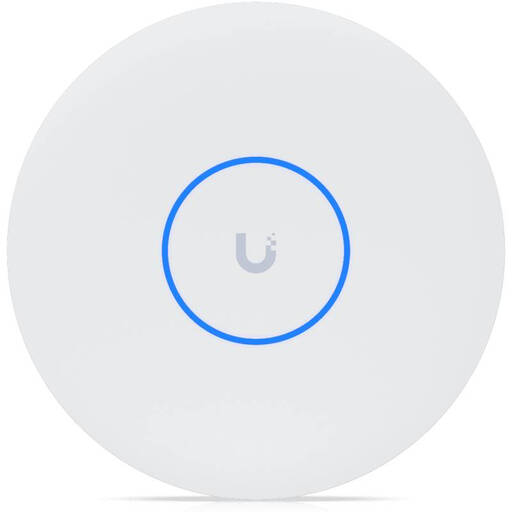
Ubiquiti UniFi U7 Pro XG WiFi 7 Access Point, tri-band, 10GbE, PoE+
For an access point connected by Ethernet; wireless meshing is supported. This device is not a router or modem.
Wi-Fi 7; tri-band; 10GbE RJ45 uplink; PoE+. A PoE+ switch or PoE injector is required and not included.
Joybuy
Frequently asked questions
Should I check my internet connection or Wi-Fi first?
Check them separately. The Bundesnetzagentur offers a broadband measurement tool to assess the data rate of your fixed-line internet connection. Then compare the result with the Wi-Fi signal in your study to help identify a local wireless bottleneck.
Can I put a mesh node straight into a room with no signal?
With a wireless backhaul, the node itself needs a sufficiently strong wireless connection to the rest of the mesh. If you have a usable network cable, compatible devices can use Ethernet backhaul instead.
What should I allow for when setting up a Deco system?
TP-Link says you’ll need an external internet source, a TP-Link ID and the mobile Deco app to configure the system. For Ethernet backhaul, TP-Link first explains how to set up the nodes on the same network, then connect them by cable.
Can I reliably estimate performance behind my walls in advance?
You can’t predict performance in a specific study based on the type of mesh system alone. Check potential node locations and the backhaul at each one. With Powerline, suitability also depends on your electrical wiring and, where relevant, your VDSL connection.
What should I check about CE marking on a Wi-Fi device for use in Germany?
The Bundesnetzagentur says CE marking is required for products covered by the relevant EU harmonisation legislation and placed on the market in the EU by a manufacturer or importer. The marking alone doesn’t prove how well Wi-Fi will work behind thick walls.


