What should you look for when choosing a system?
First work out whether the bottleneck is your broadband connection or the Wi-Fi at your viewing spot. Then choose between Ethernet cabling between floors, a wireless link between the nodes or a targeted extension to your router.
| What you need |
What to check before buying |
Who it matters most to |
| Reception at viewing spots |
Check the connection on your playback device on each floor you need to cover; plan node positions based on the actual signal conditions. |
If I want to watch the stream on different floors, I need a good signal at the actual viewing spots, not just next to the router. Around 36% of consumers put coverage across floors first. |
| Connection between the nodes |
Check whether you have Ethernet cabling between floors and whether the specific system supports Ethernet backhaul. Without cabling, test the wireless link at the planned location. |
If several nodes need to work across different floors, I want to know their connection to the rest of the network will be reliable. Around 29% of consumers prioritise the connection between nodes. |
| Keeping your existing router |
Check your router model, mesh compatibility and the router or access point mode you’ll need. |
If it’s mainly one area that has poor coverage, I’d like to keep my existing router if the extension is compatible. Around 21% of consumers focus particularly on integrating their existing router. |
| Features you need |
Consider the number of nodes required, any existing cabling and the ports you need; check optional features separately. |
If I only need to fix a few dead spots, I don’t want to choose equipment my setup doesn’t require. Around 14% of consumers focus on the equipment they need and the overall effort involved. |
Joybuy products for mesh systems and access points
This selection includes multi-unit mesh systems and individual mesh-capable access points. Check that the router, operating mode, cabling and number of nodes you need suit your setup. For wireless devices used in Germany, also check the requirements for the specific version you intend to use.
 No image available
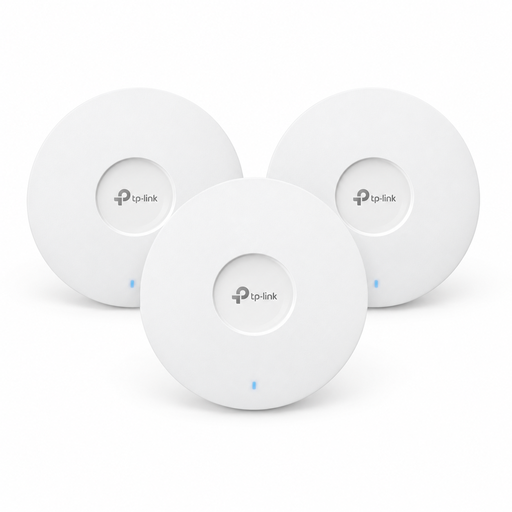
TP-Link Omada EAP653 Wi-Fi 6 access point, three-pack
For a setup with several access points and a mesh connection between devices. The product is described as a Wi-Fi 6, AX3000 ceiling-mounted access point. For power, the listing specifies 802.3at PoE+ or a 12 V DC adapter, sold separately.
View at Joybuy
 No image available
TP-Link Deco S4 AC1200 mesh Wi-Fi system, three-pack
For a mesh setup with three units if you want to keep using your existing router. The product name lists AC1200, dual-band and Gigabit ports; check that the operating mode and router compatibility suit your setup.
View at Joybuy
 No image available
MERCUSYS Halo H1200G AC1200 mesh Wi-Fi system, three-pack
For a mesh setup with three units to cover several rooms or floors. The product name lists AC1200 and dual-band; plan where to place the units based on the wireless signal in your home.
View at Joybuy
 No image available
MERCUSYS Halo H25BE Wi-Fi 7 mesh Wi-Fi system, two-pack
For a mesh setup with two units, described as a router and a repeater. The product name lists Wi-Fi 7, dual-band and three Gigabit ports per unit; check that two nodes will be enough for your viewing spots and the connection between them.
View at Joybuy
 No image available
Ubiquiti UniFi U7 Lite Wi-Fi 7 access point
For a setup with several mesh-capable access points; this listing is for one access point, not a multi-unit system. The product name lists dual-band, 2.5 GbE and PoE+; power is specified as PoE in accordance with 802.3af or a compatible injector.
View at Joybuy
Frequently asked questions
What internet speed do I need to watch a live concert?
It depends on the streaming service, resolution and how many people are using the connection at the same time. For example, Netflix recommends a stable connection of at least 5 Mbit/s for Full HD or 15 Mbit/s for 4K for its live events. These aren’t general minimum requirements for every concert service or mesh system. Check the connection on your playback device.
How do I connect mesh nodes using Ethernet cabling between floors?
Check whether the specific system supports Ethernet backhaul and whether your cabling, ports and operating mode suit your setup. ASUS describes different settings for AiMesh and ZenWiFi depending on the router or access point mode and the switch you use; this advice doesn’t automatically apply to other systems.
What changes if I’m livestreaming the concert myself?
If you’re livestreaming, the upload bandwidth available to you is especially important. YouTube recommends checking your upload speed and keeping the total of your outgoing bitrates within your available upload capacity; a fast download connection alone won’t be enough.
What are the rules for 6 GHz Wi-Fi in Germany?
The German Federal Network Agency’s General Allocation Vfg. 76/2025 applies to the 5945–6425 MHz band and supersedes Vfg. 12/2025. Follow the applicable conditions of use and check that the device version is intended for use in Germany.
What compliance requirements apply to mesh Wi-Fi radio equipment in Germany?
Radio equipment placed on the market in Germany must meet the relevant requirements of the EU Radio Equipment Directive. The European Commission describes the conformity assessment, EU Declaration of Conformity and CE marking, among other requirements; this doesn’t guarantee Wi-Fi coverage in your home.


