People taking calls on a distant floor
If your workspace is several floors away from the router, the connection where you take your calls and a reliable link between mesh nodes matter more than an advertised maximum speed.


First, check your internet connection and the signal where you actually take your calls: a mesh system can’t fix a problem with your broadband connection. If you have network cables between floors, consider a mesh system with Ethernet backhaul. Without cables, place the nodes where they can maintain a usable wireless connection to one another. If you want to keep your existing router, check whether your current mesh can be expanded or whether the new system supports Access Point mode before you buy.
If your workspace is several floors away from the router, the connection where you take your calls and a reliable link between mesh nodes matter more than an advertised maximum speed.
Without a wired connection between floors, you’ll need to find locations where the nodes can still maintain a usable wireless connection to one another.
If you want to keep your current router for your internet connection, check whether you can expand your existing mesh or use a new system in Access Point mode alongside it.
Check your connection, backhaul and how the system will work with your existing router separately before deciding on a system or the number of nodes you need.
| Priority | What to check when buying | Who should pay particular attention? |
|---|---|---|
| Connection where you take your calls | Check your broadband connection and Wi-Fi at your workspace separately; consider Ethernet backhaul if you have cables between floors. | If I take video calls on a distant floor, a stable connection at my workspace matters more to me than a high rated Wi-Fi speed. Around 36% of consumers say connection quality where they take calls is their top priority. |
| Wireless backhaul | Check where you can place the nodes and whether they can connect reliably to one another. | If I can’t use a network cable between floors, I need to find locations where the nodes can maintain a usable wireless connection. Around 29% of consumers put wireless backhaul and node placement first. |
| Existing router | Check the compatibility of the specific system and whether it supports expansion or Access Point mode. | If I want to keep my router, I first check whether I can expand the mesh or run the new system in Access Point mode. Around 21% of consumers prioritise keeping their existing router. |
| What’s included and extra services | Consider how many nodes you need and any optional services separately. | I only want to use as many nodes as the suitable locations require, and to choose optional services carefully. Around 14% of consumers prioritise getting the right items in the box and choosing extra services. |
The stated Wi-Fi speed and the internet connection available where you take your calls are two different things. If your broadband connection is the bottleneck, a mesh system won’t fix the problem on its own.
Start by checking your broadband connection, then test the signal at your actual workspace. The Bundesnetzagentur provides a desktop app for measuring fixed-line broadband; Zoom recommends different bandwidths depending on the type of call and resolution.
Mesh stations also need a usable connection between them. Placing a node somewhere with a weak signal won’t automatically solve the problem.
Plan and check your intended node locations before deciding where to put them permanently. If your building has challenging construction, Ethernet backhaul may be an option; NETGEAR Support describes it as a possible solution in these situations.
Depending on your placement plan, you may need extra nodes or to install cables later.
According to NETGEAR, an Orbi system in Access Point mode can’t be managed through the Orbi app. Optional services such as Armor are separate from the main device.
Check what the specific operating mode offers and decide whether you want to activate any optional services.
The Deco range includes standalone mesh systems. The right option depends, among other things, on whether you can use wired backhaul and how many units you need.
Worth considering if you already have a compatible FRITZ! Mesh Master and want to extend your existing network.
The ZenWiFi XT9 is a Wi-Fi 6 tri-band option to consider if you’re looking for a standalone mesh system.
The Orbi 770 range is worth considering if you need suitable ports for your router and satellites, or want to use Access Point mode.
This selection includes mesh systems and Wi-Fi access points for connecting different areas of your home. Before choosing, check what type of backhaul and power supply is available at your intended locations.
 Image unavailable
A two-unit mesh system for connecting several areas of your home.
Dual-band; Gigabit Ethernet.
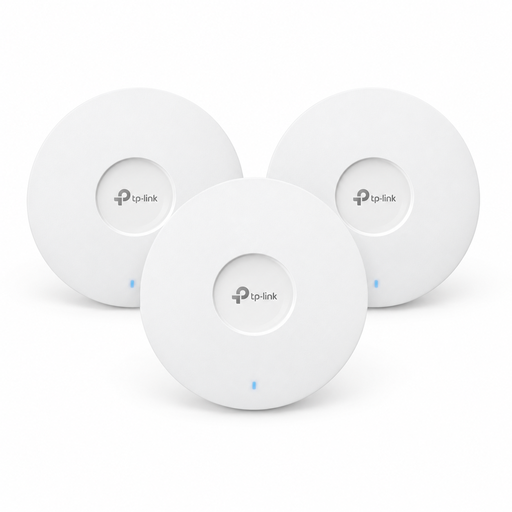 Image unavailable
A three-pack of access points for covering several areas, provided you have a suitable power supply.
Requires PoE+ for power; a 12 V DC power adapter is available separately.
 Image unavailable
A three-unit mesh system for connecting several areas of your home while keeping your existing router.
Dual-band; Gigabit ports.
 Image unavailable
A two-unit mesh system for connecting several areas, with the option to connect devices to a node using a cable.
Dual-band; Gigabit ports.
 Image unavailable
A three-unit mesh system for connecting several areas; check that the pack size suits the locations you have in mind.
Dual-band; Gigabit ports.
Compare the connection where you take your calls with a test of your broadband connection, and check both upload and download speeds. The Bundesnetzagentur offers a desktop app for this; Zoom publishes different bandwidth recommendations depending on the type of call and resolution. If your broadband connection is already too slow for your needs, a mesh system alone won’t solve the problem.
Check the guide for your specific system to see whether it has an Access Point mode. NETGEAR describes this option for Orbi, but notes that the Orbi app can’t manage the system in this mode. If you have a compatible FRITZ! Mesh system, you can instead check whether you can add another node to your existing Mesh Master.
Check the connection where you actually take your calls, and test the backhaul again if you move any nodes. The F.A.Z. Kaufkompass test highlights the wireless connection between nodes as an important placement consideration; guidance from the system manufacturer can also help you decide where to put them.