
Lieferung heute & morgen

Qualitätsgarantie

Willkommens-Angebote freischalten: KOSTENLOSE Lieferung | Bis zu 80 % RABATT | Kostenlose 30-Tage-JoyPlus-Testphase
App herunterladen
Although USB-C is the new standard, countless tried-and-true devices still rely on a Micro USB charging cable—from older Android smartphones and tablets to e-readers, power banks, and Bluetooth headphones. But buying a replacement cable can be frustrating. Many products on the market make big promises but deliver little. This guide will help you navigate the typical pitfalls and find a cable that charges reliably and is built to last.
A low price is tempting, but it often leads to disappointment. Watch out for these three common flaws to avoid making a bad purchase:
Don't be fooled by marketing buzzwords. These three technical parameters determine the quality and functionality of your cable.
Charging speed is primarily determined by the current, measured in amperes (A), and the total power in watts (W).
A cable's durability is directly linked to its materials and construction.
If you want to use the cable not just for charging but also for syncing data, you need a full-featured USB A to Micro USB cable with data capabilities. The common standard here is USB 2.0, which allows for a transfer speed of up to 480 Mbit/s. This is generally more than sufficient for transferring photos, music, and documents.
Based on these objective criteria, we have identified several products that offer a suitable solution for different user profiles.
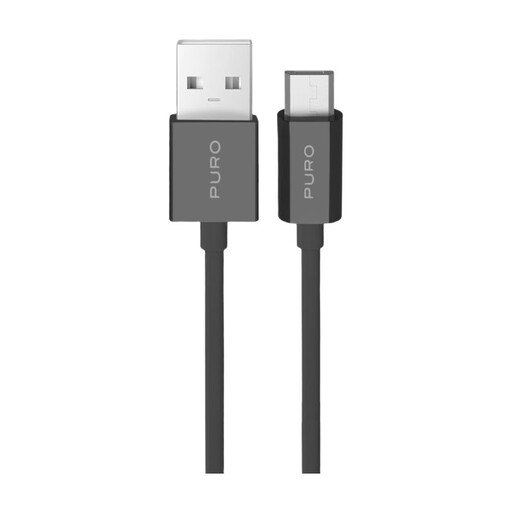
Why This Fits Their Persona: Ideal for users who need a reliable, standard cable for daily charging of devices like power banks, e-readers, or a secondary phone at their desk or nightstand. It gets the job done without unnecessary frills.
This cable avoids the trap of vague performance claims with a clear specification of 12W charging power. The precisely manufactured connectors and TPE construction provide a solid foundation for everyday use and prevent intermittent connections.
Supports both charging and data transfer (USB 2.0). The standard 1-meter length is suitable for most stationary applications.
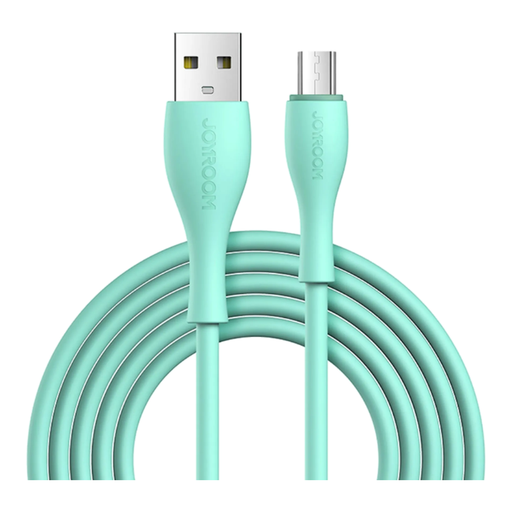
Why This Fits Their Persona: Perfect for users who use their device heavily while it's charging and need more reach. The 2-meter length is ideal for the couch, bed, or use in the car.
This cable tackles the problem of slow charging by supporting up to 3A charging current. The flexible TPE construction, combined with the generous 2-meter length, prevents the frustration of cables that are too short and impractical.
A practical 2m charging cable for maximum flexibility. The integrated charging indicator shows the charging status without being distractingly bright in the dark.
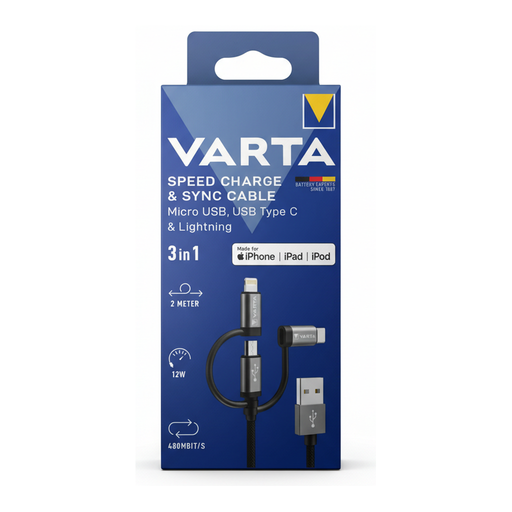
Why This Fits Their Persona: The solution for anyone managing a household with devices from different generations and manufacturers (Apple, older/newer Androids). Ideal for the car, the living room, or as a travel cable to reduce clutter.
This cable solves the compatibility problem, making multiple individual cables obsolete. The robust nylon jacket and 2-meter length directly address the issues of durability and insufficient reach.
Three connectors in one (Micro-USB, USB-C, Lightning). The MFi certification for the Lightning connector is an additional quality mark that speaks to the overall product construction.
We have compiled a complete, up-to-date list of products that fully meet these strict selection criteria and German safety regulations.
A fast-charge capable cable is usually advertised with a specification for the maximum current (e.g., 2.4A or 3A) or power (e.g., 12W). Check the product description for these values. A thicker cable gauge and robust construction can also be indicators, but they are not a guarantee on their own.
No. There are "charge-only" cables where the pins required for data transfer are not wired in the connector. A full-featured Micro USB data cable will be explicitly advertised with data transfer functionality, usually stating the USB 2.0 standard (480 Mbit/s). If this feature is important to you, look for this specification in the technical details.
The lifespan heavily depends on the frequency of use and the build quality. A high-quality cable with a nylon-braided jacket and reinforced strain relief can last for several years with normal use. In contrast, cheap cables without these features often fail after just a few months, especially if they are frequently bent or transported.