What should you look for when buying?
First, decide how close to the microphone you can speak, and how consistently, in your chosen spot. Then choose a connection that suits your current computer setup and any plans to upgrade.
| What matters |
What to check before buying |
Who is it important to? |
| Room sound and clarity |
Check the polar pattern, speaking side and mounting options; record a typical card in your planned spot as a test. |
If clear recordings of a single voice in your own room are your priority, and you can position the microphone close to you, this is the main thing to consider. Around 36% of shoppers put room sound and clarity first. |
| Easy computer connection |
Check your computer’s USB connection and make sure the cable and included accessories match the specific version. |
If you want to record lots of short cards without a separate audio interface, a straightforward connection matters. Around 29% of shoppers prioritise an easy computer connection. |
| Level control and monitoring |
Check for a headphone output and, where available, a gain control; test a particularly loud passage before recording a series. |
If you want to monitor your voice as you record and avoid distortion, look for monitoring and a recording level you can check. Around 21% of shoppers put this kind of control first. |
| Option to connect via XLR later |
Check the full model name and both outputs; if you plan to connect to a computer via XLR, allow for a suitable interface and cable. |
If you want to keep open the option of switching to an interface, choose a microphone with both USB and XLR. Around 14% of shoppers prioritise the option to upgrade later. |
Microphones at Joybuy
The products below include dynamic USB and USB/XLR microphones, as well as USB condenser microphones for recording speech on a computer.
 No image available
FIFINE AM8 USB/XLR
The desktop stand is designed for a fixed recording position at your desk, while USB lets you connect directly to a computer.
Dynamic microphone with USB and XLR connections, gain control, mute function and headphone output. The XLR cable isn’t included; the function buttons described work in USB mode only.
View at Joybuy
 No image available
FIFINE K688CTW
The adjustable boom arm can be positioned to help you record consistently from the same spot.
Dynamic microphone with USB and XLR connections, mute function, volume control and headphone monitoring. The XLR cable isn’t included; the function buttons described aren’t available in XLR mode.
View at Joybuy
 No image available
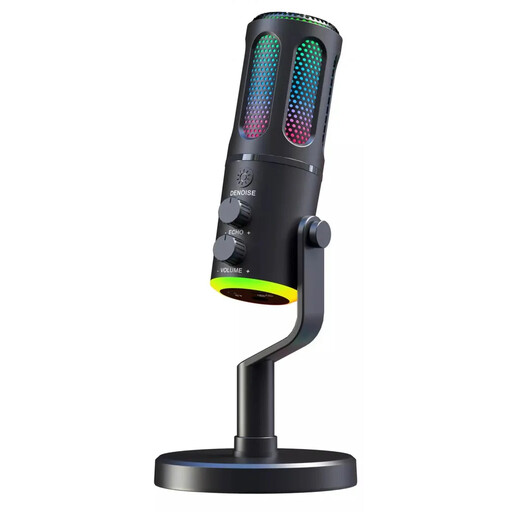
The G-Lab K-MIC-NEON
The desktop stand and USB connection described make this a good fit for recording at a fixed position by your computer.
USB microphone with a cardioid polar pattern, mute function, volume control and 3.5 mm headphone output for monitoring.
View at Joybuy
 No image available
Dynamic USB/XLR microphone set
The USB connection and desktop stand described are designed for recording at a fixed spot by your computer.
Dynamic microphone set with a cardioid polar pattern, USB and XLR connections, gain control, mute function, headphone output and desktop stand.
View at Joybuy
 No image available
JBL Quantum Stream Studio
This USB-C microphone is described as connecting directly to a computer, and you can select its cardioid polar pattern.
Condenser microphone with four selectable polar patterns, mute function and direct monitoring.
View at Joybuy
Frequently asked questions
How should I set up the microphone for recording a series of short cards?
Point the side you’re meant to speak into towards your usual seating position, then select the microphone as the input in your recording software. Before recording the series, test a quiet card and one with particularly strong emphasis. RØDE’s recommendation of a distance of around 5–10 cm applies specifically to the PodMic USB, not to other models in general.
What can I do if some cards sound distorted?
Check the input level with a loud test passage and lower it if the meter goes too high. Audacity recommends reducing the recording level if the meter reaches the yellow or red range of −9 dB to 0 dB during a test. A headphone output on the microphone can also help you monitor the sound.
Who should I contact if my microphone is faulty?
For consumer purchases in the EU, you have statutory rights against the seller for at least two years from the date you receive the goods. Your Europe distinguishes these rights from a voluntary manufacturer’s guarantee; for your specific order, the seller and the applicable terms are what matter.
Can I record someone else’s private speech for flashcards?
Not without the necessary authorisation: § 201(1) StGB covers the unauthorised recording of another person’s non-public speech, as well as the use or disclosure of a recording made in this way. Make sure you have permission before recording someone else.
Can I share audio flashcards containing someone else’s text publicly?
Permission to make certain private copies isn’t blanket permission to publish them. § 53 UrhG sets conditions for private copying and generally prohibits distributing such copies or making them available to the public. For the specific text and how you plan to share it, check whether you have the rights to use it or another applicable permission.


