What should you look for when buying?
Dynamic USB or USB/XLR microphone
A good fit if: you’re recording individual flashcards close to the microphone and want to get started without a separate interface.
Bear in mind: A directional pickup pattern is no substitute for speaking from close range or choosing as quiet a recording space as possible.
USB condenser microphone
A good fit if: your recording space is quiet enough and you can position the microphone appropriately.
Bear in mind: Even with a cardioid pickup pattern, distance and room noise can affect your recording. Try a test in the spot you plan to use.
XLR-only microphone
A good fit if: you already own a suitable audio interface, or want to record with multiple microphones through an interface or mixing desk.
Bear in mind: To record to a computer, you’ll need suitable equipment to convert the analogue XLR signal to digital. XLR alone tells you nothing about how the mic will sound in an untreated room.
When recording short spoken flashcards in an untreated room, your main buying priorities are voice clarity, ease of setup, connection flexibility and monitoring.
| Buying priority |
What to check |
Who is it important to? |
| Voice clarity in a reverberant room |
Pickup pattern and microphone direction; whether you can position the mic close enough. |
If you’re recording short flashcards in a reverberant room, you’ll want your voice to stay clear when you listen back repeatedly. That’s why around 36% of consumers put voice clarity in the room first. |
| Getting started quickly |
USB connection to your computer; whether the required cables and a suitable stand are included. |
If you want to record lots of short flashcards, a simple setup without extra configuration matters. Around 29% of consumers prioritise an easy recording process. |
| Connections for a future setup |
Whether the exact model offers USB and XLR; what extra equipment and cables you’ll need for XLR. |
If you’re recording on a computer to begin with but plan to use an interface later, you won’t want to replace your microphone straight away. Around 21% of consumers prioritise connection flexibility. |
| Monitoring your recording as you go |
Headphone monitoring on the microphone; whether a windscreen or pop filter is included. |
If you want to catch mistakes before recording a longer series, being able to monitor your voice directly is important. Around 14% of consumers prioritise monitoring their recording as they speak. |
Joybuy products for voice recording
This selection includes USB and USB/XLR desktop microphones, as well as wireless lavalier microphone sets. Before buying, check that the design and connections suit your plans for recording individual flashcards.
 No image available
FIFINE AM8 dynamic USB/XLR microphone
This dynamic USB/XLR model is worth considering if you want to start recording over USB while keeping XLR as a future connection option.
A separate XLR cable is required for XLR use. Recording to a computer also requires suitable equipment downstream.
View at Joybuy
 No image available
Razer Seiren V3 Mini White USB microphone
This compact USB microphone is an option if you’re looking for a desktop solution for recording on your computer.
The product name mentions tap-to-mute functionality. Check that the connection and controls are compatible with your recording device.
View at Joybuy
 No image available
Dynamic USB/XLR microphone set with RGB and desktop stand
This set is worth considering if you’re looking for a dynamic desktop microphone with USB and XLR connections.
The product name also mentions a gain control, echo and mute function. An XLR cable isn’t included; recording to a computer over XLR requires suitable equipment downstream.
View at Joybuy
 No image available
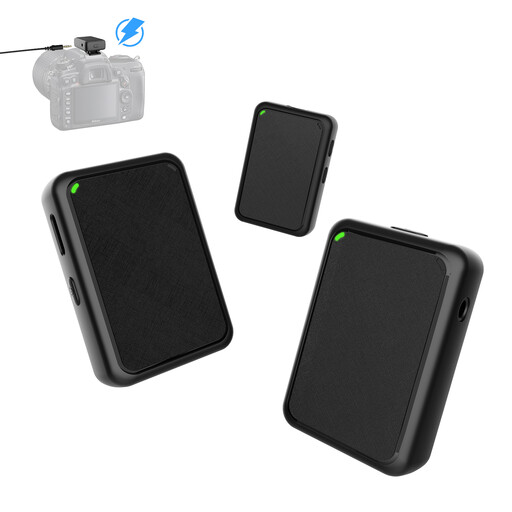
Moman MB1X(M) wireless lavalier microphone set (2TX & 1RX)
This set with two transmitters and one receiver may suit you if you want to include more than one speaker in a recording.
The product name describes it as a USB plug-and-play microphone for cameras. Check that it connects to the recording device you plan to use.
View at Joybuy
 No image available
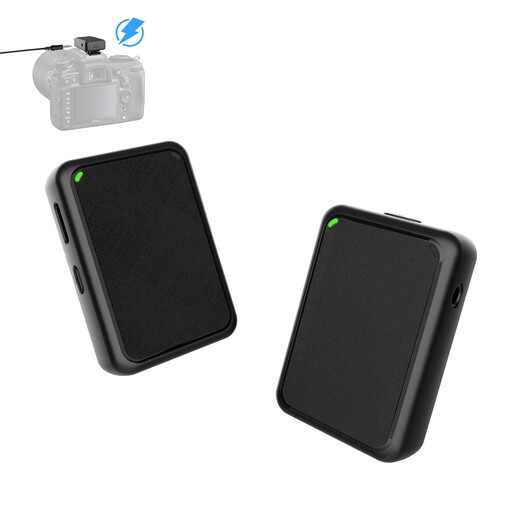
Moman MB1(M) wireless lavalier microphone set (1TX & 1RX)
This set with one transmitter and one receiver is an option for voice recordings with a single speaker.
The product name describes it as a USB plug-and-play microphone for cameras. Check that it connects to the recording device you plan to use.
View at Joybuy
Frequently asked questions
Can a microphone remove room echo on its own?
No, a microphone can’t remove room echo on its own. RØDE describes greater distance as one possible reason for speech sounding more reverberant and background noise becoming more noticeable. Position the microphone at a practical close range and compare short test recordings in the spot you plan to use.
Do I need an audio interface to record a single voice?
You don’t need an audio interface simply to record to a computer with a compatible USB microphone. An XLR-only microphone requires suitable equipment to convert the signal to digital, so an interface you already own may influence your choice.
How can I monitor several short recordings as I make them?
Look for a headphone output with direct monitoring on the specific microphone, and listen back to a test flashcard before recording a longer series. Samson lists this feature for the Q2U, while Audio-Technica lists it for the ATR2100x-USB and AT2020USB-X.
What rights apply when buying a microphone online?
For a relevant distance contract with a trader, you generally have a 14-day right to cancel from the date the goods are delivered; exceptions and conditions apply. Your Europe, the European Union’s consumer portal, also explains that faulty goods are covered by a minimum two-year legal guarantee. This is not the same as a voluntary manufacturer’s warranty.
What should I check when buying an electrical microphone?
For electrical and electronic products, Germany’s Federal Network Agency lists formal requirements such as correct CE marking, identifiable manufacturer details and German-language instructions with the required information. This doesn’t prove that a particular listing meets every requirement.


