What to look for when buying
Standalone headset microphone
A good fit if: you want to speak hands-free, already have headphones and have a suitable microphone input available.
Keep in mind: According to the manufacturer, the Shure WH20XLR has a dynamic cardioid capsule and doesn’t require phantom power; headphones are not included.
Broadcast headset with separate connections
A good fit if: you want to monitor your voice through closed-back headphones and your setup has separate, compatible microphone and headphone connections.
Keep in mind: The Audio-Technica BPHS1 and Sennheiser HMD 300 X3K1 connect the microphone and headphones separately, so make sure the inputs you have are compatible.
Headset for TRRS or USB
A good fit if: you want to record and monitor without a separate XLR setup, and your device supports the connection type you choose.
Keep in mind: The Audio-Technica ATH-M20xSTS is described as coming with a TRRS cable, plus USB-A and USB-C adaptors. According to the manufacturer, the RØDE NTH-100M microphone only works with the supplied TRRS cable.
For a monologue with a fan running, microphone placement and a test under the conditions you’ll be recording in are crucial. Noise isolation in the headphones alone tells you nothing about the microphone signal.
| What you need |
What to check before buying |
Who it matters most to |
| Clear speech with fan noise in the background |
Check the polar pattern and whether the microphone boom is adjustable; listen to a test recording with the fan running. |
If the fan needs to stay on during my monologue, I want to record my voice clearly, so microphone placement and a test recording are top priorities. Around 36% of consumers prioritise clear speech with a fan running. |
| A compatible connection for my device |
Compare the connections on the complete model variant with the inputs and outputs on your device; test TRRS recording and playback together. |
If I want to keep using my recorder or computer, the microphone connection needs to be compatible. Around 29% of consumers put compatibility with their recording device first. |
| Monitoring while recording |
Check whether headphones are included and whether the microphone and playback work at the same time on your device. |
If I want to check several takes, I need headphones that can be used alongside the microphone. Around 21% of consumers prioritise monitoring while recording. |
| Comfort during longer takes |
Check the adjustability and fit while making the speaking movements you expect to make; for a headset, also consider the ear pads and whether replacements are available. |
If I have several takes to record, the headband should be comfortable and the microphone boom should stay in place. Around 14% of consumers prioritise fit and comfort during longer takes. |
Suitable products at Joybuy
This selection includes headsets with positionable microphones and headphones. Before recording, check that your device’s connection works for both the microphone and playback, then test your voice with the fan running.
 No image available
JBL Quantum 400
Worth considering if you want a wired headset with a flip-up microphone and headphones.
The product description lists USB-C and a 3.5 mm connection, plus a noise-cancelling microphone; this isn’t proof of any particular performance with fan noise.
View at Joybuy
 No image available
ONIKUMA GT889 Wireless Headset
This could suit you if you’re looking for a headset with a detachable, flexible microphone and several connection options.
The product description lists a 2.4 GHz USB receiver, Bluetooth and wired use. The stated microphone noise cancellation doesn’t prove any particular recording quality with a fan running.
View at Joybuy
 No image available
Razer Barracuda Wireless Headset
Worth considering if you want to combine headphones and a detachable microphone in one wireless headset.
The product description lists a detachable cardioid microphone and SmartSwitch between wireless and Bluetooth connections. The stated noise cancellation isn’t a direct comparison of fan noise in a monologue recording.
View at Joybuy
 No image available
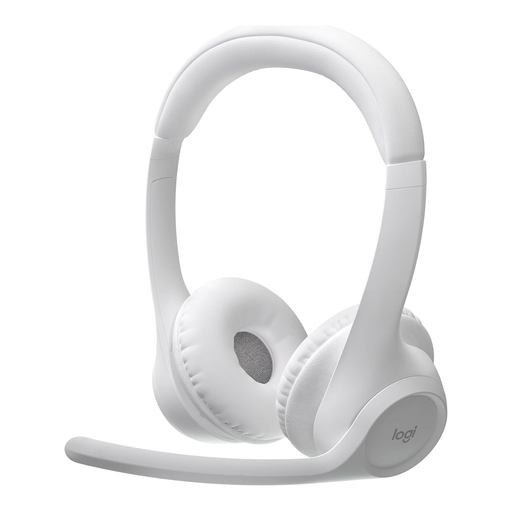
Logitech Zone 300 Wireless Bluetooth Headset
This could suit you if you’re looking for a Bluetooth headset for voice recording and monitoring at the same time.
The product description lists a dual beamforming microphone system and a weight of 122 g. The stated noise cancellation doesn’t prove how it will perform when recording with your fan.
View at Joybuy
 No image available
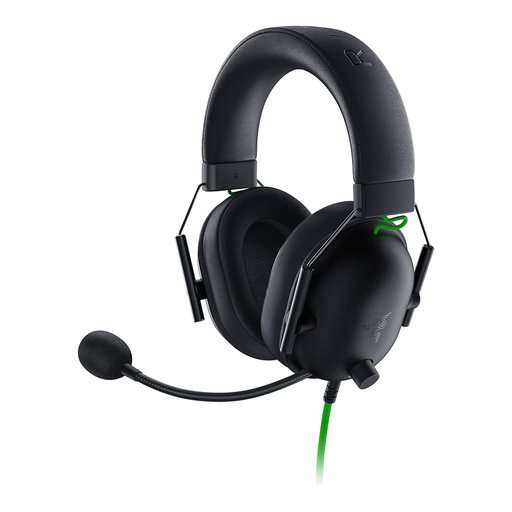
Razer BlackShark V2 X
Worth considering if you want a wired headset with a flexible microphone boom and a 3.5 mm connection.
The product description lists a cardioid microphone and a Y-splitter for separate PC audio and microphone sockets. Check that this connection type is compatible with your recording device.
View at Joybuy
Frequently asked questions
Will the headphones’ noise isolation reduce fan noise in my recording?
According to manufacturers, closed-back earcups mainly help block out ambient noise while you’re listening. For the microphone signal, the microphone’s position and polar pattern, along with a test recording made with the fan running, remain key. There’s no evidence that the fan noise will be removed completely with the models mentioned.
Can I plug the Shure WH20XLR straight into a laptop headphone socket?
No. Shure describes the WH20XLR as a microphone with a three-pin XLR connector. You’ll need a suitable microphone input or recording setup; headphones are not included with this headset microphone.
What should I set up and check before recording my monologue?
Position the microphone boom consistently, connect the microphone and, if needed, the headphones to suit the specific model variant, then listen back to a test recording with the fan running. The RØDE NTH-100M specifically requires the supplied TRRS cable for the microphone to work.
What should I check about connections and replaceable parts?
Before buying, check whether your recording device has the microphone and headphone connections you need. Audio-Technica describes the BPHS1 as having a detachable cable and replaceable ear pads. You may need additional connection equipment if your device isn’t compatible with the plugs on your chosen model variant.


