Solo speakers recording at home
You’re recording the lesson yourself and can position the microphone close to you. A test recording with the usual noises in your flat will show whether your voice comes through clearly.


If you’re speaking on your own and can keep the microphone at a consistent distance in front of you, a directional dynamic USB or USB/XLR microphone is a good place to start. Samson describes the Q2U as cardioid, while Audio-Technica describes the AT2040USB as hypercardioid. However, manufacturer specifications are no substitute for listening to a test recording with the noises in your flat. Listen back to quiet sounds and emphasised passages; if someone else will be speaking too, the right choice depends on whether a shared audio track will do.
You’re recording the lesson yourself and can position the microphone close to you. A test recording with the usual noises in your flat will show whether your voice comes through clearly.
You want to listen back to quiet sounds and emphasised passages as you record, and keep an eye on the input level.
You’ll both be speaking in the room, so decide in advance whether a shared recording will do or whether you need separate voice tracks.
For language lessons in a noisy flat, your choice of microphone mainly depends on what matters most to you: a clear solo voice, monitoring pronunciation, a simple set-up or recording a second speaker.
A good fit if: you’ll mostly be speaking on your own and can stay close to the microphone. Samson describes the Q2U as cardioid, while Audio-Technica describes the AT2040USB as hypercardioid.
Bear in mind: You’ll need to keep your speaking position consistent. Test quiet and emphasised syllables in a recording made in your usual room.
A good fit if: you have a fixed recording spot and want to adjust gain, monitor mix or mute directly on the microphone. The Sennheiser Profile USB has these controls.
Bear in mind: Positioning and a test recording still matter. The mounting included with the Profile varies by set.
A good fit if: two people want to record a shared audio track from different seats. The CHERRY UM 6.0 ADVANCED can be switched between cardioid and omnidirectional modes.
Bear in mind: Omnidirectional mode picks up sound from every direction, including household noise. Test from both seats before you decide.
The figures below refer to consumers for whom one of these four priorities comes first when choosing a microphone for language lessons in a noisy flat.
| Priority | What to check when buying | Who is this particularly important for? |
|---|---|---|
| Clear solo voice | Pickup pattern, speaking side and mounting; listen to a test recording made with the actual noises in your flat. | When I record on my own, I want my voice to remain clear despite the usual household noise. Consumers who put background noise first are likely to account for around 36%. |
| Monitoring pronunciation and levels | Check for a headphone socket and separate controls for recording level and headphone volume. | I want to listen back to quiet sounds and emphasised passages as I record, and be able to adjust the input level. Around 29% are likely to be consumers whose main priority is monitoring and control. |
| Simple set-up | Check the connection to your recording device and make sure the cable, stand or boom arm matches the exact version. | If I want to get started without adding extra equipment, the microphone and mounting need to suit my recording space. Around 21% are likely to be consumers who prioritise a simple set-up. |
| Recording a second voice | Decide whether you need a shared or separate audio track, and test from both seats with the usual background noise. | I want another person to be able to join my lesson in the same room. Around 14% are likely to be consumers with this as their main priority. |
For the models listed in its support information, Shure describes noise reduction as working on continuous background noise, not background voices. Audacity also distinguishes between steady noise and individual or irregular sounds.
Test a passage with the noises you’re likely to hear during your lesson, then listen back to the recording.
If the result isn’t right, you may need to record again or do extra editing.
The COMPUTER-BILD test dated 21 October 2026 lists very loud ambient noise as a drawback of the Razer Seiren V3 Chroma. A product’s position in a ranking alone won’t tell you how it will sound in your home.
Use test results to narrow down your options, then check the speaking position and make a recording with the usual noises in your flat.
The COMPUTER-BILD test covers the Shure MV6, while Shure’s product page specifically describes the MV6 Gen 2. The mounting included with the Sennheiser Profile depends on the set you choose.
Check the full model name, connection and contents of the exact version you’re considering.
If a mount is missing or you need an extra cable, you may have more to buy.
The Q2U is a dynamic USB/XLR microphone for recording a solo voice at close range.
The dynamic AT2040USB has a USB connection and is designed for a solo voice positioned in front of the microphone.
The MV6 Gen 2 is a dynamic USB microphone with a cardioid pickup pattern for recording a solo voice.
The Profile USB Microphone is a cardioid condenser microphone for a fixed recording spot at your computer.
The UM 6.0 ADVANCED offers switchable pickup patterns for solo or shared recordings.
This selection includes dynamic USB/XLR desk microphones, a USB condenser microphone, a wired USB-C headset and a wireless clip-on microphone. Check that the connections and recording set-up suit your planned lesson.
 No image available
For recording a solo voice at close range on a PC; the description recommends a distance of 2–6 inches.
Dynamic and unidirectional, with gain control, mute, a headphone socket and boom arm. The description says an XLR cable isn’t included.
 No image available
For recording a solo voice at your desk; the description lists a desk stand.
Dynamic and unidirectional, with mute and a headphone socket. A separate cable is needed for XLR; a boom arm isn’t included. According to the description, the function buttons and RGB lighting are only active when connected via USB.
 No image available
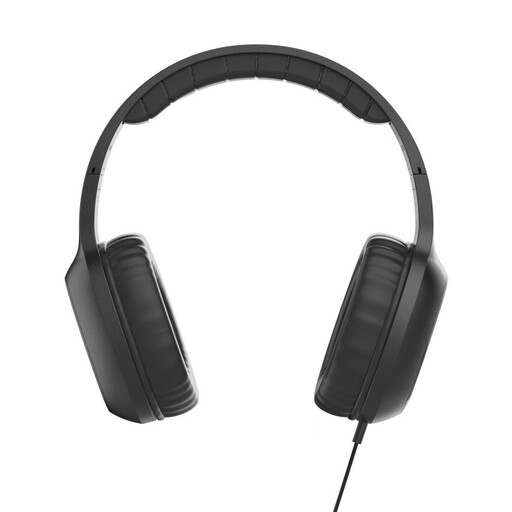
According to the description, this wired on-ear headset with built-in microphone is designed for calls and voice control.
USB-C connection and an in-line remote with volume control. Check that your recording device supports USB-C audio.
 No image available
For recording voice on a PC; the description specifies a cardioid pickup pattern.
Includes a mute button, headphone socket with monitoring and scissor arm; the title lists a Type-C adapter and a 7-piece set.
 No image available
For recording voice with a compatible mobile device; the description specifies real-time monitoring on the receiver.
For Android devices, the description states that USB-C with OTG enabled is required. Charging while recording is also listed as a feature.
You shouldn’t rely on it. For the models listed in its support information, Shure describes noise reduction as working on steady noise, not background voices. Audacity also distinguishes between constant noise and irregular sounds. Test the planned speaking position with the actual noises in your flat.
Position it so you can speak into the intended side while keeping your posture consistent. Then check a quiet passage and an emphasised one through headphones or in the saved recording. Sennheiser highlights the importance of positioning and distance, as well as adjusting gain and headphone volume separately.
Audacity describes noise reduction for constant sounds such as fan noise; you’ll first need a section containing only that noise. The result may be unsatisfactory if the noise is loud or varies, or if speech and background sounds are at similar levels. Always listen back to edited speech.
Check the cable, mount and, if needed, headphones for the exact version you’re buying. The Sennheiser Profile sets differ in the mounting included. If you buy as a consumer in the EU, you’re entitled to a legal two-year guarantee from the seller, starting when you receive the goods. An additional commercial guarantee doesn’t replace this; this is confirmed by Your Europe, the European Union’s information portal.
Not without first establishing that you’re legally allowed to do so. Section 201 of the German Criminal Code (StGB) covers the unauthorised recording of another person’s non-public speech, as well as certain uses of that recording. Get the other person’s agreement before recording. The provision concerns another person’s speech and doesn’t impose a blanket ban on recording your own voice. The legislation is published on Gesetze im Internet by the Federal Ministry of Justice and the Federal Office of Justice.