What should you look for?
First decide whether you’ll mainly stay at the lectern, record on a computer or move around during the reading. Then make sure the connection is compatible with the recording equipment you already have.
The percentages reflect consumers choosing a microphone for a poetry performance in a community hall based on their main purchasing priority.
| Purchasing priority |
What to check |
Who cares about this? |
| Clear speech in the hall |
Whether a stand or handheld microphone lets you maintain a consistently close position; whether the recording setup is compatible with the microphone input. |
When I’m reading at the lectern, I want the verses to remain clear despite the room echo. This is the main priority for around 39% of consumers. |
| The right connection and a reliable recording |
Which input is available on the computer, mixing desk, interface or recorder; whether you can listen back to a test recording. |
When I’m recording on a computer myself, I want to be able to check the signal path all the way through to the saved file beforehand. Around 23% of consumers put a suitable recording connection first. |
| Freedom to move |
Whether the transmitter and microphone can be attached to your clothing; whether the recording function and wireless operation are suitable for the venue. |
When I move away from the lectern during a reading, I want the microphone to stay close to my voice. This is the main priority for around 23% of consumers. |
| Video and the atmosphere of the hall |
Whether the connection is compatible with the camera or mobile device; how a test recording sounds from the actual position where the equipment will be set up. |
When I want to film the performance or capture the atmosphere of the hall, I need to include the camera position in my soundcheck. Around 15% of consumers prioritise video or room ambience. |
Microphones at Joybuy
This selection includes microphones for close-up voice recording from a fixed position or while moving around, with connection options for computers, cameras or suitable audio inputs, depending on the model.
 No image available
FIFINE AM8 dynamic USB/XLR microphone
An option for a fixed speaking position and recording on a computer via USB or a suitable XLR setup.
The product title lists a headphone connection, mute button and desktop stand. For an XLR setup, you’ll need a suitable microphone input and an XLR cable; according to the product information, the cable isn’t included.
Joybuy
 No image available
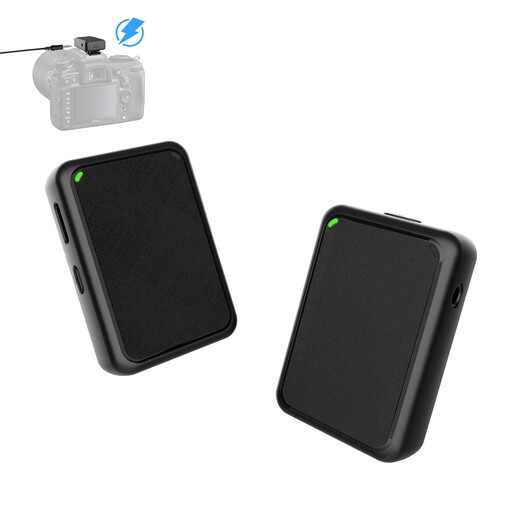
Moman MB1(M) wireless lavalier microphone for camera, USB, 1TX & 1RX
The body-worn lavalier design may suit you if you move around while speaking and record with a camera.
The product title lists USB plug-and-play and a setup with one transmitter and one receiver. Before using it in Germany, check that the frequency range and conditions for this specific system comply with the current allocation.
Joybuy
 No image available
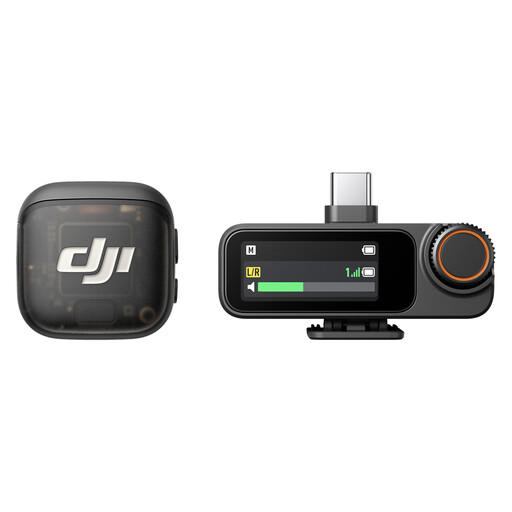
DJI Mic 3 wireless microphone system, 1 transmitter and 1 receiver
The single-transmitter setup may suit a presentation where you move around and record with a camera or mobile device.
The product title describes a wireless microphone with one transmitter and one receiver. Before using it in Germany, check the frequency of the specific system and the conditions that apply.
Joybuy
 No image available
SYNCO S8 lavalier microphone for smartphone, PC, laptop and camera
A portable microphone option for keeping the mic close to the speaker, provided the connection is compatible with the recording device.
The product title lists smartphones, PCs, laptops and cameras as compatible devices. Before buying, check which input is available on your device.
Joybuy
 No image available
Moman MA6 lavalier microphone, 6 m, 3.5 mm
The clip-on design keeps the microphone close to you while you speak, provided your recording device has a compatible 3.5 mm input.
The product title lists a 6 m cable and an omnidirectional pickup pattern. This doesn’t reject sound from the sides and rear in the way a cardioid microphone does.
Joybuy
Frequently asked questions
Can I record directly to a computer over USB using an XLR stage microphone?
Not using the XLR connector alone. You’ll need a suitable microphone input with recording capability; the Audio-Technica ATR2100x-USB also has a dedicated USB output. Check the complete signal path with a test recording.
Will a directional microphone automatically make a recording clear in an echoey hall?
No. Shure’s technical guidance explains that a microphone can’t effectively separate direct sound from reflected sound. The distance from the speaker still matters, so test your planned setup in the hall itself.
Do I always need to register a wireless microphone in Germany?
No, provided the specific system is covered by an applicable general frequency allocation and complies with its conditions. The Federal Network Agency lists frequency uses that, subject to certain requirements, are permitted without registration and free of charge; other uses may require an allocation. Check the frequency range and current regulations for the specific system.
Can I record and publish a poetry reading?
You can’t determine this simply from the venue. Under certain conditions, § 201 StGB covers the unauthorised recording of another person’s non-public speech. If the spoken work is protected, you also need to consider the right of reproduction under § 16 UrhG; if people can be identified, data protection issues may also arise. Before recording, and especially before sharing the recording, clarify the purpose and any permissions required with the people involved.
What else do I need with an XLR microphone?
You’ll need a suitable microphone input and a device that records the signal, such as a compatible input on a mixing desk, interface or recorder. Whether you also need cables depends on your existing setup; test the whole signal path before the event.


