Speakers in echoey rooms
If you can record close to the microphone at a consistent level, start by checking its direction and position. Audio-Technica recommends placing the microphone in question directly in front of the speaker and within 200 mm.


If you can speak close to the microphone at a consistent level, a directional dynamic USB or USB/XLR microphone is a sensible starting point for recording voiceovers in an untreated room. Positioning is still crucial, so make a test recording in your own room: noise processing alone won’t guarantee an echo-free recording. If the microphone needs to sit outside the camera frame, test the actual speaking distance. For XLR recording on a computer, you’ll also need a suitable audio interface.
If you can record close to the microphone at a consistent level, start by checking its direction and position. Audio-Technica recommends placing the microphone in question directly in front of the speaker and within 200 mm.
If you’re recording at your computer and want to monitor your voice as you go, look for a suitable USB connection and built-in direct monitoring. Audio-Technica lists a headphone output for the ATR2100x-USB, and Samson specifies the same feature for the Q2U.
If you need to keep an eye on your slides or the camera while recording, check whether having a microphone close to your mouth is practical or gets in the way of the shot. Only judge a more distant position after making a test recording in your own room.
A good fit if: You record on your own at a computer and can position the microphone close to your mouth.
Consider: A close position may get in the way when reading or appear in the camera frame. USB doesn’t automatically eliminate echo or background noise.
A good fit if: You want to start recording over USB while keeping the option of switching to an XLR setup later.
Consider: Recording over XLR on a computer requires a suitable interface or mixer.
A good fit if: You already have a suitable XLR recording setup or want to put one together.
Consider: It won’t connect directly to a computer via USB. An XLR connection alone doesn’t tell you how much room echo you’ll hear.
A good fit if: Your test recording sounds clear at the intended speaking distance and the setup works for your presentation.
Consider: A different or greater speaking distance may make the room sound more noticeable. Test the exact position before deciding.
| Buying consideration | What to look for | Who is this most important to? |
|---|---|---|
| Room echo and unwanted noise | Check the polar pattern and speaking direction; listen to a test recording made from your actual seated position. | If I’m recording in an untreated room, my voice should remain clear from a practical position; around 36% of consumers put room sound first. |
| Easy connection and monitoring | Check the USB connection, computer compatibility and headphone socket on the specific model. | If you want to get started on your computer without a separate interface and monitor your recording directly, an easy connection is especially important; around 29% of consumers prioritise a straightforward recording setup. |
| Room to upgrade later | Check the USB and XLR connections on the exact model, and make sure you have the interface, cable and mount you’ll need. | If I want the option of switching to XLR later, I’ll check the necessary recording setup in advance; around 21% of consumers put future upgrade options first. |
| Freedom to speak and camera framing | Test the planned distance while reading a presentation script, then listen to the recording for room echo. | If you need to keep an eye on a screen or camera while recording, you’ll want to position the microphone to suit the frame; around 14% of consumers prioritise freedom of movement or camera positioning. |
Processing features and a directional polar pattern don’t guarantee an echo-free recording in your room.
Make a test recording with your own voice, from the actual position and at the volume you’ll use when presenting.
An analogue XLR output isn’t a direct USB connection to your computer. You’ll need a suitable interface or mixer for this recording setup.
Check that the microphone connection matches your existing equipment. Also make sure you have the necessary cable and a suitable mount.
An interface, and possibly a cable or mount, may mean you need additional components for your setup.
Advertised sound quality doesn’t tell you how clear your voice will sound from the available position in an untreated room.
Compare short recordings of your presentation script from positions you’d actually use while reading or speaking on camera.
Worth considering when comparing a dynamic USB/XLR model with a USB condenser microphone.
The Q2U is worth considering for solo voice recording as a dynamic USB/XLR model.
The MV7+ and the separate MV6 model offer different USB and XLR connections.
The dynamic Wave DX is worth considering for a setup that uses an XLR-only recording chain.
The selection includes dynamic USB/XLR microphones, a USB microphone and a microphone kit. For each model, check that its connection and intended recording position suit your voiceover setup.
 No image available
For voiceover recording with the microphone positioned close to you; the product description recommends a speaking distance of 2–6 inches.
USB and XLR; according to the product details, the boom arm is included. An XLR cable is not included for the XLR connection.
 No image available
Worth considering if you’re looking for a dynamic microphone for close-up voice recording, with the option to switch between USB and XLR.
The product details recommend a speaking distance of 2–6 inches and list a desktop stand. An XLR cable is not included.
 No image available
For USB voice recording if a compact microphone with an adjustable stand suits your planned setup.
USB microphone with tap-to-mute.
 No image available
An option for voice recording if you want to use USB or set up an XLR recording chain.
The product name lists RGB, gain control, echo, mute and a desktop stand.
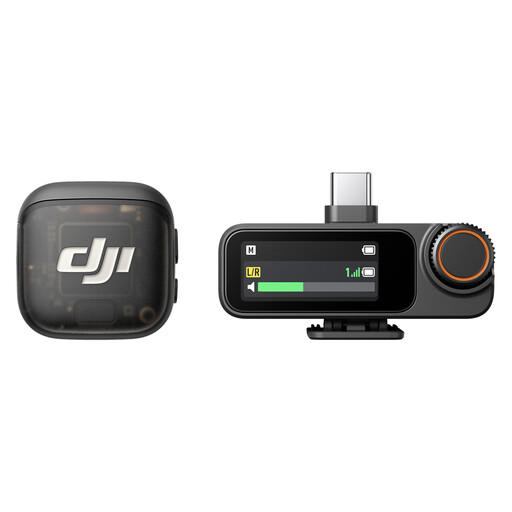 No image available
Check that the transmitter and receiver setup described suits your presentation recording and the positions you have in mind.
The product name lists two transmitters, one receiver and a charging case.
Record a short section of your presentation script from the position you plan to use, then listen for clarity, echo and unwanted noise. Point the speaking side towards your mouth and compare only positions you could realistically use for your recording.
You don’t necessarily need a separate interface to record via the compatible USB connection. If you use the XLR output to record on a computer instead, you’ll need a suitable recording setup to convert the analogue signal, such as an audio interface.
Start with a short test passage and check the position, levels and any audible breathing or popping sounds. If you want to monitor the recording as you go, check whether the specific microphone has a headphone socket.
For qualifying online purchases from a trader, you generally have a 14-day right to cancel from the date you receive the goods; exceptions and possible return costs should be taken into account. Your statutory rights against the seller are separate from any voluntary guarantee. For faults present when the goods were delivered, a two-year period generally applies.