
Lieferung heute & morgen

Qualitätsgarantie
App herunterladen
Kategorien
A microSD card is a functional expansion for a wide range of digital devices. Its suitability for a specific purpose—whether for recording 4K video, use in a drone, or expanding the storage of a gaming console—is determined not just by its capacity, but crucially by its technical specifications. Selecting the right model therefore requires an analysis of speed classes, standards, and compatibilities.
This guide focuses on the objective parameters relevant for making an informed purchasing decision.
Choosing a microSD card should be based on a balance of capacity, speed, and the intended application. The symbols printed on the card provide the crucial information for this.
Capacity is the most fundamental criterion. Modern cards are primarily divided into two categories:
For most modern applications, especially high-resolution video recording and extensive game libraries, the microSDXC standard is the relevant choice. Always check the maximum supported capacity of your host device.
A card's speed is crucial for its performance, especially during write-intensive tasks like video recording.
UHS Speed Class: The "U" symbol with a number inside (e.g., U3) indicates the UHS Speed Class. UHS-I is the most common bus standard. The U3 class guarantees a minimum sequential write speed of 30 MB/s, which is a prerequisite for smooth 4K recording.
Video Speed Class: The "V" symbol (e.g., V30) was introduced specifically for video recording. V30 also corresponds to a minimum write speed of 30 MB/s and is the recommended standard for reliable recording of 4K video. Higher classes like V60 or V90 are relevant for professional video formats with very high bitrates.
Application Performance Class: The "A" symbol (e.g., A2) indicates the performance when running apps launched directly from the card. The A2 standard defines higher IOPS (Input/Output Operations Per Second) values than A1, which can lead to faster loading times for applications and games on smartphones, tablets, or a microSD card for Nintendo Switch.
The following products were selected based on their technical specifications and defined use-case profiles.
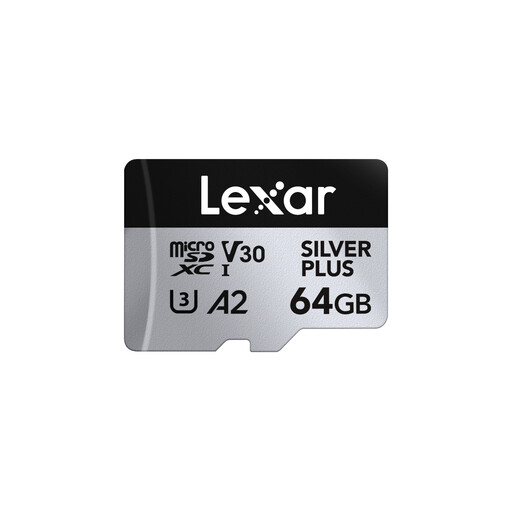
Why we recommend this product: The Lexar Silver Plus combines high read and write speeds with the relevant certifications for demanding use cases. Its specifications make it a versatile and high-performance option for content creators and tech enthusiasts.
Pros:
Best for: Users seeking a fast microSD card for use in action cameras, drones, or as a high-performance storage expansion for smartphones, who regularly record 4K video.
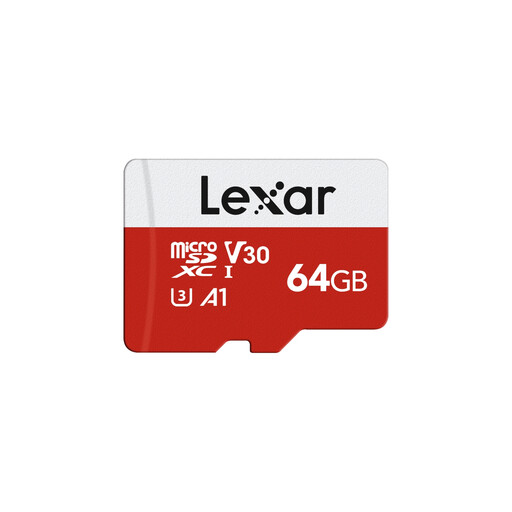
Why we recommend this product: The Lexar E-Series offers solid baseline performance that meets all the key standards for modern multimedia applications. It represents a functional and reliable solution for everyday storage needs.
Pros:
Best for: Users who need a reliable 64GB memory card for their smartphone, tablet, or digital camera and primarily shoot photos and Full HD or occasional 4K videos.
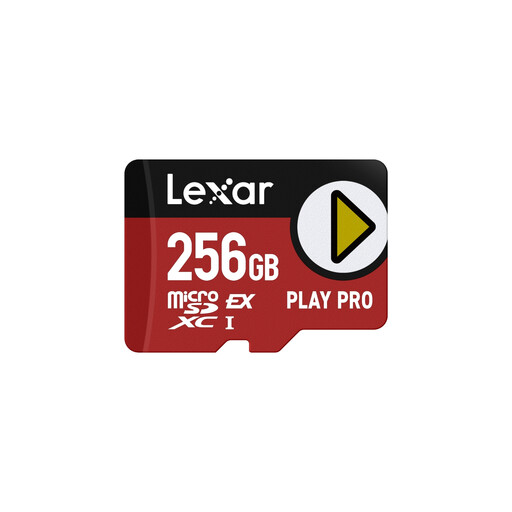
Why we recommend this product: This model leverages the microSD Express interface, based on PCIe and NVMe technology, to achieve transfer rates that far exceed the UHS-I standard. It is designed for use in future high-performance devices.
Pros:
Best for: Gamers, professional users, and tech enthusiasts with devices that support the microSD Express standard or who are looking for a future-proof, ultra-fast card for their handheld console.
The models presented cover specific requirement profiles. If you need a different capacity or a different technical profile, you can find a wider selection of storage media in our main category.
Discover more SDXC Memory Cards.
The symbols define the card's technical capabilities. microSDXC stands for capacities over 32 GB. U3 and V30 guarantee a minimum write speed of 30 MB/s, which is important for 4K video recording. A1 or A2 describe the performance when running apps.
For smooth recording of 4K video, a microSD card with at least a V30 or U3 certification is recommended. These guarantee the necessary sustained minimum write speed to prevent data loss or recording interruptions.
The Nintendo Switch does not require a special, proprietary card. However, the console benefits from a fast microSD card with a high read speed to shorten game loading times. A card with the UHS-I standard and an A1 or A2 classification is a solid choice.