
Lieferung heute & morgen

Qualitätsgarantie

Willkommens-Angebote freischalten: KOSTENLOSE Lieferung | Bis zu 80 % RABATT | Kostenlose 30-Tage-JoyPlus-Testphase
App herunterladen
A mid-tower PC case offers a good balance of size and hardware compatibility for many gaming PCs, workstations and content creator systems. But choosing one based on looks alone isn’t enough. The key is making sure your graphics card, motherboard, CPU cooler, power supply and radiator will all fit together.
Many disappointing purchases come down to three common marketing traps:
First, check your motherboard’s form factor. The most common sizes differ considerably:
A mid-tower may support several form factors. That doesn’t mean every component can be at its maximum size at the same time. Check the maximum GPU length, CPU cooler height and power supply length.
When choosing a PC case with good cooling, there are several things to consider:
A PC case for water cooling shouldn’t just list the radiator size. Check whether the radiator can be mounted at the top or front, and whether this would interfere with the memory or graphics card. If you’re considering a PC case with ARGB fans, it’s also important to check whether the lighting is controlled by a controller, a separate button or a motherboard connection.
The external dimensions determine whether the case will fit on your desk. Inside, cable management, drive bays and ease of access are what matter.
Check the following:
The models below are matched to different user needs based on their objectively stated features.
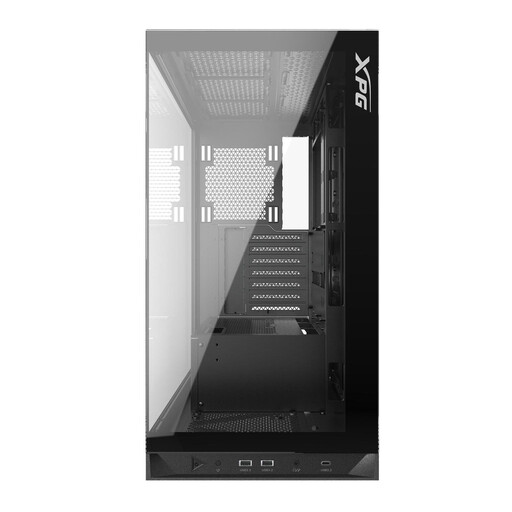
Why this product suits this type of user: This model supports ATX, Micro-ATX and Mini-ITX, and comes with five pre-installed 120 mm ARGB fans. That makes it a good choice for a standard gaming PC without having to add extra fans straight away.
The product specifications give clear limits: GPU length up to 400 mm, CPU cooler height up to 175 mm and power supply length up to 240 mm. This makes it easier to check compatibility before you buy.
Five pre-installed 120 mm ARGB fans, a tempered glass side panel and radiator support up to 360 mm at the top and bottom.
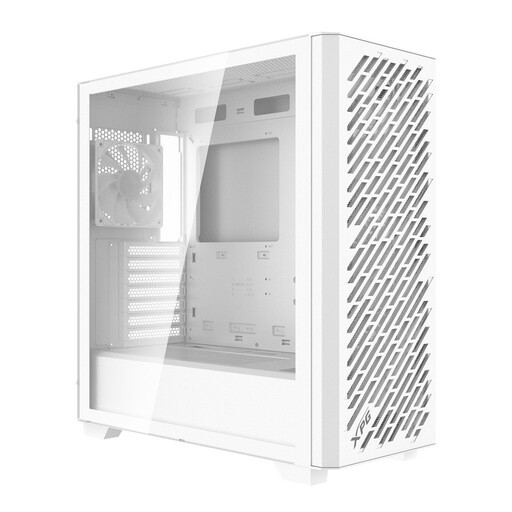
Why this product suits this type of user: This case is designed for E-ATX, ATX, Micro-ATX and Mini-ITX motherboards. It offers flexibility across different platforms and has several filters to make regular maintenance easier.
Rather than focusing only on the fan count, you can factor in support for up to nine fans and front and top radiators up to 360 mm. Magnetic filters are fitted at the top, front and side.
Four pre-installed 120 mm ARGB fans, 4 mm-thick tempered glass, USB-C and support for GPUs up to 400 mm.
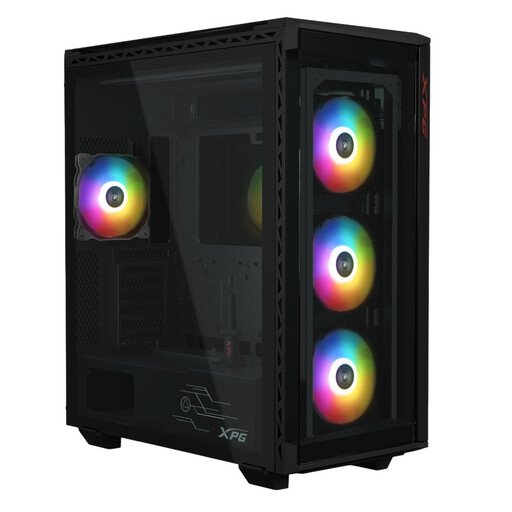
Why this product suits this type of user: Content creators and power users will benefit from the generous drive capacity. This E-ATX case supports up to six 2.5-inch SSDs and three 3.5-inch HDDs.
Drive capacity is clearly specified. The case also supports GPUs up to 400 mm long and CPU coolers up to 175 mm high, making it easier to plan a large build.
Four pre-installed 120 mm ARGB fans, E-ATX support, a tempered glass design and front radiator support up to 360 mm.
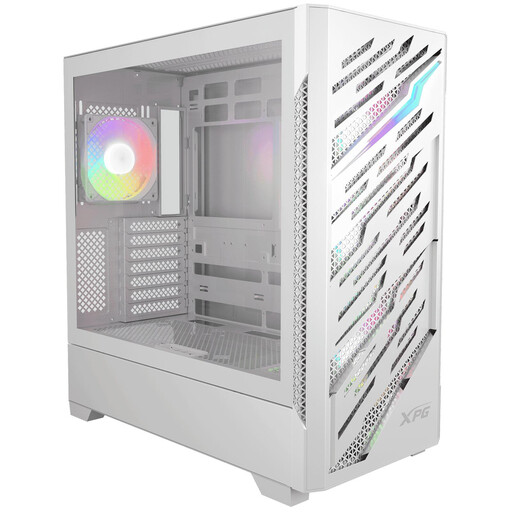
Why this product suits this type of user: This XPG PC case supports E-ATX, ATX, Micro-ATX, Mini-ITX and ATX motherboards with rear connectors. It’s designed for users considering different platforms.
Compatibility with reverse-connector motherboards is clearly stated. The specifications also give maximum GPU lengths of 390 mm and CPU cooler heights of 180 mm.
Supports up to twelve fans, front and top radiators up to 360 mm, four pre-installed ARGB fans, and tempered glass front and side panels.
We’ve put together a complete, regularly updated list of products that meet these strict selection criteria and the safety regulations applicable in the EU.
No. The key factor is the maximum GPU length specified by the manufacturer. Front fans or a front radiator can reduce the space available. So check your graphics card’s length alongside your planned cooling setup.
There’s no set number. What matters is directed airflow, suitable mounting positions and accessible dust filters. Pre-installed fans can make your build easier, but check that their size, connections and controls are compatible with your motherboard.
A tempered glass PC case is a good choice if you want to show off your hardware. However, the material is heavier than many plastic alternatives and needs to be handled carefully when removed. So, alongside the appearance, consider how the panel is secured, whether there’s enough room to install it and how easy the case is to maintain.