What to consider when buying
First, decide what you’ll use the laptop for, which edition you play and which settings you want. If you build in an editor, also consider how much screen space you need for views and tools.
| Buying consideration |
What to check |
Who it matters to |
| Performance for your world |
Check the game, edition and settings against the CPU, RAM and graphics card in the exact variant. For its recommended Java target of 1080p at 60 FPS on “Fancy” settings, Mojang lists 16 GB RAM and a suitable GPU with 6 GB VRAM. This guidance doesn’t automatically apply to mods, shaders or other editors. |
If I want to play in large worlds or use specific graphics settings, I’ll choose specifications to match that exact goal. Around 33% of consumers put suitable world-building performance first. |
| Headphones and microphone |
Check that your headset’s plug or connection type matches the ports on the exact laptop variant. If you use voice chat, also check how the microphone connects. |
If I want to keep using my existing headset and perhaps speak through it too, it needs to connect to my device. Around 27% of consumers prioritise headphone and microphone compatibility. |
| Specifications to suit your needs |
Decide what you want to use the laptop for, then compare the RAM, GPU and storage in the full configuration. One component alone doesn’t tell you how well it will perform in your game or editor. |
If I only want to choose the specifications my specific project requires, I’ll compare the full model details rather than relying on the product family name alone. Around 20% of consumers focus first on getting the right specifications. |
| Workspace and portability |
Consider the display size and resolution alongside the dimensions and weight of the chassis and power adapter for the exact variant. A larger display needs more space to set up and carry. |
If I work on the move, I need enough room for my editor, but I also want to consider the laptop’s weight. Around 20% of consumers prioritise this balance between workspace and portability. |
Joybuy product selection
The models below vary in display size and specifications, among other things. Check the port details for each model to make sure you can connect your headphones and, if applicable, their microphone.
 No image available
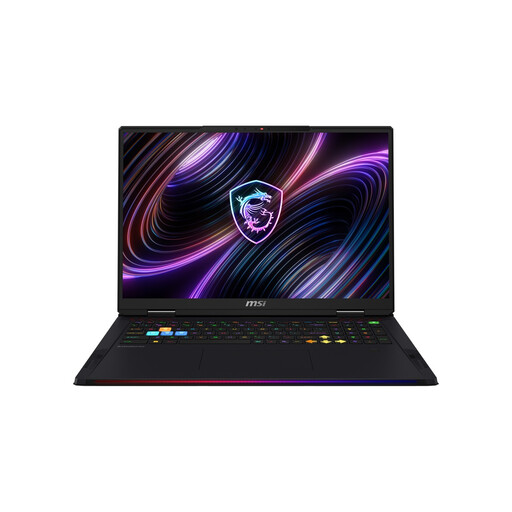
MSI Raider 18 Max HX A2WI-1075
If you’re looking for a large workspace and high-end specifications, compare this 18-inch model with your portability needs.
18-inch WQUXGA Mini LED display, Intel Core Ultra 9 290HX, GeForce RTX 5080 with 16 GB VRAM, 32 GB DDR5 RAM, 2 TB SSD and Windows 11 Home. The listed combined audio jack is useful if you have a compatible headset; the laptop weighs 3.6 kg.
View at Joybuy
 No image available
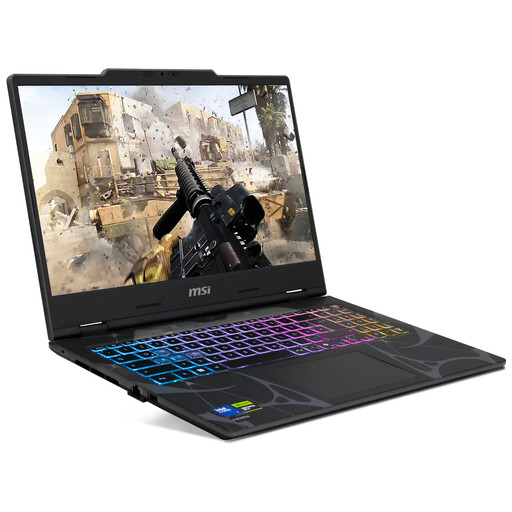
MSI Cyborg 15 B2RWEKG-067
If a more compact screen is important to you, compare the listed specifications with the requirements of your game or editor.
15.6-inch Full HD display with 144 Hz, Intel Core 7 240H, 16 GB RAM, 512 GB SSD and GeForce RTX 5050 with 8 GB VRAM. The description lists a combined 3.5 mm audio jack and a weight of 1.95 kg; Windows 11 Home is included.
View at Joybuy
 No image available
ASUS ROG Strix G17
If you prefer a large display for working on a world, also consider the listed weight when moving between locations.
17.3-inch Full HD display with 144 Hz, AMD Ryzen 9 7940HX, 16 GB RAM, 1 TB SSD and GeForce RTX 4060 with 8 GB VRAM. The description lists a combined 3.5 mm audio jack and a weight of around 2.8 kg.
View at Joybuy
 No image available
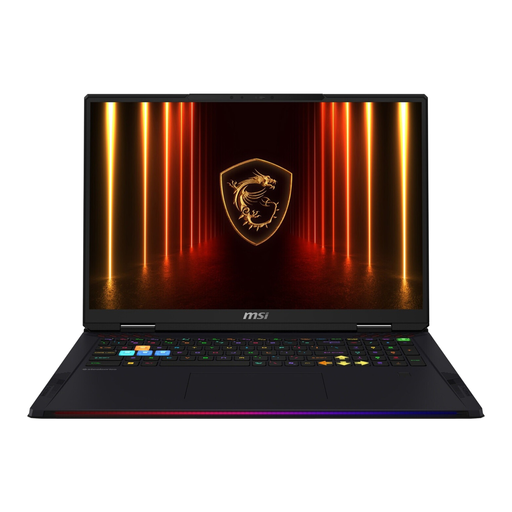
MSI Raider 18 HX AI A2XWJG-074
If you want a large display for editor views and plenty of local storage, check that the weight suits where you’ll be using it.
18-inch UHD+ display with 120 Hz, Intel Core Ultra 9 285HX, 64 GB RAM, 4 TB SSD and GeForce RTX 5090 with 24 GB. The listed weight is 3.6 kg.
View at Joybuy
 No image available
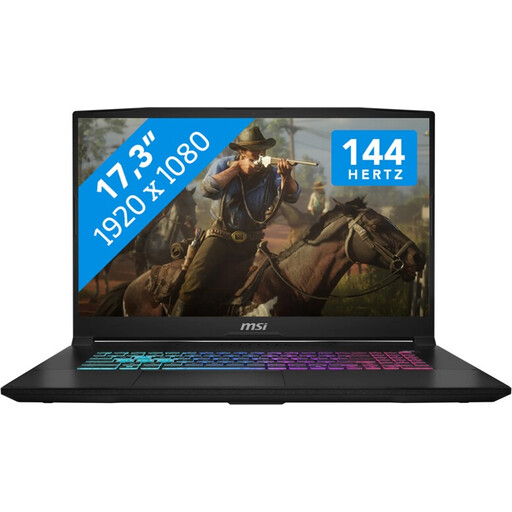
MSI Katana 17 HX B14WFK
If you want a larger workspace for world-building, consider the screen size and portability alongside where you’ll use it.
17.3-inch Full HD display with 144 Hz, Intel Core i7, 16 GB RAM, 1 TB SSD and GeForce RTX 5060 with 8 GB GDDR6. Windows 11 is listed; the laptop weighs around 2.7 kg. Check the ports on the exact configuration to make sure they’ll work with your headset.
View at Joybuy
Frequently asked questions
Is the “gaming laptop” label enough for Minecraft Java Edition?
No. Compare the full specifications with what you want to play. For its recommended target of 1080p at 60 FPS on “Fancy” settings, Mojang lists 16 GB RAM and a suitable graphics card with 6 GB VRAM. These specifications don’t guarantee performance with additional mods or shaders.
How do I check whether my headphones will work with the laptop?
First, check that your headphones’ plug or connection type matches the ports on the exact laptop variant. If you need a microphone, check how that connects too, then select it as the input device in the application you’re using. Lenovo lists a combined 3.5 mm jack for the LOQ 15IRX10; you’ll need to check other devices individually.
Are Minecraft worlds from Java and Bedrock compatible with each other?
No. Minecraft states that worlds and saves from Java Edition aren’t compatible with Bedrock Edition. So make sure you know which edition you actually use before setting up your game and accessories.
What are my rights when buying online in Germany if the laptop isn’t suitable or is faulty?
For online orders, the Verbraucherzentrale generally lists a 14-day cancellation period from the date you receive the goods. If an item is faulty, statutory warranty rights are different from a voluntary guarantee; the Verbraucherzentrale explains that these are separate claims. The terms of your specific purchase will apply.
Does compliance monitoring tell me anything about the gaming performance of a laptop with Wi-Fi or Bluetooth?
No. The Bundesnetzagentur carries out spot checks on electronic products with Wi-Fi or Bluetooth, among other things. This doesn’t tell you how a laptop will run a particular game or editor; you’ll need to compare the application with the exact device configuration.


