
Lieferung heute & morgen

Qualitätsgarantie

Willkommens-Angebote freischalten: KOSTENLOSE Lieferung | Bis zu 80 % RABATT | Kostenlose 30-Tage-JoyPlus-Testphase
App herunterladen
If you’re looking for a Mini AI Supercomputer for local AI model training, fine-tuning, or AI inference, the market can be confusing. Compact devices are sometimes marketed as AI workstations, even though they only have a powerful processor or an integrated graphics unit. For large language models, however, different factors matter than for a standard office PC.
High computing power sounds impressive, but on its own it tells you little about which models you can actually run. What really counts is how efficiently the GPU, CPU and RAM work together, and how much memory remains available for model weights, intermediate results, and datasets.
A device with 16 or 24 GB of RAM can be sufficient for development environments, text processing, and smaller local models. For larger models such as DeepSeek R1 or Llama 3.1, however, you’ll need significantly more memory. Also, always treat “up to” figures as theoretical manufacturer values.
Models like the FIREBAT R3 or the SOYO S4PLUS are compact computers designed for office work, multimedia, and everyday tasks. They offer, for example, AMD processors, integrated Radeon graphics, and fast SSD storage. However, for local AI model training with large parameter counts, they are not comparable to a system based on an NVIDIA GB10 Grace Blackwell.
Before you buy, you should be clear about whether you need a Mini PC for AI that will only run development tools, smaller models, and data preparation, or whether you’re looking for a specialised system for extensive inference and model customisation.
A powerful chip is of little use if you have to manually source drivers, frameworks, and containers. Systems with pre-installed NVIDIA DGX OS can make getting started easier, as the environment is tailored for AI applications. With Windows PCs, on the other hand, additional installations and compatibility checks are often required.
With the NVIDIA DGX Spark, the ASUS Ascent GX10, and comparable devices using the GB10 chip, a shared memory is used for both CPU and GPU. The 128 GB Unified Memory allows both computing units to access the same data set. This reduces unnecessary copying between separate memory areas.
Important: memory capacity does not automatically equate to a specific model size. Depending on quantisation, context length, operating system, and application, the actual requirement can vary significantly.
A Blackwell GPU with Tensor Cores and FP4 support is designed for AI compute operations. FP4 can reduce memory requirements for certain inference and training tasks. However, the actual performance depends on the framework, model, batch behaviour, and the specific software optimisation.
If you work with PyTorch, TensorFlow, Jupyter, TensorRT, or NIMs, you should check whether these components are pre-installed or officially supported. For local AI development, this is often more relevant than a single clock speed figure.
A 4 TB NVMe SSD provides space for models, containers, datasets, and multiple development environments. A PCIe 5.0 SSD can offer advantages over older interfaces for large file operations. For regular model changes, you should also consider expandability or the use of external storage solutions.
If you have multiple devices, network connectivity plays an additional role. NVIDIA ConnectX-7 can support transfer rates of up to 200 Gb/s, according to product specifications. For a single device on a home network, 10GbE or Wi-Fi 7 is usually sufficient. Cooling also remains important: a compact case needs clear ventilation paths and should not be operated inside a closed cabinet.
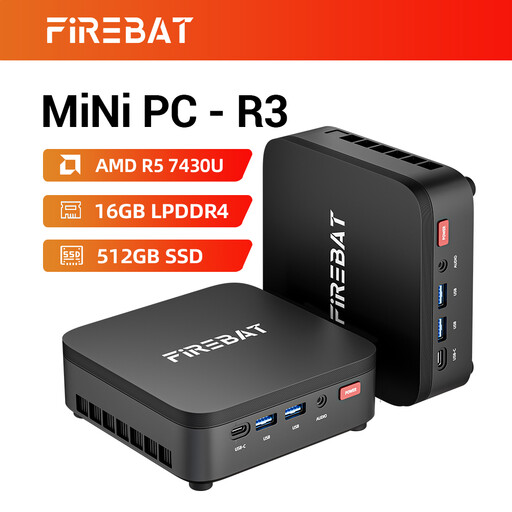
Why this product fits the profile: This compact computer is suitable for office tasks, data preparation, programming, and smaller local models. It’s a pragmatic choice if you don’t need a system for large AI models.
The specifications make it clear that this is a classic mini PC with 16 GB RAM and 512 GB SSD, not a specialised AI supercomputer.
AMD Ryzen 5 7430U with 6 cores and 12 threads, 4K support for three monitors, and Wi-Fi 6.
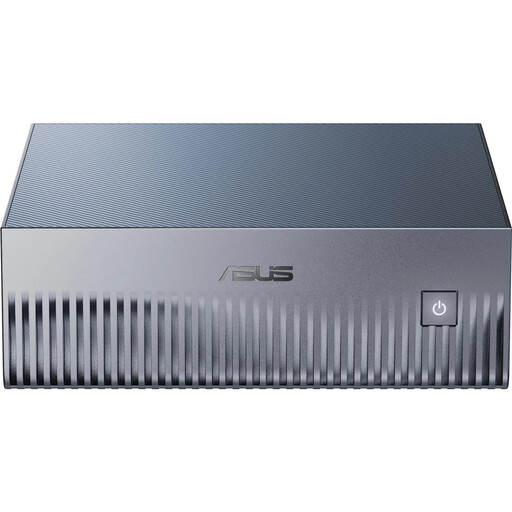
Why this product fits the profile: For developers and businesses who prefer a pre-configured Linux environment with NVIDIA software and high memory capacity.
The specifications specifically mention 128 GB Unified Memory, 4 TB NVMe SSD, DGX OS, and the supported interfaces, rather than just a general AI performance figure.
NVIDIA GB10 Grace Blackwell, pre-installed NVIDIA DGX OS, Wi-Fi 7, 10GbE, and support for NVIDIA ConnectX-7.
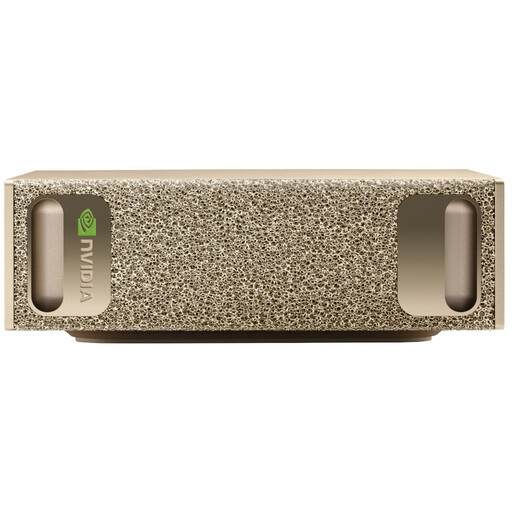
Why this product fits the profile: This device is aimed at users who want to combine local development, inference, and container workflows in a compact environment.
The combination of 128 GB LPDDR5X, 4 TB SSD, and DGX OS shows that memory, software, and the compute platform are considered together.
NVIDIA GB10 with integrated Blackwell GPU, 10GbE, Wi-Fi 7, and a pre-installed development environment for common AI frameworks.
We’ve put together a complete, regularly updated list of products that fully meet these strict selection criteria and the safety regulations in force in the EU.
After connecting the 240 W power supply, you attach the monitor, network, and peripherals. On devices with NVIDIA DGX OS, further setup is done through the pre-installed Linux environment. You can then use and update CUDA, PyTorch, TensorFlow, Jupyter, TensorRT, or container workflows. Make sure there is always free ventilation around the case.
That depends on the model size, quantisation, and available memory. According to the product specifications for the ASUS Ascent GX10, a single device can support models with up to 200 billion parameters. By connecting two systems via NVIDIA ConnectX-7, even larger models such as Llama 3.1 with 405 billion parameters can be addressed, according to the manufacturer. The practical workload depends on the specific software configuration.
Devices in this class use external power supplies rated at 240 W. The actual power consumption is below this nominal value, depending on the load, and varies between inference, training, and idle states. For a realistic calculation, you should consider operating hours, your local electricity tariff, and the planned workload. For continuous operation, you should also plan for heat dissipation and regular cleaning of the ventilation openings.