Which features matter most to you?

Gaming in daylight

If you play with the curtains open, check whether characters and dark areas remain easy to see from your usual seat, and how much the screen reflects your windows. Samsung Deutschland advertises Glare Free for the GQ75QN90FATXZG; RTINGS.com tested the anti-reflection treatment on a US model of the QN90F.

Players sitting off-centre

If several people will be sitting well apart, consider viewing angles and window reflections together. RTINGS.com reports that picture quality falls off away from the centre on the QN90F it tested, while direct reflections from light sources were visible on the LG C5 it tested.

Fast-paced matches

If responsive controls are your priority, compare input lag for your signal in Game Mode and check that the TV, input and source device work together. RTINGS.com explains input lag as the time between a signal being sent and appearing on screen.

What should you look for when buying?

Mini LED in a bright room

A better fit if: daylight from a window falls on your usual gaming spot and most players sit fairly centrally.

Bear in mind: an advertised anti-reflection feature doesn’t tell you how the picture will look from every seat or in every lighting condition.

OLED for wider seating arrangements

A better fit if: players often sit off to the side and you can limit direct reflections from windows through your setup or by controlling the light.

Bear in mind: if game elements stay on screen for long periods without changing, you should also consider the risk of permanent image retention.

Buying priority What to check Who is it important to?
Picture in daylight Check reflections and dark scenes from your intended seating position; don’t compare brightness figures alone. If you play during the day and want to see characters clearly despite bright windows, picture visibility is a priority for you. Around 36% of consumers put visibility in daylight first.
Off-centre seats Check viewing angles and reflections from the actual seats at either end. If several players are spread across a wide sofa, those at either end should still be able to see the game clearly. Around 29% of consumers prioritise off-centre seating.
Control response and connections Check input lag in Game Mode for the signal you use, as well as refresh rate and VRR support on each input. If responsive controls matter for your arena matches, your game, source device and TV input all need to support the signals you want to use. Around 21% of consumers put control response first.
Space and power consumption Check the dimensions and stand width, and compare the energy information for the specific models. If you’re planning a large screen for several seats but want to keep an eye on available space and running costs, the energy label matters too. Around 14% of consumers prioritise space and running costs.

Which buying mistakes should you avoid?

  • ‘Anti-reflection’ doesn’t mean every window position is problem-free

    Direct light and your viewing angle can affect how easy the picture is to see. Test results for a different regional version don’t automatically confirm how the model you’re planning to buy will perform.

    Consider your intended screen position and the seats at either end together. If possible, check for reflections in the lighting conditions you usually play in.

  • A high refresh rate doesn’t tell you the input lag

    Refresh rate and the delay between a signal entering the TV and the picture appearing on screen are two different things.

    Compare input lag in Game Mode for your signal, and check which gaming features are supported by the HDMI input you’ll use.

  • A bigger screen needs to suit your room and how you use it

    A large TV takes up more space. The German Environment Agency also points out that a larger screen area can affect power consumption.

    Measure the space available and compare the energy information for the models you’re actually considering before choosing a screen size.

    If you use it frequently, a larger screen could increase your running costs. Use the consumption figures for the specific model rather than estimating based on display technology alone.

Which brands are worth comparing?

Samsung

The QN90F Mini LED range is worth considering for daylight viewing. The German model referenced here is the 75-inch GQ75QN90FATXZG.

  • Samsung Deutschland advertises Glare Free and up to 165 Hz at 4K for the GQ75QN90FATXZG.
  • RTINGS.com reports strong reflection handling but reduced picture quality away from the centre of the screen on a 75-inch US QN90F it tested. These results don’t automatically confirm how every German version performs.

LG

The OLED55C57LA is an OLED option if off-centre seating matters and you can limit direct reflections from windows where you plan to set it up.

  • LG Deutschland specifies gaming at up to 4K and 144 Hz for the OLED55C57LA.
  • RTINGS.com reports visible reflections from the screen on a 65-inch LG C5 it tested. This observation is from a different screen size, so it shouldn’t be assumed to apply to the 55-inch TV without checking.

Sony

The K-75XR70 is another Mini LED option for buyers looking at 4K/120 Hz and HDMI ports that support VRR.

  • Sony Deutschland lists 120 Hz and VRR on HDMI 3 and HDMI 4.
  • The listed specifications don’t include X-Anti-Reflection for this model. If high windows are in your field of view, check reflections and screen positioning separately.

Joybuy products for gaming together

The Joybuy options below include Mini LED and QLED TVs with gaming specifications for playing together. Compare screen size and connections with your room and source device, and check for reflections from where you plan to sit.
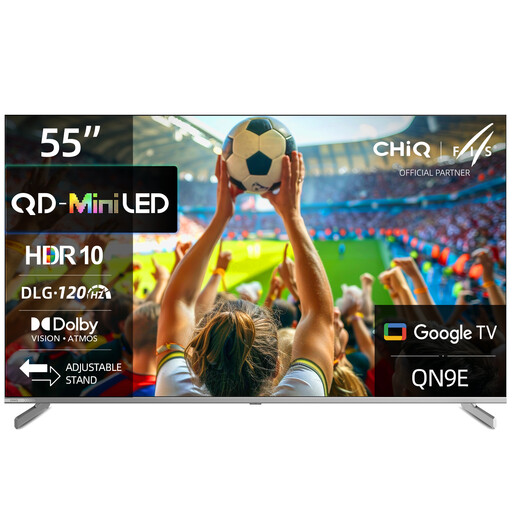
CHiQ M55QN9E, 55-inch 4K Mini LED smart TV

CHiQ M55QN9E, 55-inch 4K Mini LED TV

A 55-inch option for gaming together if you’re looking for a 4K Mini LED TV.

The product title lists Local Dimming, MEMC, DLG 120 Hz, Dolby Vision and Dolby Atmos. Check which refresh rate your source device can actually output through the input you’ve chosen.

View at Joybuy
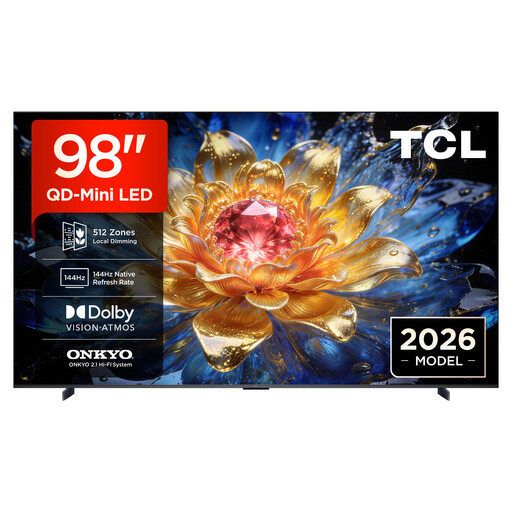
TCL 98T8D, 98-inch QD Mini LED 4K TV

TCL 98T8D, 98-inch QD Mini LED 4K TV

For gaming together on a large screen, provided your room and available space can accommodate a 98-inch TV.

The product title lists 4K, 144 Hz VRR and FreeSync Premium Pro. Check the dimensions against your available space, and make sure your source device, game and HDMI input support the signals you want to use.

View at Joybuy
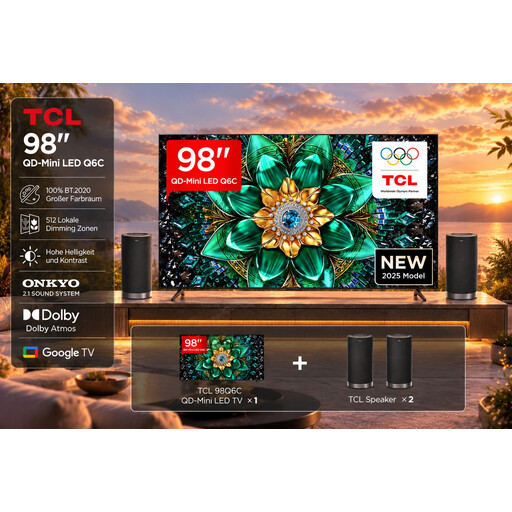
TCL 98Q6C with Z100 Speaker Set, 98-inch 4K TV

TCL 98Q6C with Z100 Speaker Set, 98-inch

This model is an option for gaming together if you’re looking for a 98-inch 4K TV and have enough space for it.

The product title lists Game Master Mode, 144Hz Motion Clarity Pro, FreeSync Premium Pro and HDMI 2.1. According to the product title, the offer includes a Z100 Speaker Set; check that your source device supports the signals you want to use.

View at Joybuy
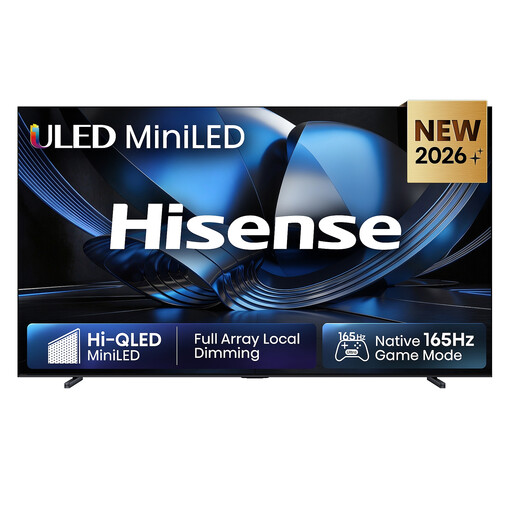
Hisense 100U7DSE, 100-inch ULED Mini LED 4K TV

Hisense 100U7DSE, 100-inch ULED Mini LED TV

At 100 inches, this model is only suitable if your room and supporting surface can accommodate it.

The product title lists 4K, 165 Hz and VIDAA Smart OS. The product description advises against placing the TV near direct sunlight, so allow plenty of space and make sure the surface is stable and sturdy enough.

View at Joybuy

TCL 75T8D, 75-inch QLED TV with QD Mini LED dimming

TCL 75T8D, 75-inch QLED TV

The 75-inch screen is an option for gaming together if it suits your viewing distance and available space.

The product title lists QD Mini LED dimming, 4K, 144 Hz VRR and FreeSync Premium. Check which of these features are supported by your source device and the input you’ll use.

View at Joybuy

Frequently asked questions about gaming TVs

Is 165 Hz enough for fast-paced arena matches?

No. Refresh rate alone doesn’t tell you how much input lag there is. Samsung Deutschland lists up to 165 Hz at 4K for the GQ75QN90FATXZG; also check input lag in Game Mode for your signal, and what your game and source device can actually output.

Which HDMI port should I use for VRR on the Sony K-75XR70?

Sony Deutschland lists VRR for HDMI 3 and HDMI 4. Use one of these inputs if your source device supports VRR, then check the signal output and TV settings.

Where can I compare power consumption before buying?

Check the EU energy label and the information for the specific model. According to the German Environment Agency, the QR code on the label links to the EU product database, EPREL. You can’t work out the exact running cost for an individual TV from screen size or panel type alone.

Can I put an old TV in my household rubbish?

No. TVs are electrical waste and must be returned separately. The German Environment Agency lists local collection points as one way to return them; retailers’ obligations depend on the applicable legal requirements.

What are my rights when returning a TV bought online?

For a standard online purchase from a business seller in the EU, you generally have 14 days from delivery to cancel. You may have to pay the return costs, depending on the applicable conditions. If the goods are faulty, you have statutory rights against the seller; EU rules provide for a minimum period of two years from receipt. An additional manufacturer’s guarantee does not replace these rights.