
Lieferung heute & morgen

Qualitätsgarantie

Willkommens-Angebote freischalten: KOSTENLOSE Lieferung | Bis zu 80 % RABATT | Kostenlose 30-Tage-JoyPlus-Testphase
App herunterladen
A Mini PC, also known as a Small Form Factor PC or Compact PC, is a computing solution designed to provide processing power in a minimal amount of space. Compared to traditional desktop towers, these devices are characterized by a smaller physical footprint, reduced power consumption, and often quieter operation. Their applications are diverse, ranging from simple office tasks and multimedia streaming to demanding gaming, depending on the specific hardware configuration.
This guide analyzes the technical criteria relevant to selecting a mini PC and presents a selection of models for various use cases.
If you're looking to buy a Mini PC, your decision should be based on objective technical parameters tailored to your specific use case.
The CPU is the central processing unit and is a key determinant of the system's overall performance.
RAM affects how many applications can run simultaneously and how smoothly they perform.
A Solid-State Drive (SSD), especially an NVMe M.2 SSD, is crucial for fast system boot-ups and program loading times. The capacity should be based on your needs, with 512 GB being a solid starting point for most users.
The number and type of ports determine the device's versatility. Look for a sufficient number of USB ports (including USB-C with DisplayPort functionality), HDMI and/or DisplayPort outputs for multi-monitor setups, and a LAN port (RJ45). Wi-Fi 6/6E and Bluetooth 5.0 or higher are relevant for modern wireless connections. A VESA mount allows the PC to be mounted on the back of a monitor.
Many models come with Mini PC Windows 11 Pro pre-installed, which offers enhanced security and networking features for professional use.
Based on an analysis of technical specifications and intended use cases, we present three distinct models here.
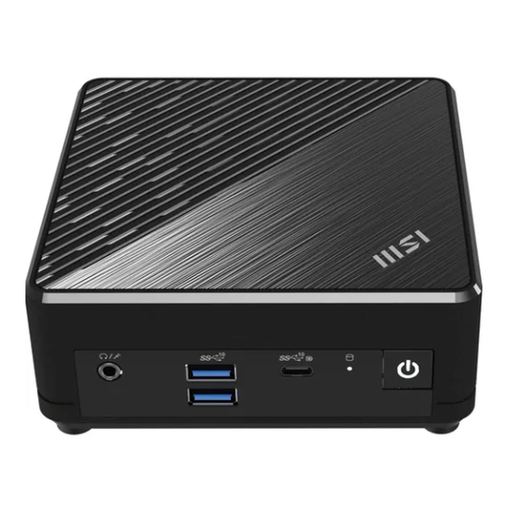
Why we suggest considering this product: The MSI Cubi N ADL S-217DE is designed for efficiency and silent operation. Its fanless design prevents dust accumulation, making it a low-maintenance solution for environments where silence is a priority. The dual LAN ports also offer redundancy and advanced network configuration options.
Pros:
Who it's for: This model is a functional choice for office workstations, libraries, digital signage applications, or as a silent media PC in the living room where basic computing tasks are the priority.
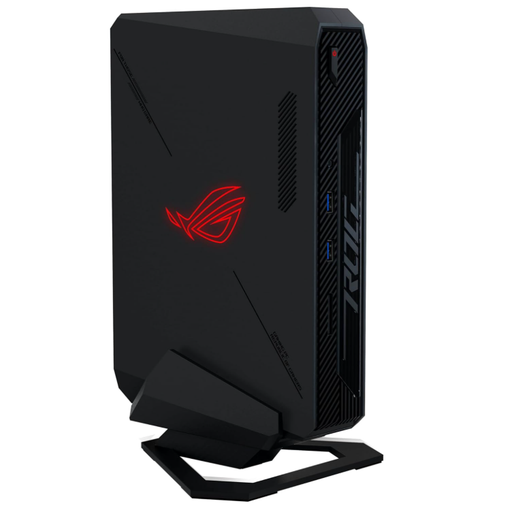
Why we suggest considering this product: The ASUS NUC 14 ROG combines the compactness of a mini PC with the performance of high-end gaming hardware. The integration of an Intel Core Ultra processor and an NVIDIA GeForce RTX 4070 graphics card in a 2.5-liter chassis enables demanding gaming and content creation at a desktop-level.
Pros:
Who it's for: This device is aimed at gamers and power users who need maximum performance in the smallest possible space and are unwilling to compromise on graphics and computing power. It is a prime example of a modern Gaming Mini PC.
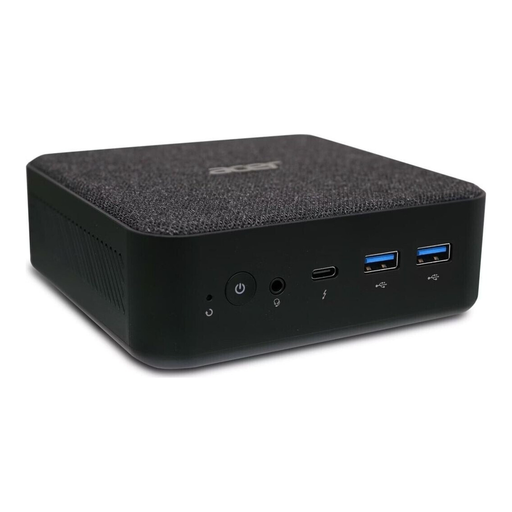
Why we suggest considering this product: The acer Revo RB102 presents a balanced configuration for productive users. With a 13th generation Intel Core i5 processor, 16 GB of RAM, and a 512 GB SSD, it offers a solid performance foundation for demanding office applications and smooth multitasking.
Pros:
Who it's for: This small PC is a great choice for home offices, small businesses, and users looking for a powerful and versatile all-rounder for productive tasks and media consumption.
The mini PC market is dynamic, offering a wide variety of configurations for different budgets and requirements. If the models presented here do not exactly meet your needs, you can find other options. For a broader selection of configurations and models, it's worth taking a look at our best PC desktop computers category.
1. How much power does a mini PC consume? The power consumption of a mini PC is significantly lower than that of a conventional desktop PC. Models for simple office tasks often consume only between 15 and 30 watts under load. High-performance gaming models can require 150 watts or more depending on the configuration, but they generally remain well below the consumption levels of comparably powerful tower PCs.
2. Can you use a mini PC for gaming? Yes, there are dedicated Gaming Mini PCs equipped with powerful processors and dedicated graphics cards (e.g., NVIDIA GeForce RTX series). These allow for playing current titles at high resolutions and high frame rates. For casual gamers, models with capable integrated graphics like Intel Iris Xe may also be sufficient.
3. Can a mini PC be upgraded? Upgradability is limited compared to a tower PC, but not impossible. In most models, the memory (RAM) and the SSD can be relatively easily replaced or expanded. The processor and graphics card, however, are usually soldered onto the motherboard and cannot be changed.