iOS app testers
If you use Xcode and the iOS Simulator locally, choose a computer that suits this software workflow. Apple documents how to use Simulator on a Mac.


For local iOS testing with Xcode and Simulator, a Mac fits the workflow documented by Apple. For Android testing, a suitably configured Windows or Linux mini PC may be an option. Your choice will also depend on how many emulators you use at once, how much storage you need and which ports you need within easy reach. Apple notes that simulators cannot reproduce certain features of physical devices, so you should also test hardware-dependent functions on a real smartphone.
If you use Xcode and the iOS Simulator locally, choose a computer that suits this software workflow. Apple documents how to use Simulator on a Mac.
If you test Android apps locally, consider how many virtual devices you plan to run at once and how much memory they will need. Google notes that requirements can vary for each AVD.
If you connect devices at an adjustable-height workstation, make sure the ports you need are easy to reach. Apple notes that simulators cannot fully reproduce the performance and features of physical devices.
First decide whether you’ll mainly test iOS, Android or real devices locally. Then choose storage and ports to suit your specific workflow at your standing desk.
A good fit if: Xcode and a local iOS Simulator are part of your workflow. Check that your required Xcode version is compatible with the macOS version.
Bear in mind: Apple says Simulator cannot fully reproduce certain features of real devices, so testing on physical devices remains important.
A good fit if: Android Studio and local Android emulators are central to your workflow, and your chosen configuration is supported by the tools you use.
Bear in mind: Running several virtual devices at once uses more memory. You’ll also need to make sure hardware acceleration is set up for your configuration.
A good fit if: You mainly use real devices rather than several local emulators and can easily reach the USB and monitor ports at your desk.
Bear in mind: Testing on real phones doesn’t automatically meet the platform and software requirements of your development workflow.
| Priority | What to check before buying | Who will find this especially important? |
|---|---|---|
| Local iOS test environment | Check compatibility between the specific macOS and Xcode versions. Test hardware-dependent features on a real device as well. | If I’m testing iOS locally with Xcode, the computer needs to support this workflow before I choose the rest of the setup. Around 36% of consumers would prioritise a local iOS Simulator. |
| Capacity for Android emulators | For several AVDs running at once, Google recommends around 4 GB of RAM per AVD, although actual requirements may vary. Check available SSD storage and support for virtualisation, too. | If I use several Android emulators at once, having enough memory and storage matters more to me than simply having a small case. Around 29% of consumers would prioritise capacity for Android emulators. |
| Ports for real test phones | Check the number, type and position of the USB ports, along with the right monitor connection for the specific configuration. | If I connect smartphones at an adjustable-height desk, I need to be able to reach the connections I use. I also test hardware-dependent features on the device itself. Around 21% of consumers would prioritise ports for real test devices. |
| Space and everything included | Plan where to place the case and how to route cables throughout the desk’s full height range. Check what’s included with the exact product number. | If space is limited, I want to position the computer sensibly and know in advance whether everything I need is included. Around 14% of consumers would prioritise space requirements and what’s included. |
Apple documents the local Xcode Simulator workflow on a Mac. A compact Windows or Linux computer won’t automatically be suitable for this specific workflow.
Choose your testing platform and required Xcode version first, then compare compatible computer configurations.
Product ranges such as the GEEKOM A5 Pro include models with different processors. With the HP Pro Mini 400 G9, too, specifications may depend on a particular product number.
Check the full model identifier, processor, memory, SSD and operating system for the exact configuration.
ASUS also offers NUC 15 Pro kits without a pre-installed operating system. Depending on the version, you may need to do some additional setup.
Check what’s included and which operating system comes with the full model identifier before comparing offers.
At a standing desk, you need to be able to reach the display connection and device ports. Cables that work at one desk height may not be routed well when you adjust the desk.
Match the phones and monitor you plan to use with the ports on the specific configuration, and plan your cable routing across the full height range.
Worth considering if local iOS testing with Xcode and Simulator is part of your workflow.
The NUC 15 Pro range offers different configurations and kits for buyers who want to choose their own components.
The A5 Pro is a documented range of Windows mini PCs for a compact Android testing setup.
The Pro Mini 400 G9 is a business mini PC range with a variety of specific configurations.
The ThinkCentre M75q Gen 5 Tiny may appeal to buyers who want to check the precise configuration.
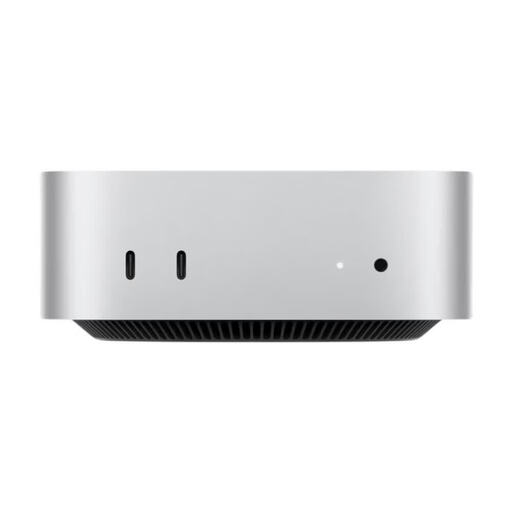
The Joybuy products below are Mac mini options for local iOS testing. Choose memory and SSD capacity to suit Xcode, your simulators and project files.
 No image available
For local iOS testing with Xcode. Test hardware-dependent features on a real device as well.
12-core CPU, 12-core GPU, 16 GB unified memory and 256 GB SSD; with Thunderbolt 4 and HDMI.
No image available
For local iOS testing with Xcode. Test hardware-dependent features on a real device as well.
12-core CPU, 12-core GPU, 16 GB unified memory and 512 GB SSD; with Thunderbolt 4 and HDMI.
No image available
For local iOS testing with Xcode. Test hardware-dependent features on a real device as well.
12-core CPU, 12-core GPU, 24 GB unified memory and 512 GB SSD; with Thunderbolt 4 and HDMI.
 No image available
For local iOS testing with Xcode. Test hardware-dependent features on a real device as well.
12-core CPU, 12-core GPU, 24 GB unified memory and 1 TB SSD; with USB-A, USB-C, Thunderbolt 4 and HDMI.
 No image available
For local iOS testing with Xcode. Test hardware-dependent features on a real device as well.
12-core CPU, 12-core GPU, 32 GB unified memory and 1 TB SSD; with Thunderbolt 4 and HDMI.
No. For the Xcode workflow described here, Apple documents the iOS Simulator on a Mac. Before buying, check that the Xcode version you need is compatible with the computer’s macOS configuration.
No, you don’t have to use several emulators. Google also describes testing with a local physical Android device. Running multiple AVDs at once requires more memory. Make sure emulator acceleration is set up to suit your hardware and operating system, too.
No. You should also test features or behaviour that depend on the device’s hardware on physical devices. Apple notes that simulators cannot fully reproduce the performance and features of real devices.
No. The Verbraucherzentrale distinguishes between your statutory claim against the seller and a voluntary guarantee. The terms of the guarantee set out exactly what it covers.
CE marking is required for products when relevant EU rules say it is. It is based on the manufacturer’s declaration that the product complies with the applicable requirements; it is not an independent quality mark. You can’t determine the requirements for a specific device from its product range alone. (European Union – Your Europe; Federal Network Agency)