
Lieferung heute & morgen

Qualitätsgarantie

Willkommens-Angebote freischalten: KOSTENLOSE Lieferung | Bis zu 80 % RABATT | Kostenlose 30-Tage-JoyPlus-Testphase
App herunterladen
Modern workspaces, whether in a corporate office or at home, have clear demands for their tech equipment: it needs to be powerful, energy-efficient, and above all, space-saving. Traditional tower PCs often take up valuable space under or on the desk. A Mini PC offers a functional alternative, packing the performance of a full-fledged desktop computer into a chassis that's barely larger than a lunchbox.
This article serves as an objective guide. We'll explain the key criteria for selecting the right model and present a curated selection of devices for various use cases—from customisable systems for tech enthusiasts to ready-to-use Office PCs.
The decision to buy a compact PC depends on your individual requirements. Three key aspects will help you make the right choice.
The first fundamental decision concerns the configuration.
Not everyone needs the same level of computing power. For standard office applications like word processing, spreadsheets, and web browsing, an energy-efficient processor with an integrated graphics unit is often sufficient. A small PC for office environments benefits from reliability and low power consumption.
For more demanding tasks such as editing high-resolution media, running multiple virtual machines, or using it as a central media server, a model with a more powerful processor (e.g., with more cores and threads) and the option to upgrade the RAM is recommended. Support for multiple monitors is also a key feature for productive work.
The cooling system directly impacts the device's noise level and maintenance requirements.
Based on the criteria mentioned, we have compiled a selection of models that cover a range of different needs.
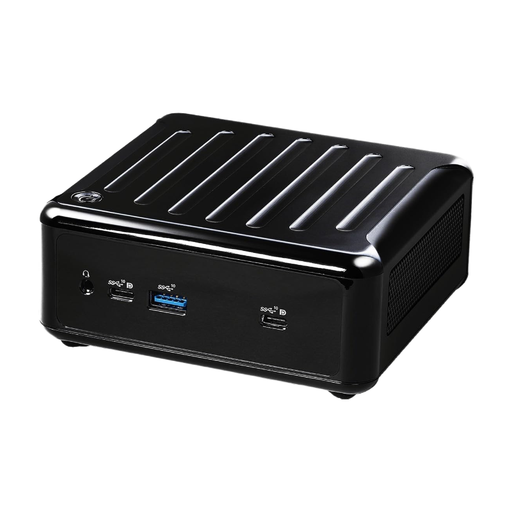
What sets this model apart The ASRock 4x4 BOX-5400U is a flexible Mini PC Barebone system built on the efficient AMD Ryzen 5400U processor. Its strength lies in its tremendous connectivity and customisability. With support for up to four monitors simultaneously and dual LAN ports (1 Gbps and 2.5 Gbps), it is exceptionally well-equipped for complex workstations and network applications.
Advantages:
Who is it for? This model is ideal for IT departments, system integrators, and tech-savvy users who need a powerful and individually configurable compact PC for office, home, or professional multimedia applications.
View details for the ASRock 4x4 BOX-5400U
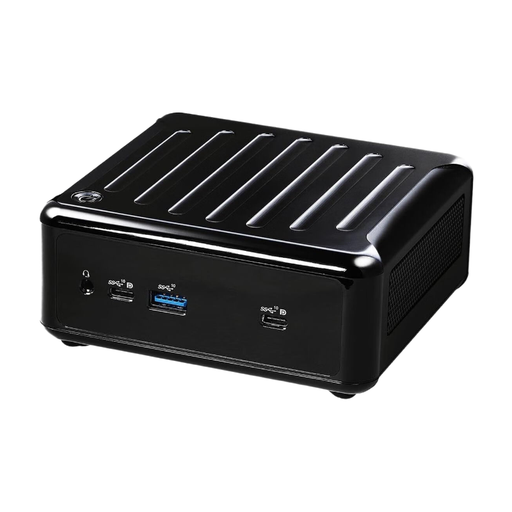
What sets this model apart As a higher-performance version of the barebone system, the ASRock 4x4 BOX-5600U features an AMD Ryzen 5600U processor with 6 cores and 12 threads. This extra processing power makes it the right choice for demanding multitasking and resource-intensive software, without sacrificing the compact dimensions and connectivity of its sibling model.
Advantages:
Who is it for? Users who appreciate the customisability of a barebone but require more processing power for parallel tasks or demanding business applications will find a future-proof foundation here.
View details for the ASRock 4x4 BOX-5600U
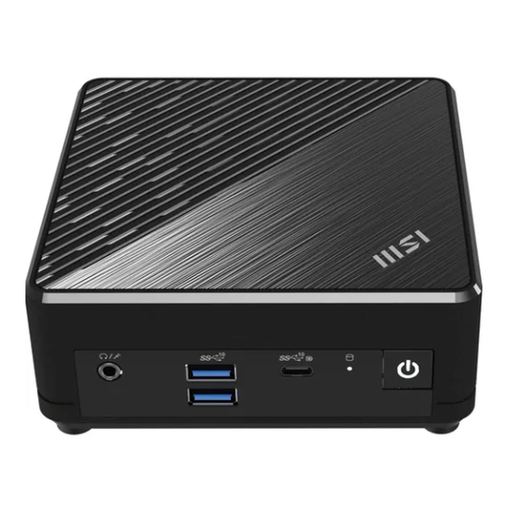
What sets this model apart The MSI Cubi N is a prime example of a fanless Mini PC. Thanks to its passive cooling design, it operates in complete silence. As a complete system with pre-installed Windows 11 Professional, 8 GB of RAM, and a 256 GB SSD, it's ready to use right out of the box. The energy-efficient Intel N200 processor provides ample performance for all common office tasks, while the dual-LAN port ensures a stable and redundant network connection.
Advantages:
Who is it for? Perfect for businesses and home users looking for a reliable, silent, and low-maintenance Silent PC for the office, reception areas, or as a discreet media centre in the living room.
View details for the MSI Cubi N
The models featured here cover common scenarios, but the market offers an even wider variety. If you need a different configuration or are also interested in traditional computers, you may find the right solution in our broader selection.
Explore our full range of Desktop PC Sets and find the perfect solution for your needs.
A Mini PC Barebone offers maximum customisation. You can select and install the memory (RAM), storage (SSD), and operating system yourself. This allows you to tailor the system precisely to specific performance or budget requirements. Additionally, you can often reuse components you already own.
A fanless Mini PC is excellently suited for standard office applications, web browsing, and 4K video playback. Its design is optimised for silent and energy-efficient operation. For sustained high computational loads, such as professional video editing or demanding 3D applications, an actively cooled model is generally the better choice due to its superior heat dissipation.
The number of supported monitors varies depending on the model, its graphics unit, and the available ports (HDMI, DisplayPort, USB-C with DisplayPort functionality). Many modern Mini PCs, including the ASRock models featured here, support three or even four displays. This makes them extremely productive tools for workstations where multitasking is key. Always check the technical specifications of the specific device for this information.