
Lieferung heute & morgen

Qualitätsgarantie

Willkommens-Angebote freischalten: KOSTENLOSE Lieferung | Bis zu 80 % RABATT | Kostenlose 30-Tage-JoyPlus-Testphase
App herunterladen
Compact dimensions, high energy efficiency, and surprising performance—the Mini PC has established itself as a versatile alternative to the traditional desktop tower. Whether as a discreet office PC, a powerful multimedia hub in the living room, or even a compact gaming Mini PC, the selection of models is vast. But which configuration is right for your specific needs?
This guide offers practical advice to simplify your decision when you're ready to buy a Mini PC. We'll highlight the key criteria and present a selection of models for various use cases.
Before making a decision, three key aspects should be considered. These will help you filter the options and find a device that precisely matches your requirements.
The intended application determines the necessary performance and features.
You have the choice between a ready-to-use complete system and a more flexible base.
Connectivity is a crucial factor for practical usability. Check whether the number and type of ports are sufficient for your peripherals. Important standards include:
Here is a selection of models that stand out for their specific features, catering to different user groups.
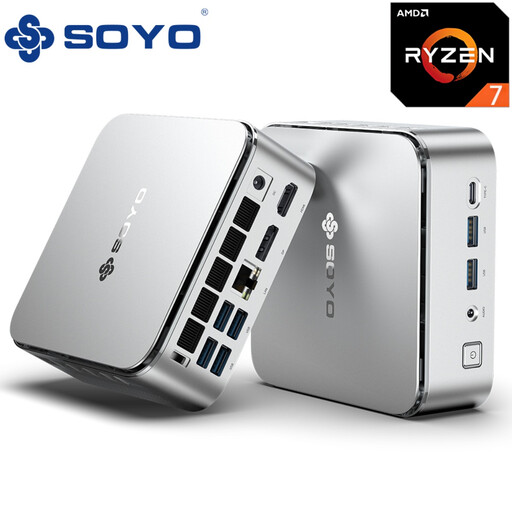
Why it stands out: The SOYO S4PLUS combines a powerful AMD Ryzen 7 H255 processor with a capable AMD Radeon 780M graphics unit. With 24 GB of LPDDR5 RAM and a 512 GB PCIe 3.0 SSD, this model is designed for demanding applications and smooth gameplay in many current titles.
Pros:
Who it's for: This model is a great choice for power users seeking a compact yet powerful desktop replacement for compute-intensive tasks. It is also suitable for gamers who want a capable gaming Mini PC for Full HD gaming.
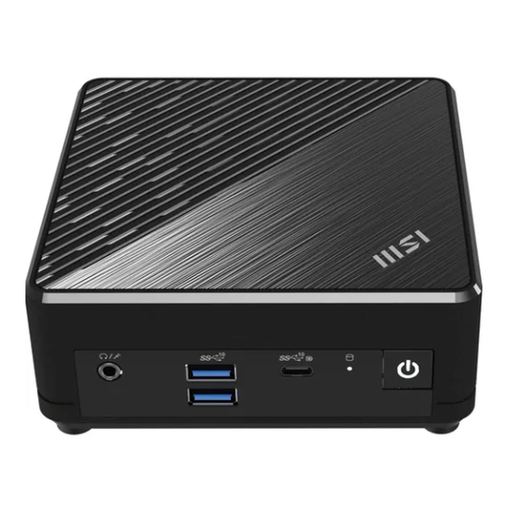
Why it stands out: The MSI Cubi N stands out for its passive cooling design. As a fanless Mini PC, it operates in complete silence and is impervious to dust build-up. With dual Gigabit LAN and pre-installed Windows 11 Pro, it's ready for professional office use right out of the box.
Pros:
Who it's for: Ideal as an office PC in environments where silence is essential, such as libraries, recording studios, or open-plan offices. Its reliability and compact design also make it a solid solution for digital signage applications.
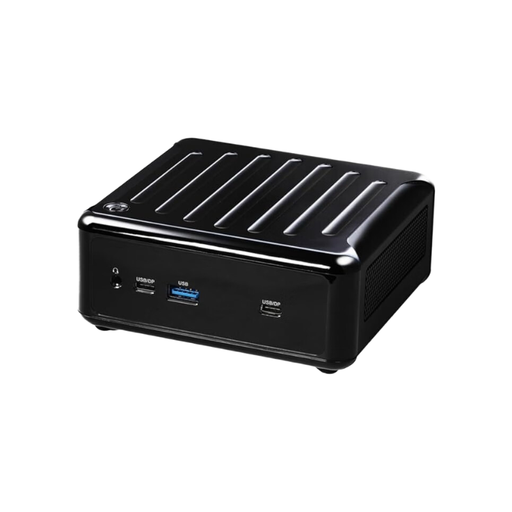
Why it stands out: This Barebone Mini PC from ASRock offers maximum flexibility for professionals. Equipped with a 12th Gen Intel Core i5-1240P processor, it gives users free rein over their choice of RAM (up to 64 GB DDR4) and storage. Its versatile connectivity, featuring Thunderbolt 4 and Dual 2.5G LAN, is designed for demanding workflows.
Pros:
Who it's for: This model is aimed at IT professionals, developers, and DIY enthusiasts who want to build a small PC with specific performance characteristics. It's an excellent foundation for edge computing, demanding multi-monitor workstations, or a compact server.
If the models presented here don't exactly meet your needs, or if you'd like to compare more configurations, you can find a wider selection in our Home Computer Workstations category. There, you can filter specifically by processor type, RAM size, and other features.
A Mini PC is significantly more energy-efficient than a conventional desktop computer. Power consumption typically ranges from 10 to 65 watts, depending on the model and load. In comparison, a standard PC tower can require 150 to 500 watts or more. This leads to a noticeable reduction in running costs.
Yes, certain models are designed for gaming. A gaming Mini PC should have a powerful graphics unit, such as the integrated AMD Radeon 780M or a dedicated mobile graphics card from NVIDIA. Such systems can run many modern games smoothly at adjusted settings, but they do not reach the peak performance of high-end gaming desktops.
A Barebone Mini PC is a base system that typically consists of a case, motherboard, processor, and power supply. The user must purchase and install components like RAM and storage (SSD) separately. This allows for high flexibility and customisation to meet individual performance requirements.