
Lieferung heute & morgen

Qualitätsgarantie

Willkommens-Angebote freischalten: KOSTENLOSE Lieferung | Bis zu 80 % RABATT | Kostenlose 30-Tage-JoyPlus-Testphase
App herunterladen
A Mini PC can replace a traditional desktop PC while taking up far less desk space. But whether you’re using it for office work, working from home, studying, streaming or more demanding tasks, size isn’t the only thing that matters. The key considerations are the processor, memory, SSD, ports, cooling and operating system.
If you focus only on high clock speeds or especially low prices, it’s easy to overlook important details. The tips below will help you avoid common buying pitfalls caused by unclear specifications.
A model name such as Ryzen 5 or Intel Core i5 tells you little about how well a computer will perform in everyday use. The generation, number of cores and threads, and power consumption all have a significant effect on performance. An older Intel Core i5 may be suitable for office applications, but it won’t necessarily keep up with a current Ryzen processor.
For a Mini PC for the office or Mini PC for working from home, four to six cores are often enough. If you regularly edit videos, use virtual machines or process large amounts of data, you should consider more memory and a newer CPU.
RAM and SSDs serve different purposes:
For a compact desktop PC for everyday use, 16 GB RAM and an SSD of at least 512 GB are a good balance. Professional software, development work or AI applications may benefit from considerably higher specifications.
Integrated graphics share the processor’s memory. They’re suitable for office software and video playback, and some models can also handle light gaming. However, a Mini PC for gaming with integrated graphics won’t automatically run the latest games at high detail settings.
Check the specific GPU, available video outputs and the resolution you need. HDMI, DisplayPort and USB-C with DisplayPort support can make it possible to connect multiple monitors. Also, 4K or 8K specifications refer to the possible video output, not necessarily gaming performance.
Compare the number of cores, threads, base clock speed and maximum turbo clock speed. Cooling is just as important. A small computer needs enough space around it and other devices to keep its ventilation openings clear. Follow the manufacturer’s guidance on ambient temperature and power supply.
Depending on the model, a Mini PC with Ryzen may offer integrated Radeon graphics and multiple cores. A Mini PC with Intel Core is also available in configurations suited to office work, multimedia or more demanding tasks. The brand name alone is no substitute for comparing the specific model number.
For typical office software, video calls and plenty of browser tabs, 16 GB RAM is a practical guideline. 8 GB may be enough for simple applications. Content creators, developers and users running virtual machines will generally benefit from 24 GB, 32 GB or more.
A Mini PC with an SSD starts up faster than a system with a traditional hard drive. Also check whether it has an M.2 NVMe SSD or a SATA SSD, and whether there’s a second slot. If you store large photo collections, videos or development environments, don’t choose too little capacity.
For a workstation, several USB ports, HDMI or DisplayPort, and an audio connection are all useful. If you want to connect two or three monitors, check the available outputs carefully.
Wi-Fi 6 or Wi-Fi 6E can provide a modern wireless connection if your network equipment is compatible. Ethernet remains a reliable alternative for fixed workstations and transferring large amounts of data. A Mini PC with Windows 11 is ready to use straight away for many home users. Models with Linux or NVIDIA DGX OS are better suited to users who want to configure their own software environment.

Why this product suits this profile: This mini computer combines 16 GB LPDDR4 RAM with a 512 GB SATA SSD, making it suitable for office work, education and multimedia.
The memory and storage specifications are clearly stated, making it easier to judge whether 512 GB will be enough for your programmes and personal files.
16 GB RAM, 512 GB SSD, HDMI 2.0, DisplayPort, USB-C and six USB 3.0 ports.

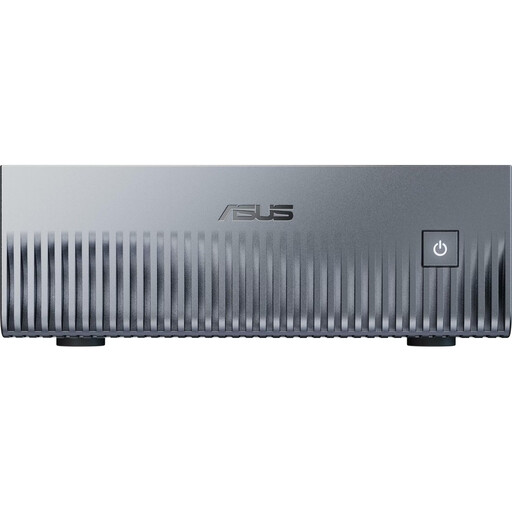
Why this product suits this profile: This workstation is built for professional applications, large projects and demanding multitasking.
With 128 GB DDR5 RAM and a 2 TB M.2 SSD, the memory and storage capacities are clearly specified rather than simply described as powerful.
Ryzen AI Max+ PRO 395 with 16 cores and 32 threads, Radeon 8060S, Windows 11 Professional and Wi-Fi 7.
Why this product suits this profile: This system is aimed at developers and businesses that need a compact platform for running AI workloads locally.
Its intended use and software environment are clearly specified: 128 GB unified memory, a 1 TB NVMe SSD and NVIDIA DGX OS pre-installed.
NVIDIA GB10 Grace Blackwell, 10-GbE, Wi-Fi 7, four USB-C ports and a 150 × 150 × 51 mm chassis.
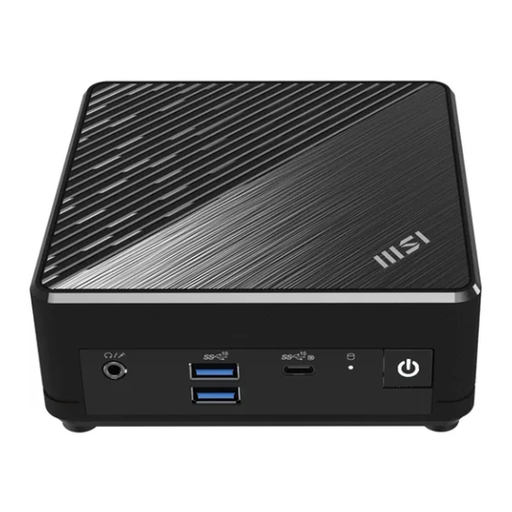
Why this product suits this profile: This model is designed for office work, multimedia and straightforward workstation setups with Windows 11 Pro.
Its low 6 W power consumption and compact design are specified, along with the options for upgrading RAM and storage.
Intel N200, 128 GB M.2 SSD, two Gigabit LAN ports, VESA mounting and support for up to three monitors.
A space-saving desktop PC generally uses less energy than a large tower, but actual consumption depends on the processor, power supply and workload. Figures such as 60 to 85 W often refer to the power draw of the system or power supply, rather than its constant consumption when idle.
Place your Mini PC on a firm, dry surface and don’t block any ventilation slots. Use only the supplied power supply or one approved by the manufacturer. Devices with high processing power also need enough clearance around the chassis.
We’ve put together a complete, regularly updated list of products that meet these strict selection criteria and fully comply with the safety regulations applicable in the EU.
A model with at least 8 GB RAM and an SSD will be enough for video calls, word processing, spreadsheets, browser-based applications and email. 16 GB RAM gives you more headroom for running several applications at once. Also check for a webcam, monitor connections and a reliable network connection, as these aren’t always built in.
Its lifespan depends on cooling, workload, component quality and ongoing update support. Keep the ventilation openings clear, avoid dust build-up and use the correct power supply. Before buying, check whether the RAM and SSD can be replaced, and how long the manufacturer provides driver and security updates.
A Mini PC may use less electricity thanks to its compact components and lower power consumption. However, running costs depend on how you use it, how long it’s switched on and your electricity tariff. For a realistic comparison, check power consumption at idle and under load rather than looking only at the power supply’s wattage.