Developers running local builds
If you compile and test a CLI tool locally, choose memory, SSD storage and an operating system to suit your tools – not just the processor name.


Choose a mini PC based first on the operating system and tools you use to build and test your command-line tool. Then check the memory, SSD and ports on the specific configuration. If several people also use the device, separate accounts and appropriate access permissions matter – simply sharing a desk doesn’t automatically mean sharing a computer. A high processor specification or a compact case alone tells you little about whether a configuration suits your workflow.
If you compile and test a CLI tool locally, choose memory, SSD storage and an operating system to suit your tools – not just the processor name.
At a shared desk, you’ll need a suitable footprint and easy-to-reach ports. If the computer is shared too, the German Federal Office for Information Security recommends separate, password-protected accounts with appropriate access permissions.
If your project needs to be built or tested on Windows, macOS or Linux, check that the specific device variant is compatible with your operating system and toolchain before making a decision.
Start by choosing your operating system and toolchain. Then check the memory, SSD and ports against your build and test workflow. Also establish whether you’re sharing just the desk or the device itself.
| What to consider | What to look for | Who is this important to? |
|---|---|---|
| Build and testing resources | List your compilers, tests and tools that run simultaneously, then compare them with the RAM, SSD and upgrade options of the specific variant. | If I use several development tools and run tests at the same time, I want the specification to suit my workflow. Around 33% of consumers prioritise build and testing resources. |
| Space, ports and shared use | Check the monitor and peripheral connections, as well as where the device will sit on your desk. If the computer is shared, check the accounts and access permissions. | If I share a workspace with others, I need the right ports and want to know whether the computer will be shared too. Around 27% of consumers prioritise placement, ports or shared device use. |
| Operating system and toolchain | Check the requirements of your development and testing tools against the operating system and architecture of the specific configuration. | If my project requires a particular platform or toolchain, I check its requirements before choosing a device. Around 20% of consumers prioritise platform compatibility when buying. |
| Complete configuration | Before buying, check what RAM, SSD and operating system the specific variant includes, and whether you’ll need anything else for your workflow. | Before buying, I want to know whether the specific configuration will suit my project without unexpected add-ons. Around 20% of consumers prioritise a complete specification and any extras they might need. |
The processor name won’t tell you whether the RAM, SSD and operating system are suitable for your build and test workflow. HP lists 16 GB RAM and a 512-GB SSD for variant CP9H2EA#ABD; Apple offers different configurations for the Mac mini.
Compare the full specification of the specific variant with your tools and the tasks you run at the same time.
If several people actually use the same device, shared accounts can also affect access to projects and data. However, sharing a desk alone doesn’t mean the computer is shared.
First, establish whether several people use the computer. If they do, the German Federal Office for Information Security recommends separate, password-protected accounts with appropriate permissions.
GEEKOM lists an A9 Max with Ryzen AI 9 HX 370 and an A9 Max 2026 Edition with HX 470. The series name alone doesn’t prove that the two variants have the same specification.
Compare the full model name, processor and configuration of the specific product variant.
The ThinkCentre M75q Gen 5 Tiny is a range of business mini PCs for workspaces with limited desk space.
The ExpertCenter PN54 range is a compact option for workspaces with several peripheral devices.
The Elite Mini 800 G9 is a range of compact business PCs for a Windows workspace.
The Mac mini is a compact macOS option if the platform supports the development tools you need.
The A9 Max range is another mini PC option for local workloads.
The following configurations are intended for Linux, Windows and macOS workflows. Before buying, check that the operating system, architecture and specification suit the build and testing tools you use.
 No image available
DGX OS (Linux/Ubuntu) is listed for a Linux-based workflow. Check that your toolchain supports the 20-core ARM architecture.
The configuration includes 128 GB memory and a 1-TB SSD. It also lists 10-GbE, Wi-Fi 7, four USB-C ports and HDMI.
 No image available
Windows 11 Professional is listed for a Windows workflow. Check that it meets the requirements of your development tools.
The specification also includes 128 GB DDR5 and a 2-TB SSD. Listed ports include Thunderbolt 4, 2.5-GbE LAN, USB-C and Mini DisplayPort.
 No image available
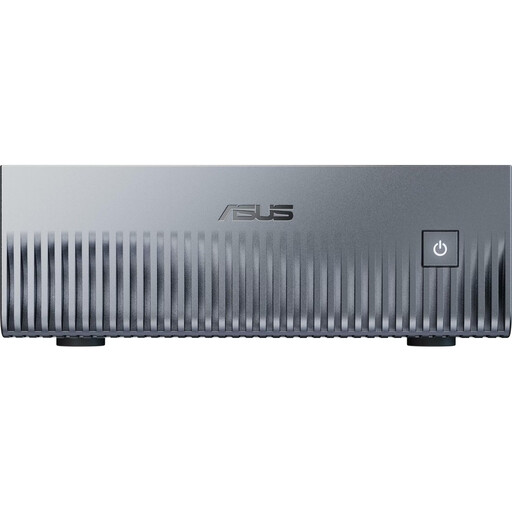
Windows 11 Pro is listed for local builds on Windows. Check that the specification suits the tools you run at the same time.
The listing also mentions two M.2 slots, 2.5-GbE LAN and three display outputs. It includes a VESA mount and measures 128 × 128 × 41.3 mm.
 No image available
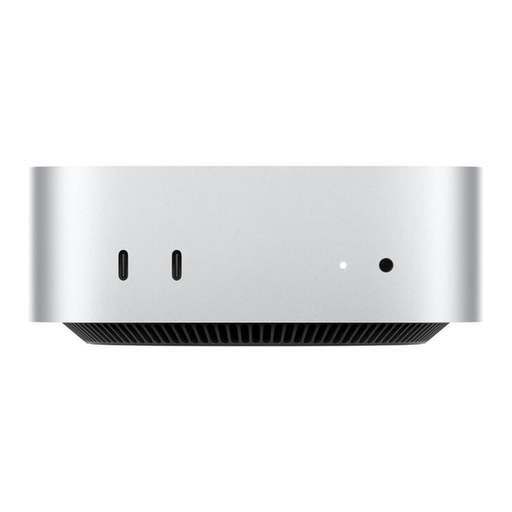
This configuration is designed for a macOS workflow. Check that your development tools are compatible with the Apple silicon environment.
The product details list an Apple M6, a 12-core CPU, a 12-core GPU and 2.5-Gigabit Ethernet. It supports up to three external displays and measures 12.7 × 12.7 × 5.0 cm, according to the description.
 No image available
Windows 11 Pro is listed for a Windows workflow. Check that it meets the system requirements of your development and testing tools.
The description lists HDMI, DisplayPort, USB-C and Gigabit Ethernet. It also includes three display outputs and six USB 3.0 ports.
Not simply because it’s a mini PC. Start by checking your compiler, tests and programs running at the same time. If you use containers, check their specific requirements too. A high chip or AI specification doesn’t automatically give your project an advantage.
The German Federal Office for Information Security recommends that each user has their own password-protected account with appropriate permissions. If you’re only sharing the desk, first establish whether the computer itself will be shared too.
No. The device name alone doesn’t confirm this. Docker’s documentation lists requirements for Windows, WSL and the backend mode you choose. Check these against the operating system and configuration of the specific device.
For a consumer purchase in Germany, statutory rights against the seller are separate from a voluntary guarantee. The Verbraucherzentrale explains that a guarantee is voluntary; check the relevant terms for any additional cover.
No. The German Environment Agency advises that waste electrical equipment must be collected separately. Retailers’ take-back obligations depend on the conditions set out in § 17 ElektroG.