Mini PCs at Joybuy
The Joybuy products below are mini PCs for a compact film-editing setup. Check the listed specifications of each model against your editing software, footage and the ports you need.
 Image unavailable
SOYO Y5Pro Mini PC, Intel Core i5-8250U/8350U
Consider this model only if 8 GB RAM and a 256 GB SSD meet the needs of your editing software and project.
The title lists 8 GB DDR4, a 256 GB SATA SSD and Windows 11. The description lists HDMI, Type-C, four USB ports and an audio output. Adobe recommends 16 GB RAM for Premiere on Windows for HD.
View at Joybuy
 Image unavailable
HP EliteDesk AI Mini 8 G1i, Core Ultra 9 285T, 64 GB RAM, 1 TB SSD
The listed RAM and SSD configuration is worth considering if you need this capacity for your editing software and project files.
The product title lists 64 GB DDR5 RAM, a 1 TB M.2 SSD and Windows 11 Pro. The description states that an optional bracket is required for VESA monitor mounting.
View at Joybuy
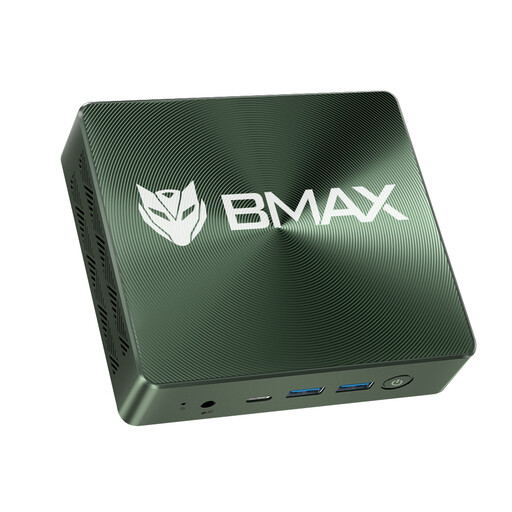 Image unavailable
BMAX Mini PC B6 Power, Intel Core i7-1060NG7, 16 GB RAM, 1 TB NVMe SSD
Check that 16 GB RAM and the listed SSD configuration meet the needs of your footage and editing software.
The title lists Windows 11, 16 GB RAM and a 1 TB NVMe SSD. The description mentions two NVMe 2280 slots, as well as HDMI, USB and Type-C.
View at Joybuy
 Image unavailable
MaxMini B3 Mini PC, Intel N4100, 8 GB RAM, 256 GB SSD
Consider this configuration only if its listed 8 GB RAM and 256 GB SSD are sufficient for your project and editing software.
The product title lists two HDMI ports and 1000M LAN. For Premiere on Windows, Adobe recommends 16 GB RAM for HD.
View at Joybuy
 Image unavailable
BMAX B6 Mini PC, Intel Core i3-8109U, 12 GB RAM, 256 GB SSD
Compare the listed 12 GB RAM and 256 GB SSD with your software’s requirements and the storage needs of your club project.
The product title lists HDMI, DisplayPort and 1000M LAN.
View at Joybuy
Frequently asked questions
Do I need special PC hardware for separately recorded audio?
Not just because it was recorded separately. What matters is that your editing software supports the workflow and your devices have suitable ports. Adobe documents how to synchronise separate clips in the Premiere timeline and merge clips. Check the file formats and ports your project requires.
How can I avoid buying an editing setup with missing components?
Check what’s included with the specific model. According to ASUS, the NUC 14 Pro+ Kit doesn’t include a pre-installed operating system, RAM or storage, so you’ll need to choose and set these up yourself. For pre-configured devices, make sure you check the RAM and SSD configuration you’re ordering.
How much storage should I allow for club film projects?
Allow separate space for source video, original audio, project files, cache and finished edits. For Premiere, Adobe recommends a fast internal SSD for the application and cache, plus an additional fast drive for media. The capacity you need depends on your files.
What are my rights if my mini PC is faulty?
If you buy as a consumer from a business seller in the EU, you’re generally entitled to a minimum two-year legal guarantee from the date you receive the goods. The seller is responsible. A voluntary manufacturer’s warranty doesn’t replace these rights. Whether a club is acting as a consumer for a particular order should be checked separately. Source: Your Europe.
Can we show club members in our anniversary film and use music?
This depends, among other things, on the specific use and the rights involved. § 22 KunstUrhG generally requires the consent of the people shown before images of them are distributed or displayed publicly; any exceptions need to be assessed separately. As GEMA explains, you must clear the rights to protected music used in a film with the rights holders in advance. Check the requirements for your planned method of publication.


