Developers who build frequently
If you regularly compile larger projects, check whether your build includes tasks that can run in parallel. Gradle says the potential benefits of parallel builds depend on the project structure and its dependencies.


Choose a mini PC based on your specific project, the operating system you need and the development tools you’ll be running at the same time. More cores alone don’t guarantee shorter build times. Then check the RAM, SSD, what’s included and the ports: a pre-configured Windows PC saves you having to set everything up separately, while a kit gives you more choice over the specification. For local Xcode builds, you’ll need a compatible Mac.
If you regularly compile larger projects, check whether your build includes tasks that can run in parallel. Gradle says the potential benefits of parallel builds depend on the project structure and its dependencies.
If you run containers or local services alongside your editor and build, consider how much memory they’ll all need together. Docker explains how to limit container CPU and memory usage.
For local Xcode builds, the Mac model and macOS version must meet the requirements of the Xcode version you’re using. Apple publishes Xcode’s system requirements.
First, work out which build environment you need and which applications you’ll be running at the same time. Then compare the exact specification of each model with your workspace and what you want included in the box.
| What matters | What to check before buying | Who should pay particular attention |
|---|---|---|
| Build performance for your project | Compare the CPU and the exact device configuration. If possible, time the same build using the same settings. Gradle says the benefits of parallel builds depend on the project. | If I regularly build larger projects, what matters to me is whether my own build can run in parallel. Around 33% of consumers put build time first. |
| RAM for multitasking | Consider the build, editor, tests and containers together; check the installed RAM and whether it can be upgraded on that model. | If I’m running my editor, tests and containers at the same time, I need enough memory for everything. Around 25% of consumers prioritise RAM for multitasking. |
| Operating system and toolchain | Check that the required operating system and tool versions are supported. For Xcode, make sure you have the right macOS version. | If my project requires a particular platform or toolchain, the mini PC needs to be compatible. Around 25% of consumers put compatibility first. |
| Ports and what’s included | Check that the ports on the exact model match your monitors and peripherals; if you’re buying a kit, factor in any components you’ll need to add. | If my workspace needs specific ports and I want to get started without extra setup, what’s included is crucial. Around 17% of consumers prioritise ports and a complete package. |
According to ASUS, the ASUS NUC 14 Pro Kit NUC14RVH-B is supplied without a pre-installed operating system, RAM or storage. It’s therefore not the same as a fully equipped version.
Before buying, check the exact model number and compare what’s included.
With this kit, you’ll also need to budget for RAM, an SSD, an operating system if required, and the time it takes to set everything up.
More cores or a particular processor name don’t guarantee that your project will compile faster. Gradle says the benefits of parallel builds depend on the project structure and its dependencies.
If possible, compare using a repeatable build of your own project, and take its memory requirements into account.
A voluntary manufacturer’s warranty isn’t the same as the seller’s statutory liability for faulty goods. According to Your Europe, eligible consumer purchases within the EU are generally covered by a statutory guarantee of at least two years from the date you receive the goods.
Keep your proof of purchase and the seller’s details, and distinguish voluntary warranty terms from your statutory rights.
ThinkCentre M75q Gen 5 Tiny: a compact business PC available in different configurations.
NUC 14 Pro: depending on the version, either a fully equipped mini PC or a kit you can configure yourself.
A8 Max: a pre-configured Windows mini PC available with several processor and memory options.
Mac mini: a macOS option for development work, where the toolchain you need must be compatible with the system version.
Pro Mini 400 G9: another pre-configured business PC option.
This selection includes a pre-configured Windows mini PC and a configurable mini PC kit to suit different home-working setups.
 No image available
A good choice if you’re looking for a pre-configured Windows mini PC for your development environment.
This version is listed with Windows 11 Pro, 32 GB DDR5 RAM, a 1-TB PCIe NVMe SSD and Wi-Fi 7. The processor is an Intel Core Ultra 7 265 vPro.
 No image available
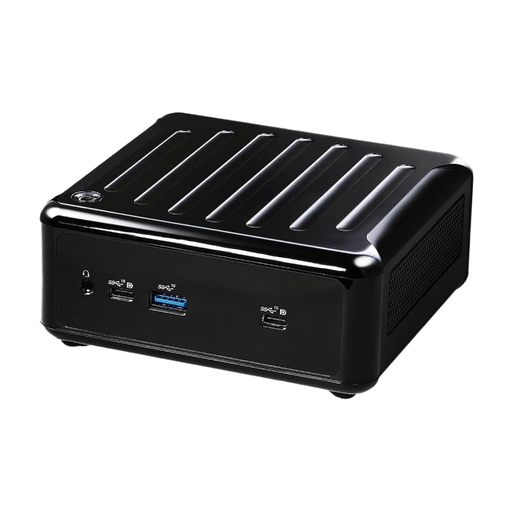
A good choice if you want to choose the components yourself and install the operating system.
The barebone supports up to 64 GB DDR4 RAM and has M.2 and SATA storage connections. According to the product details, its HDMI and DisplayPort outputs support up to four displays. The device is supplied without an operating system.
No. Gradle says the potential benefits of parallel builds depend on the project structure and its dependencies. If possible, compare a representative build using the same settings before assuming that more cores will mean a shorter build time.
According to ASUS, the ASUS NUC 14 Pro Kit NUC14RVH-B is supplied without a pre-installed operating system, RAM or storage. Check the exact model number and the components it supports before comparing the kit with a fully equipped mini PC.
Consider the combined memory requirements of your development tools, build, tests and containers. Docker provides settings for limiting container resources; according to Docker, processes may be terminated if memory runs low.
Your Mac model and macOS version need to meet the system requirements of your Xcode version. Apple publishes the macOS versions supported by Xcode; check the details for the version you actually plan to use.
No. According to Your Europe, eligible consumer purchases from a trader are generally covered by statutory rights for faulty goods for at least two years from the date you receive them. A voluntary manufacturer’s warranty may provide additional cover, but it doesn’t replace your rights against the seller.