Which buying considerations matter?
First decide whether your workflow, noise levels in your sleeping area, future upgrades or a more complete package will be the deciding factor. Then compare the specific model configuration, rather than just the product family name.
| Buying consideration |
What to check |
Who is it important to? |
| Performance for parallel builds |
Compare the CPU model, installed and upgradeable RAM, and SSD in the exact configuration with a typical build of your own. |
If I regularly work on larger projects with several build processes, I want to assess the configuration against my workflow. Around 33% of consumers who put build performance first. |
| Noise and footprint |
Check the dimensions and where you’ll place it; only use noise figures for a comparable model and a similar workload. |
When I’m working and sleeping in the same room, I want to know how the device performs during longer sessions. Around 27% of consumers put quiet operation in their living and sleeping space first. |
| Upgradeability |
Check which RAM and SSD slots are occupied or free in the specific configuration; distinguish between a kit and a complete PC. |
If my projects grow, I want to know which memory components I can add or replace later. Around 20% of consumers put upgradeability first. |
| Everything you need included |
Check the RAM, SSD, operating system, monitor, input devices and any necessary cables or adapters for the exact configuration on offer. |
I want to know before setting it up which parts I’ll still need for a usable workspace. Around 20% of consumers prioritise having everything they need for a workspace. |
Joybuy products
The Joybuy products below list different mini PC, processor, memory and operating system configurations. Check each one against your tools and planned workflow.
 No image available
SOYO Y5Pro, Intel Core i5 8250U/8350U
If desk space is limited, check the dimensions against the space available for the device, power supply and cables, and find out which of the listed CPU configurations is on offer.
Intel Core i5 8250U/8350U; 8 GB DDR4; 256 GB SATA SSD; Windows 11; 105 × 113 × 45 mm.
View at Joybuy
 No image available
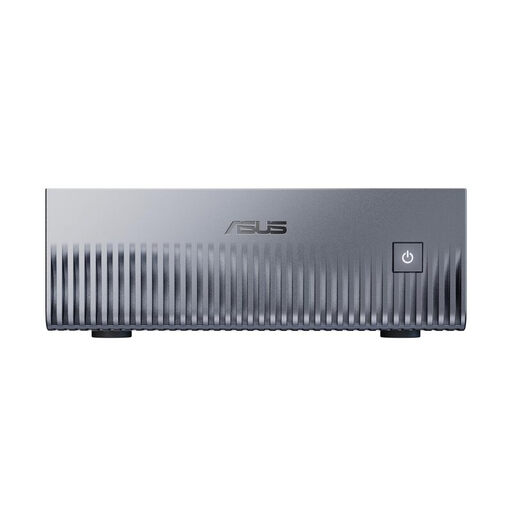
ASUS Ascent GX10 Mini AI Supercomputer
If your development environment requires Linux, check that your tools are compatible with the listed DGX OS before you buy.
NVIDIA Grace Blackwell GB10; 128 GB Unified Memory; 2 TB SSD; Linux (DGX OS); 150,11 × 150,11 × 51,05 mm.
View at Joybuy
 No image available
HP Z2 Mini G1a, Ryzen AI Max+ Pro 395
If you want to check that the configuration suits your parallel tools and projects, look at the CPU, RAM and SSD specifications for the exact version.
Ryzen AI Max+ Pro 395; 16 cores and 32 threads; 128 GB RAM; 2 TB SSD; Windows 11 Professional; 20 × 8,55 × 16,8 cm.
View at Joybuy
 No image available
ACEMAGIC AK1PLUS, Intel Celeron N5095
If you’re looking for a Windows configuration with specified components, check that the listed specification meets the requirements of your build tools.
Intel Celeron N5095 (4C/4T); 16 GB LPDDR4X; 256 GB M.2 2280 SATA SSD; Windows 11 Pro; 128 × 128 × 51,5 mm.
View at Joybuy
 No image available
MaxMini B3, Intel N4100
If desk space is limited, compare the case dimensions with the room available for the power supply and cables, and assess the configuration against your tools.
Intel N4100 (up to 2.4 GHz); 8 GB LPDDR4; 256 GB SSD; 125 × 112 × 34 mm.
View at Joybuy
Frequently asked questions
How can I tell whether a mini PC is suitable for my builds?
Compare the CPU, RAM and SSD in the specific configuration with a typical project of yours and the tools you use at the same time. If you use CMake, you can limit the number of parallel build processes; a general test rating is no substitute for checking against your workflow.
Can I use Linux tools on a Windows mini PC?
Microsoft describes WSL as a way to use Linux distributions and command-line tools on supported versions of Windows. Before you buy, check the requirements of your specific tools and the version of Windows included.
What should I bear in mind when positioning and setting up the PC?
Allow room for the power supply and cables, and keep the vents on the specific device clear. If you buy a barebone, you’ll need to source and install the missing RAM and SSD, and possibly the operating system, yourself.
Are the manufacturer’s guarantee and statutory rights the same thing?
No. The Verbraucherzentrale distinguishes between your statutory rights against the seller and a voluntary guarantee. For a specific offer, check who the seller is and what additional guarantee terms apply.
What should I know about product compliance in Germany?
Devices covered by relevant EU harmonisation legislation must carry the CE marking when placed on the market. The Bundesnetzagentur also lists product identification, manufacturer details, instructions and safety warnings in German, and the declaration of conformity as points to check. The CE marking alone isn’t an independent test award.


