For cooking videos with separately recorded audio, your mini PC should suit your editing software, camera format and project size. It’s the editing software, not a special PC feature, that synchronises your footage. Also compare the RAM, the audio and media connections you need, and the space available for original and working files. Specifications alone can’t guarantee a particular preview performance.
Which mini PC approach is right for you?
Editors working with separate audio
If you record speech or cooking sounds separately from the video, you’ll need a clear process for matching, synchronising and monitoring your recordings. Blackmagic Design documents synchronisation in DaVinci Resolve using timecode or audio waveforms. Check which method suits your recordings.
Editors working with demanding video footage
For more demanding work, the camera format, effects and software version all matter. Adobe recommends 32 GB of RAM or more for Premiere on Windows and Intel Mac systems. Check this against the requirements of your specific version and footage.
Editors using different storage media
If you regularly transfer camera and audio files, look for suitable card readers, USB ports and storage options on the specific device variant. A port or card reader is only useful if it’s compatible with your media and devices.
What should you look for when buying?
Start with your editing software and source footage. Then check that the connections, RAM and storage suit the way you actually work.
| Buying priority |
What to look for |
Who is it important to? |
| Synchronising separate audio |
Check the synchronisation features in your editing software and whether it has the right connections for your monitoring equipment. |
If I want to combine separately recorded speech or cooking sounds with the video and monitor the audio while editing, I check the software and audio connections. Around 40% of consumers put this need for synchronisation and monitoring first. |
| Editing demanding video footage |
Check your software version, camera format, RAM and supported codec and graphics features together. Adobe recommends 32 GB of RAM or more for Premiere on Windows and Intel Mac systems. |
If I work with high-resolution or heavily edited footage, I match my project’s requirements to the specific configuration. Around 30% of consumers prioritise editing resources that suit their video footage. |
| Transferring and storing files |
Check the card type, available USB ports, SSD capacity and potential for storage expansion. |
If I regularly import camera and audio files and want to keep both the originals and working files, I look at how I can import them and how much storage is available. Around 20% of consumers put this need for media importing and storage first. |
| Comparing features and upgrade options |
Check the exact variant and what’s included; factor in any extra components and setup you may need. |
If I want to upgrade later or use a fully equipped computer, I compare the specific variant I’m ordering rather than just the model name. Around 10% of consumers prioritise features and upgrade options. |
Avoid common buying mistakes
-
Assuming a 4K display means smooth 4K editing
The screen resolution doesn’t tell you what demands your video footage and editing software will place on the computer.
Check the exact configuration against your software version and the video format you use.
-
Focusing only on processor performance when recording audio separately
Synchronisation is handled by the editing software. You’ll also need to be able to connect the media and monitoring equipment you actually use for importing and checking audio.
Check the synchronisation method, audio output and media connections separately.
Depending on your monitoring equipment, you may need extra adapters or a compatible audio interface.
-
Assuming a mini PC kit is a fully set-up computer
Some variants may not include an operating system, RAM or SSD. The model family name alone doesn’t tell you what’s included.
Compare the features of the specific variant you’re ordering with the components you already have.
Remember to allow for any missing components and the extra time needed for setup.
Brands to consider
GEEKOM
The A8 Max is worth comparing if you’re looking for a Windows mini PC with suitable media connections and potential upgrade options.
- GEEKOM Germany lists USB4 and an SD card reader. The variants shown differ in areas including RAM.
- The connections and features don’t guarantee editing performance. Check the exact variant and your editing software.
Apple
The Mac mini is an option for a macOS editing setup, provided your editing software and other programmes are available on the platform.
- Apple lists hardware-accelerated features for H.264, HEVC and ProRes on the Mac mini M6.
- Codec details don’t predict how quickly a specific cooking video project with particular effects will run. Also check the storage and SSD configuration you need.
HP
The Z2 Mini G1a is a workstation option that’s better suited to comparing for additional, resource-intensive tasks than for simple cooking videos.
- HP lists 128 GB of RAM and a 2 TB SSD for configuration B76Q7ET#ABD.
- These specifications apply to the configuration listed and can’t be assumed for other Z2 variants. Your projects should justify any need for high-spec resources.
Lenovo
The ThinkCentre M75q Tiny is a compact option to consider if the specific configuration and potential upgrades suit the way you work.
- Lenovo describes the SSD and memory modules in the M75q Gen 5 as easy to access for upgrades.
- The German configuration listed includes 24 GB of RAM but no storage. Check the full specification before comparing it.
GMKtec
The EVO-X2 is an option to compare for particularly demanding work, but it’s not automatically a necessary choice for everyday cooking videos.
- GMKtec lists variants with 64 or 128 GB of LPDDR5X RAM.
- According to the manufacturer, the RAM is soldered on and can’t be upgraded. Choose your variant based on your expected needs.
Joybuy products for video editing
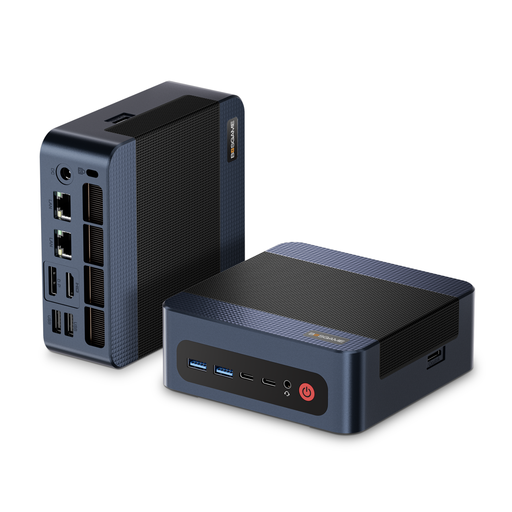
This product card features a Windows mini PC to compare with your Windows editing software and the storage needs of your video projects.
 No image available
BOSGAME M4 Plus mini PC, AMD Ryzen 9 7940HS, Windows 11 Pro, 32 GB DDR5 RAM, 1 TB PCIe 4.0 SSD
Relevant for a Windows editing workflow: compare the listed configuration with the requirements of your editing software and video footage.
The product details list 32 GB DDR5 RAM, Windows 11 Pro and a 1 TB PCIe 4.0 SSD.
The description also mentions the option to install a second PCIe SSD. Check the model variant and the capacity you need before buying.
Joybuy
Frequently asked questions
Will a more powerful mini PC automatically synchronise separately recorded audio?
No. You set up synchronisation in your editing software. Blackmagic Design documents timecode, audio waveforms and a manual method for DaVinci Resolve. Which one suits your recordings depends on the files you have.
What should I organise after importing my camera and audio files?
Set up a clear process for storing and backing up your original files. Blackmagic Design describes cloning and backing up camera media in DaVinci Resolve, as well as synchronising audio and video separately. Factor the available storage into your plans.
What are my rights to repairs or replacement and cancellation when buying online from a business seller?
For an eligible purchase from a business seller in the EU, the statutory minimum legal guarantee is two years from receipt of the goods. Your Europe states that consumers generally have a 14-day right to cancel ordinary online purchases from the date of delivery; exceptions and possible return costs should also be taken into account. A voluntary manufacturer’s guarantee doesn’t replace your statutory rights.
Which compliance details should I check on a mini PC listing for Germany?
For products placed on the market, the Bundesnetzagentur requires correct CE marking and a responsible economic operator in the EU. Check these details for the specific device variant on offer; they don’t guarantee a particular editing speed.


