For Python notebooks and everyday data analysis, a fully equipped mini PC with suitable RAM and an SSD is the simplest way to get started. As your datasets grow, the processor and upgrade options become more important. Check your course software requirements and what’s included, too: a barebones PC needs additional components and setup, and an integrated GPU doesn’t guarantee CUDA compatibility.
Who is a mini PC suitable for?
Getting started with notebooks and data analysis
You want to use Python, notebooks and several study applications at a compact workstation, without installing hardware yourself. Anaconda recommends at least 16 GB of RAM for most models, although some need more.
Students working with growing datasets
You want enough headroom for larger datasets or parallel calculations. According to the scikit-learn developers, some estimators can take advantage of parallelisation.
Students with course-specific GPU requirements
First, check which operating system and GPU backend your course exercises require. PyTorch documents MPS for macOS, but this isn’t automatically equivalent to an expressly required CUDA environment.
What should you look for when buying?
Start by checking your course’s software and GPU requirements, then look at what’s included, along with the RAM and SSD. You can then compare the ports, footprint and noise specifications with your room and workspace.
| Criterion |
What to check before buying |
Who should pay particular attention |
| RAM and headroom |
Check the RAM in the specific model and whether it can be upgraded. Anaconda recommends at least 16 GB for most models, although some need more. |
If I’m working with notebooks and datasets, I need the RAM and processor to keep up when running tasks in parallel. Around 36% of consumers prioritise processing power and memory headroom. |
| What’s included and ready to use |
Check whether RAM, an SSD and an operating system are included, and whether any components still need to be installed or configured. |
If I want to get straight on with my studies without choosing and setting up components myself, a complete package matters. Around 29% of consumers prioritise being ready to use straight away. |
| Space, ports and noise |
Check the monitor connections and, where relevant, the VESA dimensions. Compare noise specifications at idle and under full load; MSI identifies the figures for the Cubi NUC 1M as manufacturer specifications. |
If the computer will be close to where I study or sleep, I need the right ports and want to know how noisy it might be under load. Around 21% of consumers prioritise quiet operation and a small footprint. |
| GPU and software compatibility |
Check your course materials and installation guides for the required operating system, framework and GPU backend. |
If a course requires a particular GPU backend, the mini PC needs to support it. Around 14% of consumers have a mandatory GPU software requirement as their main concern. |
Avoiding common buying mistakes
-
Assuming a barebones PC is ready to use
A barebones PC may not include RAM, an SSD or an operating system. You’ll need to source the right components and set up the computer yourself.
Before deciding, check what’s included with the specific model against your course requirements.
-
Assuming an integrated GPU guarantees CUDA compatibility
Suitability depends on which framework and backend your course requires. PyTorch documents MPS for macOS, but that doesn’t mean it can be used interchangeably with course instructions that specifically require CUDA.
Check your course’s mandatory software requirements before choosing a platform.
-
Assuming manufacturer noise figures apply to every situation
Noise specifications may refer to different operating conditions. MSI gives idle and full-load figures for the Cubi NUC 1M; these are manufacturer specifications, not independent measurements taken in a student room.
Check which load condition the figure refers to. If you’re looking at an independent test, make sure it covers the exact model you’re considering.
Brands worth considering
GEEKOM
GEEKOM describes the A5 Pro 2026 as a compact, fully equipped computer that’s easy to get started with.
- According to GEEKOM, the model shown has 16 GB of RAM, a 1 TB SSD and Windows 11 Pro.
- Noise figures are provided by the manufacturer and haven’t been independently measured. Specifications and upgrade options may vary between models.
MSI
MSI positions the Cubi NUC 1M as a compact, VESA-mountable range with memory slots and several monitor connections.
- MSI lists two SO-DIMM slots for the range.
- The processor and actual configuration depend on the model. The manufacturer’s noise figures aren’t a test carried out in a student room.
GMKtec
GMKtec offers the NucBox M6 Ultra in both barebones and fully equipped models.
- The available options let you choose between a barebones model and configurations with RAM and an SSD.
- A barebones PC may not include RAM, an SSD or an operating system. The order terms shown for US orders don’t provide information about German warranty conditions.
ASUS
The ASUS NUC 15 Pro range includes configurable mini PCs and kit versions.
- ASUS lists different processors and SO-DIMM memory options within the range.
- Specifications for the range don’t confirm what’s included in a particular kit or whether it’s suitable for a specific ML framework.
Apple
Apple describes the Mac mini with M6 or M5 Pro as a compact macOS alternative, provided your study tools support macOS.
- Apple lists ports on the front and rear. PyTorch documents an MPS backend for macOS.
- A macOS configuration with MPS doesn’t automatically meet the requirements of an expressly required CUDA environment.
Joybuy products for studying and data analysis
The options below range from a Linux system and a macOS model to Windows mini PCs. Check the applicable conformity information for the specific device; devices with wireless connectivity must also meet the relevant requirements for radio equipment.
 No image available
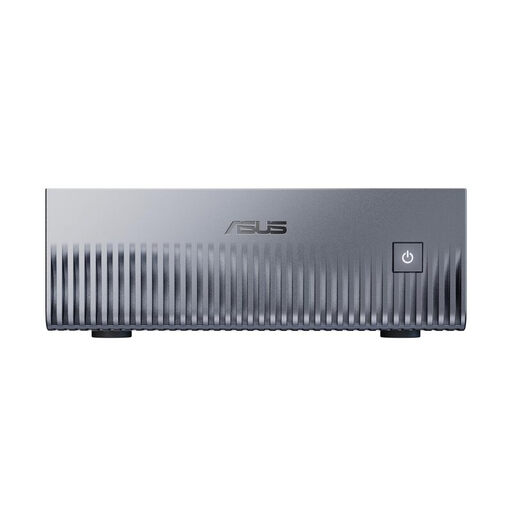
ASUS Ascent GX10 Mini AI Supercomputer
The Linux configuration listed is suitable only if your course software supports this platform.
- NVIDIA Grace Blackwell GB10
- 128 GB unified memory
- 2 TB SSD
- Linux (DGX OS)
At least 5 cm of clearance around the device is recommended for ventilation.
View at Joybuy
 No image available
Apple Mac mini M6, 12-core CPU and 12-core GPU, 24 GB unified memory, 512 GB SSD
This model may suit you if your course software supports macOS. PyTorch documents MPS for macOS; check separately whether your course specifically requires CUDA.
- macOS
- Thunderbolt 4, HDMI and 2.5GbE
- Ports on the front and rear
According to the product description, a keyboard and mouse aren’t included.
View at Joybuy
 No image available
ACEMAGIC AK1PLUS, Intel Celeron N5095, 16 GB LPDDR4X, 256 GB SSD
This ready-to-use Windows model may be suitable for Python notebooks if its specifications meet your course software requirements. Anaconda recommends at least 16 GB of RAM for most models, although some need more.
- Windows 11 Pro
- M.2 2280 SATA SSD
- Two HDMI outputs
View at Joybuy
 No image available
MaxMini B3, Intel N4100, 8 GB LPDDR4, 256 GB SSD
This model may suit a compact workspace if your applications can run with the specifications listed.
- Dual HDMI
- 1000M LAN
- 2.4G/5G Wi-Fi and Bluetooth 5.0
View at Joybuy
 No image available
Ninkear M8, AMD Ryzen 7 8745HS, 16 GB DDR5, 1 TB SSD
These specifications may suit data analysis and running several applications at once; check them against your course software requirements.
- Windows 10/11
- Dual 2.5-gigabit Ethernet
- Wi-Fi 6
- Dimensions: 130 × 127.5 × 52 mm
View at Joybuy
Frequently asked questions
Do I need a dedicated graphics card for Python and data analysis?
Not necessarily. Check your specific course to see whether CPU processing is sufficient or whether a particular GPU backend is required. PyTorch documents MPS for macOS, but this doesn’t automatically meet the requirements of an expressly required CUDA environment.
What else do I need to budget for with a barebones PC?
Check what’s included with the specific model, as RAM, an SSD and an operating system may be missing. For the Intel NUC 13 NUC13ANKI7, the independent review lists these as items to source separately; this doesn’t apply to every kit.
Can I mount a mini PC behind my monitor?
That depends on your monitor and mount. MSI lists a 100 × 100 mm VESA mount for the Cubi NUC 1M; also check that the mount fits and that the ventilation openings remain clear.
How should I assess a mini PC’s noise specifications?
Check whether a figure refers to idle or full-load operation. MSI provides manufacturer figures for both conditions for the Cubi NUC 1M; these aren’t independent measurements taken in your own room.
What should I check before buying to ensure the product meets requirements?
Check the information for the specific device and the requirements that apply in the German market. The German Federal Network Agency lists the CE marking, product identification and correct manufacturer details among the points to check; this doesn’t establish whether a particular listing complies.


