Joybuy products for family video editing
The Joybuy selection below includes compact mini PCs for local editing projects. Operating systems, RAM, storage and ports vary by model, so check that they suit your software and existing devices.
 No image available
Dell Pro Max Micro FCM2250 MFF mini workstation
Could suit a compact Windows workstation if your editing software runs on Windows and you want to store project files locally.
The product title lists an Intel Core Ultra 7 265 vPro, 32 GB DDR5 RAM, a 1 TB PCIe NVMe SSD, Intel Graphics and Windows 11 Pro.
Joybuy
 No image available
THUNDEROBOT Mini PC Workstation AI Max+ 395, 128 GB LPDDR5X, 1 TB SSD
Could suit your project if you’re planning for plenty of RAM and local SSD storage; check the operating system and ports against the full configuration.
The product title lists 128 GB LPDDR5X at 8000 MT/s, a 1 TB SSD, a side-mounted SSD interface and a quick-release network card interface.
Joybuy
 No image available
FIREBAT F1 mini PC, Ryzen 5 7640HS, 12 GB DDR5, 512 GB SSD
Could be an option for a Windows project with local SSD storage; check that the RAM suits your software and footage.
The product title lists 12 GB DDR5 RAM, a 512 GB SSD, Windows 11 Pro and USB4.0. For Premiere 26.x on Windows, Adobe recommends 16 GB of RAM for HD media; the listed 12 GB configuration falls short.
Joybuy
 No image available
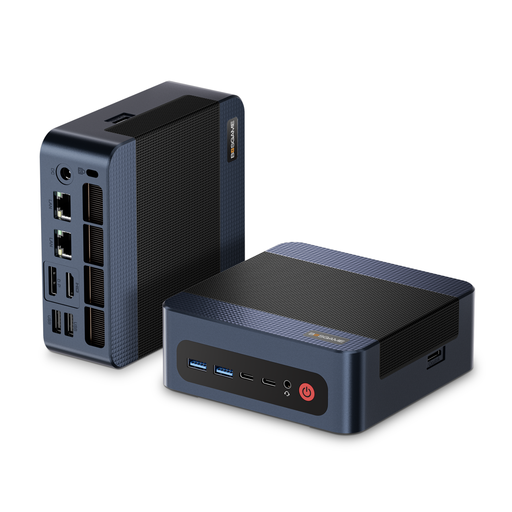
BOSGAME M4 Plus mini PC, Ryzen 9 7940HS, 32 GB DDR5, 1 TB SSD
Could suit you if you’re looking for a Windows mini PC with local storage for editing projects; check the ports for your monitor, drives and other devices.
The product title lists a Ryzen 9 7940HS, Windows 11 Pro, 32 GB DDR5 RAM and a 1 TB PCIe 4.0 SSD.
Joybuy
 No image available
Ninkear M8 mini PC, Ryzen 7 8745HS, 16 GB DDR5, 1 TB SSD
Could be an option for local editing projects on Windows; compare the RAM with the resolution and recommendations for your specific software.
The product title lists 16 GB DDR5 RAM, a 1 TB SSD and Windows 10/11. For Premiere 26.x on Windows, Adobe recommends 16 GB of RAM for HD and at least 32 GB for 4K, so the listed RAM doesn’t meet the 4K recommendation.
Joybuy
Frequently asked questions
How do I synchronise a separately recorded audio track with a family video?
Import the video and audio into suitable editing software and align them using any shared reference points. Adobe documents several methods in Premiere, including manual alignment and synchronising by start point, timecode or markers. The right method depends on your recordings.
Do I always need 32 GB of RAM for family videos?
No, 32 GB isn’t a universal minimum requirement for all family videos. For Premiere 26.x on Windows, Adobe recommends 16 GB of RAM for HD media and at least 32 GB for 4K or higher resolutions. Also check the requirements for your software version and footage.
How do I back up my original recordings while editing?
Keep important original files and projects on a separate backup device or in a suitable backup service as well. Germany’s Federal Office for Information Security cites accidentally deleted family videos as an example of why backups are useful; a working SSD is no substitute for a separate backup.
What should I check before buying a mini PC kit?
Check the full model code and whether the operating system, RAM and SSD are included. ASUS NUC 15 Pro kits may be offered without a pre-installed operating system. Also check that the video, USB and audio ports included on the specific model match your devices.


