Reviewing footage with limited desk space
If you play back and compare footage at a small desk, check the dimensions of the specific PC model and make sure it has the right ports for your monitor and peripherals.


If you mainly review and compare tournament footage, a space-saving PC with integrated graphics could be a good option, provided its specific configuration supports your files’ codecs and its dimensions and ports suit your setup. If you also want to edit video or play and record at the same time, a compact desktop with a dedicated graphics card may be a better fit. Be sure to check the exact model’s depth, cooling and specification, too.
If you play back and compare footage at a small desk, check the dimensions of the specific PC model and make sure it has the right ports for your monitor and peripherals.
If you also create clips or longer projects from your footage, choose a specification that meets the requirements of your editing software and the media you use.
If you play games or record gameplay, check the graphics card in the specific configuration and make sure its hardware encoder works with your recording software.
A good fit if: You mainly review footage and want to use as little desk space as possible. GEEKOM and Lenovo offer models with integrated graphics.
The trade-off: A compact design alone doesn’t tell you whether your files will play smoothly or whether the PC will be powerful enough for editing software. RAM, SSD capacity and ports vary by model.
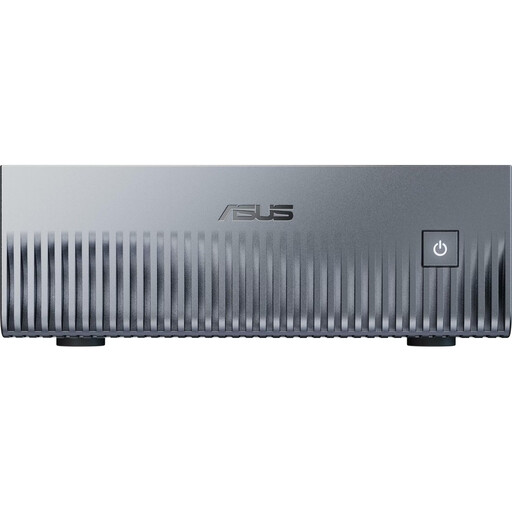
A good fit if: As well as reviewing footage, you want to game, record gameplay or use a more graphics-intensive editing workflow. MSI and ASUS offer desktop ranges with dedicated graphics options.
The trade-off: Check the full dimensions, specific GPU, cooling and ports of the exact model you’re buying. ‘Compact’ doesn’t necessarily mean it won’t need much depth.
| Buying priority | What to check | Who is this especially important to? |
|---|---|---|
| Desk space and positioning | Compare the full dimensions of the model, including room for cables and clear air vents, with the space available on your desk. | If I need to fit my PC next to my monitor and peripherals, the space it actually takes up matters. Around 31% of consumers prioritise suitable dimensions and positioning. |
| Footage playback | Check the codec, resolution and frame rate of a typical original file, then compare them with the planned hardware and playback software. | If I mainly want to review tournament footage, I need to know that my specific files are supported. Around 31% of consumers put playback of their own video footage first. |
| Editing and recording | Check the requirements of your editing software and the encoder used by your recording software for the media you plan to work with. | If I also edit clips or record gameplay, I choose a specification to suit those specific programs. Around 23% of consumers prioritise editing or recording their own footage. |
| Storage and ports | Check SSD capacity, upgrade options and the ports you need for drives, monitors and peripherals. | If I archive footage locally and connect several devices, I need enough storage and the right ports. Around 15% of consumers focus on storing files and connecting their devices. |
A slim gaming desktop can need considerably more depth than a mini PC. MSI lists dimensions of 396,57 × 137,06 × 410,39 mm for its Trident-AS-14th range.
Compare all three dimensions of the specific model with the space available, and leave room for cables and airflow.
Adobe recommends 32 GB RAM or more for Premiere on Windows or Intel-based Macs. This recommendation is for editing software; it isn’t a general minimum requirement for simply reviewing footage.
First decide whether you only need playback or also want to edit, then check the requirements of the relevant software.
RAM, SSD capacity and graphics cards can vary between models in the same range.
Check the full model code and what’s included with the specific offer against the specification you need.
The A8-Max range offers mini PCs suited to a workspace where space is at a premium.
The ThinkCentre Neo 50q Gen 5 Tiny is a space-saving desktop option for reviewing footage, if a dedicated gaming GPU isn’t a priority.
The MPG Trident AS 14th range offers slim gaming desktops with dedicated graphics options.
The ROG G22CH is a compact gaming desktop range for buyers who also want to play games or edit footage.
The Joybuy products below are mini PCs designed for a space-saving workspace. Whether they’re suitable for your tournament footage depends on the file codecs, the software you use and the specific configuration.
 No image available
The mini PC form factor could be useful if space is limited. Check whether your playback software is compatible with DGX OS (Linux/Ubuntu).
NVIDIA Grace Blackwell GB10; 1 TB SSD; 128 GB Unified Memory; DGX OS (Linux/Ubuntu).
 No image available
The mini PC form factor and two HDMI outputs are useful for a small workspace with several connected devices. Check that your video files are supported.
Intel N4100; 8 GB LPDDR4; 256 GB SSD; two HDMI outputs; 1000M LAN; 2.4/5 GHz Wi-Fi; Bluetooth 5.0.
 No image available
This is described as a mini PC for a compact workspace. Check that your specific files play back correctly with the software you use.
AMD Ryzen 5 6600H; Radeon 660M; 16 GB LPDDR5; 512 GB M.2 NVMe SSD; Windows 11 Home; HDMI 2.1 and DisplayPort 1.4.
 No image available
The mini PC form factor could suit a small desk. Check first that the configuration on offer supports the monitors and programs you need.
AMD Ryzen 7 7735HS; Radeon 680M; 16 GB RAM; 512 GB NVMe SSD; two M.2 slots; outputs for up to three monitors.
 No image available
The mini PC form factor is designed for a space-saving workspace. Check that the ports suit your monitors and other devices.
AMD Ryzen 5 7535HS; Radeon 660M; 16 GB LPDDR5; 512 GB NVMe SSD; Windows 11 Pro; HDMI 2.0, DisplayPort 1.4 and Type-C.
Not necessarily. What matters is the footage you’re working with and whether it’s supported by your playback software and the specific PC configuration. Don’t assume that the requirements of editing software are also the minimum requirements for simple playback.
Compare the dimensions of the specific model with the space available, and allow for cables, ports and clear air vents. As well as its slim width, MSI lists a depth of 396,57 mm for the Trident-AS-14th range.
No. For consumer purchases from a trader in the EU, statutory rights for faulty goods generally apply for at least two years from receipt of the goods, as explained in the EU’s Your Europe guidance. Check the terms of any additional voluntary manufacturer’s warranty separately.
Relevant electrical and electronic equipment must meet EU requirements for CE marking. Check the marking on the specific device; a statement about a product range doesn’t automatically confirm it for every model on offer.
In Germany, electrical and electronic waste must not be put in household rubbish. The Federal Environment Agency lists recycling centres and retailers among the options for returning it. Remove your personal data from the device before handing it in.