What should you look for when buying?
First, check that the specification suits your database and the programmes you’ll run alongside it. Screen positioning and connections are separate considerations for a workstation by a window.
| Consideration |
What to check before buying |
Who is this important for? |
| RAM for services running in parallel |
Check the installed RAM and upgrade options for the exact configuration against the programmes you’ll run at the same time. |
If my database, development environment and other applications will run alongside one another, I want to choose the available memory to suit my workload. Around 25% of consumers put RAM for parallel services first. |
| SSD and data backup |
Check the installed SSD, any available additional drive bays and a backup destination separate from the computer. |
If my local data is growing or important, I want to plan for storage and backups separately. Around 25% of consumers put SSD capacity and backups first. |
| Screen by a bright window |
Allow room for a suitable screen position and anti-glare measures, and check that the video outputs are compatible. |
If sunlight or reflections make the screen difficult to see, I want to position it well, regardless of the computer’s performance. Around 20% of consumers put a readable screen by a bright window first. |
| Connections at your workstation |
Check the monitor inputs, Ethernet requirements and other peripherals against the specification of the exact configuration. |
If I have a permanent workstation with devices already in place, I want to make sure the connections are suitable before buying. Around 15% of consumers put connection compatibility first. |
| What’s included and getting set up |
Compare the full model name, included components, operating system and any accessories you’ll need. |
If I want to get started without having to choose components myself, I want to know exactly what’s included. Around 15% of consumers put being ready to use straight away first. |
Joybuy products for local databases
These compact computers offer a range of RAM, SSD and connection configurations for local databases and permanent workstations.
 No image available
BMAX B6 Pro Mini PC
Could suit a local database and applications running alongside it, provided the listed memory specifications meet your workload needs.
Intel Core i5-1030NG7, 16 GB LPDDR4, 512 GB NVMe SSD, Windows 11 and triple 4K output, according to the product name.
View at Joybuy
 No image available
ACEMAGIC AK1PLUS Mini PC
Compare the listed RAM and SSD specification with the needs of your local database and the programmes you use alongside it.
Intel Celeron N5095 (4C/4T), 16 GB LPDDR4X, 256 GB M.2 2280 SATA SSD, two HDMI 2.0 outputs and Windows 11 Pro, according to the product name.
View at Joybuy
 No image available
Apple Mac mini MHQK4ZD/A_CTO, 32 GB
Could be worth considering for local databases if the listed memory and networking specifications suit your workload.
Apple M6, 12-core CPU, 12-core GPU, 32 GB Unified Memory, 512 GB SSD and 2.5 Gbit/s Ethernet, according to the product name.
View at Joybuy
 No image available
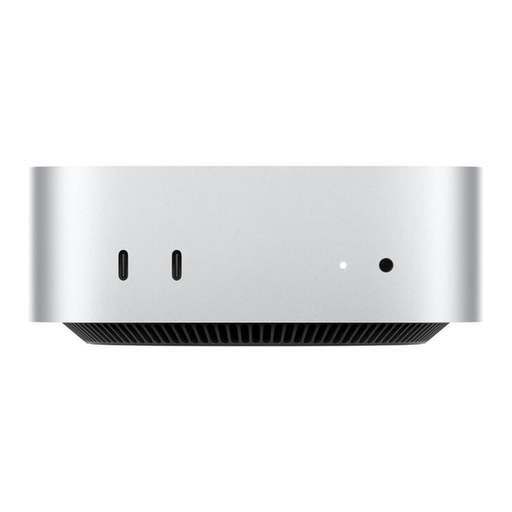
Apple Mac mini MHQK4ZD/A_CTO, 24 GB, 2.5 Gbit/s Ethernet
Compare the listed memory configuration with your database requirements and the software you’ll be using at the same time.
Apple M6, 12-core CPU, 12-core GPU, 24 GB Unified Memory, 512 GB SSD and 2.5 Gbit/s Ethernet, according to the product name.
View at Joybuy
 No image available
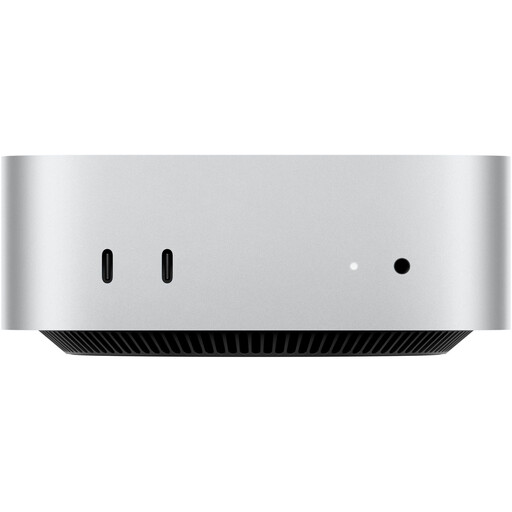
Apple Mac mini MHQK4ZD/A_CTO, 24 GB, 10 Gbit/s Ethernet
The Ethernet specification may be relevant if you’re checking compatibility with a wired workstation. Also check the requirements of your local database.
Apple M6, 12-core CPU, 12-core GPU, 24 GB Unified Memory, 512 GB SSD and 10 Gbit/s Ethernet, according to the product name.
View at Joybuy
Frequently asked questions
How much RAM do I need for my local database?
There’s no single RAM figure you can determine from the intended use alone. Make a note of your database size and the programmes you’ll run at the same time, then check the installed RAM and upgrade options for the exact configuration. The PostgreSQL Global Development Group explains that PostgreSQL uses both its own buffers and the operating system cache.
How should I position my screen by a bright window?
The German Social Accident Insurance (DGUV) recommends arranging your screen workstation so that you look parallel to the window. Direct sunlight can make the screen harder to read. Plan your screen position and anti-glare measures rather than expecting a mini PC to solve reflections. The relevant rules on screen work also apply to workplaces and certain types of home working.
Is a second internal SSD enough for database backups?
For important data, you should set up a separate backup strategy and check that you can restore your data. The PostgreSQL Global Development Group describes SQL dumps, file system backups and continuous archiving as different methods. A second internal drive alone doesn’t prove that you have a working backup.
What extra components and consumer rights should I consider when buying?
A kit may not include RAM, an SSD or an operating system. A monitor and input devices aren’t included with every configuration either. If you buy as a consumer in the EU, you have statutory rights against the seller; an additional manufacturer’s warranty doesn’t replace them. Check exactly what’s included and the terms of the listing.
How can I check the product compliance information relevant to Germany?
In its market surveillance guidance, the German Federal Network Agency lists CE marking, product and manufacturer details, the required warnings in German-language instructions and a declaration of conformity among the points to check. The CE mark is based on a declaration made by the manufacturer under its own responsibility; it isn’t an independent performance or quality mark. Check the information for the specific device being offered.


