What should you look for when buying?
Start by comparing a mini PC with a larger desktop in terms of footprint and your actual workload. Then consider RAM headroom, SSD space, upgrade options and whether everything you need to use the computer as planned is included.
Fully configured mini PC
A good fit if: you have limited space and the RAM, SSD and connections on the specific configuration meet the needs of your setup.
Consider: upgrade options and noise levels vary by model; the term ‘mini PC’ alone tells you nothing about either.
Larger desktop
A good fit if: upgrade options matter more to you than a small footprint and you have enough room at your workstation.
Consider: a larger case doesn’t automatically mean better performance; the specific components and available expansion slots are what count.
Barebone mini PC
A good fit if: you want to choose and install the RAM, SSD and operating system yourself.
Consider: according to GMKtec EU, the explicitly offered barebone version of the GMKtec NucBox M6 Ultra doesn’t include RAM, an SSD or an operating system.
| What matters when buying |
What should you check? |
Who should pay particular attention? |
| RAM for simultaneous processes |
Check the installed RAM, available slots and maximum supported capacity. If you use VMs or containers, also check their memory limits. |
If your database, editor, browser and other services will run at the same time, allow for RAM across the whole system. Around 29% of consumers put RAM for simultaneous processes first. |
| Space and noise |
Check the case dimensions, allowing for the power supply and cables, as well as the noise information for the specific model. |
In a small room, your computer needs to fit the space available without its noise distracting you while you work. Around 23% of consumers prioritise space and noise in their home office. |
| SSD space for data |
Check the capacity of the supplied SSD and whether there are additional drive slots; plan a backup method separate from the computer. |
If you store local data, indexes and applications, you’ll need enough storage and a separate backup. Around 18% of consumers prioritise SSD space for their local datasets. |
| Room to upgrade later |
Check which RAM and SSD slots are free, not just how many there are in total, as well as the supported memory types. |
If your projects grow or you add more services, check whether you can actually add RAM and storage later. Around 18% of consumers put potential future upgrades first. |
| Ready-to-use package |
Check whether RAM, an SSD, an operating system and the peripherals you need for your workstation are included. |
If you want a workstation that’s ready to use straight away, compare the full specification rather than just the device name. Around 12% of consumers prioritise a ready-to-use package. |
Useful brands to consider
The details below apply to the product ranges and configurations mentioned, not every device from each brand.
GEEKOM
The A5 Pro 2026 Edition is one example of a pre-configured mini PC. For the variant described, GEEKOM Germany lists a Ryzen 5 7530U, 16 GB RAM and a 1 TB SSD.
- According to GEEKOM Germany, you can upgrade the RAM and storage on this variant.
- You’ll need to assess whether it can handle your database workload and how noisy it is in your room. These details don’t apply to every A5 Pro variant.
MSI
The Cubi NUC 1M series includes compact PCs with a range of processor and operating system options.
- MSI lists two SO-DIMM slots, M.2 SSD slots and a 2.5-inch drive bay for the series.
- Specifications and noise information vary by variant. Check the slot configuration and what’s actually included with the specific model.
HP
The Pro Mini 400 G9 is a compact desktop range with a variety of configurations.
- HP Support lists a range of configuration options for the series.
- According to HP, components and features vary by configuration. The series name alone doesn’t confirm the RAM, SSD or operating system included in a specific listing.
GMKtec
According to GMKtec EU, the NucBox M6 Ultra is available both as a pre-configured model and as a barebone.
- GMKtec lists two RAM slots and two M.2 SSD slots for the M6 Ultra.
- The explicitly offered barebone version doesn’t include RAM, an SSD or an operating system. Don’t assume this applies to other variants.
Joybuy products for a desk-based setup
The mini PCs and mini workstations below are compact options for a desk-based setup. For each model, compare the listed RAM and SSD specifications, the operating system and the ventilation requirements.
 No image available
SOYO Y5Pro Mini PC, Intel Core i5 8250U/8350U, 8GB DDR4, 256GB SATA SSD
As a mini PC, it could suit a workspace with limited room. Check whether its specifications meet the needs of your database and the programs you run alongside it.
The product name lists 8GB DDR4, a 256GB SATA SSD, Windows 11, Bluetooth 5.2 and Wi-Fi 5.
View on Joybuy
 No image available
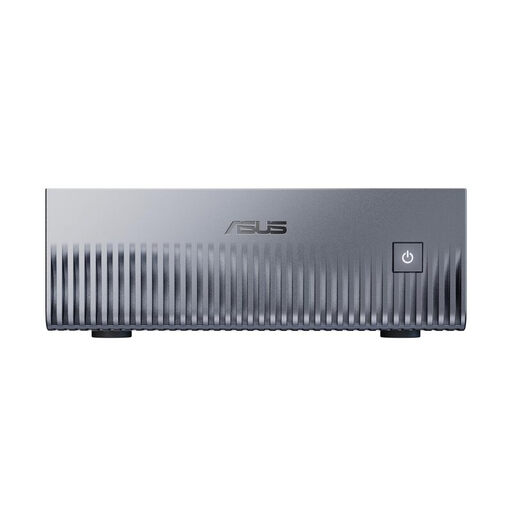
ASUS Ascent GX10 Mini AI Supercomputer, GB10, 128GB Unified Memory, 2TB SSD
Before choosing this model, check that your database and development software work with the listed Linux (DGX OS).
The product name lists 128GB Unified Memory, a 2TB SSD and Linux (DGX OS). Leave at least 5 cm of space for ventilation, and don’t use the device in a closed, unventilated cabinet or drawer.
View on Joybuy
 No image available
HP Z2 Mini G1a, Ryzen AI Max+ Pro 395, 128GB, 2TB
This compact mini workstation could suit a desk-based setup if its listed specifications meet the demands of your workload.
The product name lists 128GB and a 2TB SSD. Keep the air intakes and outlets clear, and leave enough space for ventilation.
View on Joybuy
 No image available
MaxMini B3 Mini PC, Intel N4100, 8 GB LPDDR4, 256 GB SSD
Compare the specific memory and storage specifications with the needs of your database and the programs you plan to run at the same time.
The product name lists Intel N4100 with up to 2.4 GHz, 8 GB LPDDR4, a 256 GB SSD, Dual HDMI, 1000M LAN, Wi-Fi 2.4G/5G and BT 5.0.
View on Joybuy
 No image available
BMAX B6 Mini PC, Intel Core i3-8109U, 12 GB RAM, 256 GB SSD
Check whether the listed RAM and SSD specifications are sufficient for your local database and the programs you’ll use alongside it.
The product name lists Intel Core i3-8109U with up to 3.6 GHz, 12 GB RAM, a 256 GB SSD, HDMI, DP, 1000M LAN, Wi-Fi 5 and BT 5.0.
View on Joybuy
Frequently asked questions
Is 16 GB RAM enough for my local database?
There’s no general answer without knowing the database, data volume and programs you’ll be running at the same time. A 16-GB configuration is a useful point of comparison, but it isn’t a universal minimum requirement from PostgreSQL or MariaDB. Check the memory needs of your entire setup and whether you can upgrade the specific device.
What should I do regularly once everything is set up?
Back up important data regularly and check that you can restore it. The German Federal Office for Information Security describes backups as protection against issues including hardware faults, accidental deletion and malware; an extra SSD in the same computer isn’t a separate backup on its own.
What extra components and consumer rights should I consider when buying online?
For a barebone, check whether RAM, an SSD and an operating system are included, and what else your workstation will need. For consumer purchases in the EU, Your Europe states that you generally have at least two years of statutory legal guarantee from the date you receive the goods. The Verbraucherzentrale says that online purchases generally come with a 14-day right of withdrawal; the statutory legal guarantee is separate from a voluntary manufacturer’s warranty.
Is a locally stored database automatically free of data protection concerns?
No. Data protection rules may apply if you process personal data; storing it locally doesn’t, by itself, determine how the law applies. The obligations for a study project depend on factors including the data being processed and the purpose.


