Developers sharing a desk
If you’ll be connecting a monitor and phone at a shared workstation, easy-to-reach ports and a suitable case design matter. Lenovo and MSI list different port configurations depending on the model.


For Android Chrome, a mini PC running Windows, macOS or Linux can act as a host for remote debugging. For the Web Inspector workflow described by WebKit for iPhone Safari, however, you’ll need a Mac. Then check that the specific device configuration has the right data and monitor ports, along with the features you need. Chrome’s Device Mode is useful for an initial layout check, but it doesn’t replace testing on an actual phone.
If you’ll be connecting a monitor and phone at a shared workstation, easy-to-reach ports and a suitable case design matter. Lenovo and MSI list different port configurations depending on the model.
To inspect a website in Chrome on a real Android device, you’ll need a suitable host and a data connection. Chrome for Developers documents remote debugging from Windows, macOS or Linux.
If you want to inspect Safari content on an iPhone remotely using Web Inspector, you’ll need to consider the macOS workflow. WebKit describes using a Mac and a connected iOS device.
First decide whether you need to test Android Chrome or iPhone Safari on a real device. Then check the ports and what’s included with the specific mini PC model.
| What you need | What to check before buying | Who should pay particular attention |
|---|---|---|
| Space and ports | Check the USB data port and where it’s positioned, as well as the HDMI or DisplayPort connection for your monitor. | If I’m connecting a phone and monitor at a shared desk, I also check where the case can be placed; around 31% of consumers put space and ports first. |
| Android testing on a device | Check the host operating system and make sure there’s a free USB data port for your Android phone. | If I want to investigate issues on a real Android device, the connection to the host is essential; around 25% of consumers prioritise Android testing. |
| iPhone Safari testing | Check that macOS is available for the Web Inspector workflow you need, and find out how to connect your iPhone. | If I need to inspect Safari on an iPhone remotely, I check that I have the right host first; around 25% of consumers put iPhone Safari testing first. |
| Working across multiple views | Check the actual amount of included memory and storage, along with the number and type of display outputs you need. | If I want to keep the browser, development tools and preview open at the same time, I check the exact configuration rather than relying on the product range; around 19% of consumers prioritise working across multiple views. |
Chrome’s Device Mode simulates mobile use, but it doesn’t run the code on a smartphone. Issues that depend on the device may therefore require testing on the actual phone.
Use the simulation for an initial layout check, then test any remaining questions on a real device.
These checks will take extra testing time and may require a suitable smartphone.
The Web Inspector workflow described by WebKit for iPhone Safari uses a macOS computer. Processing power alone won’t meet this requirement.
Before choosing an operating system, work out whether you actually need to inspect Safari on an iPhone remotely.
You may need an additional Mac for this workflow if you don’t already have one.
RAM, SSD storage and the operating system can vary between models in the same product range.
Compare the full model number and exactly what’s included rather than assuming all models in the range have the same specification.
A kit or barebone system may need additional components and an operating system.
The Mac mini range is worth considering if you need a desktop macOS host for iPhone Safari.
The ThinkCentre M75q Gen 5 is a business Tiny PC range where the exact model number matters when checking ports.
When choosing an NUC 14 Pro, it’s important to distinguish between a mini PC, a kit and a board.
The IT13 range includes models with several USB and display ports.
It’s important to distinguish between the Cubi N ADL and Cubi N ADL S models in the Cubi N ADL range.
This selection features Windows mini PCs for Android Chrome debugging at a shared desk. For iPhone Safari with Web Inspector, you’ll need to follow the macOS workflow described above.
 Image unavailable
For Android testing on a Windows host; Google documents remote debugging from Windows.
Windows 11, 8 GB RAM and a 256 GB SATA SSD. Also listed are four USB ports, two HDMI outputs and dimensions of 105 × 113 × 45 mm.
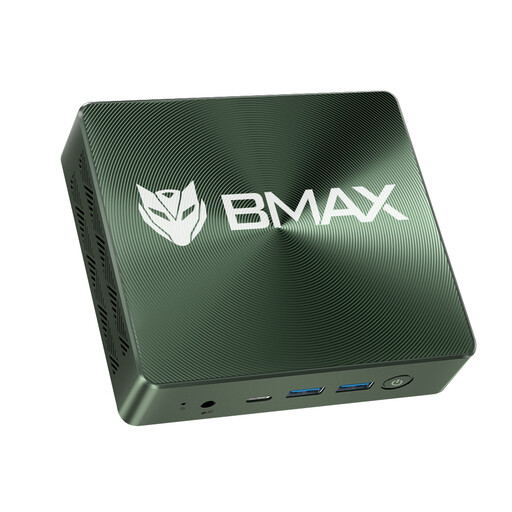 Image unavailable
An option for Android debugging on a Windows host when you’ll be using other work views alongside the browser.
The title lists Windows 11, 16GB RAM, a 1TB NVMe SSD, plus HDMI, USB and Type-C.
 Image unavailable
For an Android test station with several displays; check that the outputs match your existing monitors.
The title lists Windows 11, 16GB LPDDR4, a 512GB NVMe SSD and triple 4K display output.
 Image unavailable
For Android debugging on a Windows host; check that the ports suit your phone and monitor before buying.
Windows 11 Pro, 16 GB LPDDR4X and a 256GB M.2 2280 SATA SSD. The listed features include two HDMI outputs, four USB ports and a 128 × 128 × 51,5 mm case with a VESA mount.
 Image unavailable
For an Android test station with several connected devices or displays; check that the ports you need match your existing equipment.
Windows 11 Pro. Listed features include USB-C, USB-A, HDMI and DisplayPort, outputs for three displays, and a 128 × 128 × 41,3 mm case with a VESA mount.
No. Chrome for Developers describes Device Mode as a simulation. If the behaviour on a real phone matters, test the page on the device itself and use remote debugging if needed.
Chrome DevTools documents USB port forwarding from the development computer to an Android device. First set up the remote debugging connection, then configure forwarding for the local port you’re using.
For the Web Inspector workflow described by WebKit, you’ll need a Mac and a suitably configured iPhone. WebKit describes connecting by cable or wirelessly after setup in Xcode.
Check whether RAM, SSD storage and an operating system are actually included, and remember to account for the phone cable you need. ASUS’s NUC 14 Pro specifications list models without a pre-installed operating system or included storage.