Developers with a small desk
If you need to fit a monitor, computer and possibly a test phone into a limited space, the actual case dimensions, a suitable mounting option and easy-to-reach ports all matter.


For responsive previews and Android remote debugging, Windows, Linux and Mac mini PCs are all options; Chrome for Developers documents this Android testing workflow on all three systems. If you need Apple’s Web Inspector for a connected iPhone, choose a Mac, as Apple Developer describes this inspection workflow using a connected Mac. Chrome for Developers calls Device Mode a first approximation: check for device-specific issues on the target device, and compare desk footprint, accessible ports and the resources needed for running programmes side by side when you buy.
If you need to fit a monitor, computer and possibly a test phone into a limited space, the actual case dimensions, a suitable mounting option and easy-to-reach ports all matter.
If you preview layouts in a browser and then investigate issues on an Android device, you can use Chrome’s remote debugging from a Windows, Mac or Linux computer, as documented by Chrome for Developers.
If you need to inspect websites on an iPhone or in an iOS simulator using Apple’s Web Inspector, a connected Mac is part of the workflow described by Apple Developer.
First, decide which platform you actually need to test on. Then check the ports, space requirements and specification against your workspace and the programmes you’ll be running at the same time.
| Consideration | What to check before buying | Who this matters most to |
|---|---|---|
| Space and ports | Compare the case dimensions, including cables, mounting options, monitor connections and the position of accessible USB ports. | If I work at a small desk, I want to fit the computer and its cables while still being able to reach the ports; around 31% of consumers give desk space and accessible ports top priority. |
| Android remote debugging | Allow for a suitable USB data cable and an available data port. Chrome for Developers documents Android remote debugging on Windows, Mac and Linux. | If I want to investigate issues directly on an Android phone, I need a suitable wired connection; around 25% of consumers prioritise testing on a real device. |
| Inspecting iPhone Safari | For Apple’s Web Inspector workflow, allow for a connected Mac; Apple Developer describes using one to inspect an iPhone or iOS simulator. | If I need to inspect Safari on an iPhone or in an iOS simulator, Apple’s specific testing workflow is essential; around 25% of consumers put this requirement first. |
| Multiple development programmes | Match the requirements of the programmes you actually use side by side against the memory, upgrade options and SSD storage of the specific configuration. | If I run development tools or emulators as well as a browser, I want the specification to suit that workflow; around 19% of consumers prioritise extra resources for this. |
Chrome’s Device Mode is an approximation; the code still runs on the desktop. Device-specific differences may therefore mean you need to test on the target device as well.
Use the device preview for quick layout checks, then test any unclear issues on a smartphone too.
Troubleshooting later on the target device can take extra time.
Apple’s documented Web Inspector workflow for a connected iPhone or iOS simulator uses a Mac. This is separate from previewing responsive layouts in a browser.
Before buying, decide whether you really need to inspect iPhone Safari or whether browser previews and Android testing will cover your needs.
If you need Apple’s inspection workflow, you may also need a Mac.
At a small workstation, port placement, the monitor connection and the specification of the particular configuration matter too. Mounting can save space, but may make frequently used ports harder to reach.
Check the exact configuration you’re ordering for its ports, memory, SSD, operating system and included accessories.
Depending on your workspace, adapters, peripherals or a later memory upgrade could mean extra effort.
Worth considering if a Mac is part of the iPhone Safari inspection workflow you need.
The A5 Pro 2026 Edition is an example of a Windows mini PC with manufacturer-listed memory upgrade options.
The NUC family includes both ready-to-use mini PCs and configurable kits.
The Cubi N ADL family has options for compact workspaces, with specifications and operating systems varying by model.
This selection includes compact Windows mini PCs for Android remote debugging, as well as a Mac mini for Apple’s Web Inspector workflow with an iPhone or iOS simulator.
 No image available
A suitable option if you’re planning to use Android remote debugging on Windows and connect several devices.
Windows 11 Pro; case: 128 × 128 × 41.3 mm; HDMI, DisplayPort, USB-C with DisplayPort and several USB-A ports.
 No image available
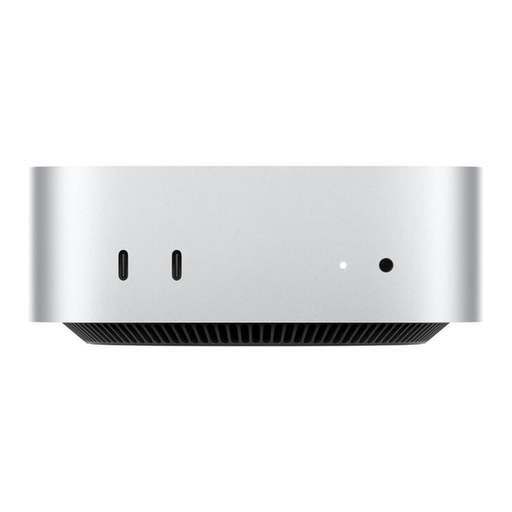
If you need Apple’s Web Inspector for a connected iPhone or an iOS simulator, this Mac mini suits the workflow described.
macOS; case: 12.7 × 12.7 × 5.0 cm; ports on the front and back. Keyboard and mouse sold separately.
 No image available
An option for a compact Windows workstation where you plan to connect an Android device using a data cable.
Windows 11 Pro; case: 128 × 128 × 47.6 mm; six USB 3.0 ports and several display outputs.
 No image available
If you use several development programmes alongside your browser, compare the listed specifications with the requirements of your specific workflow.
Windows 11; case: 128 × 128 × 47.6 mm; six USB ports, plus HDMI, DisplayPort and USB-C.
 No image available
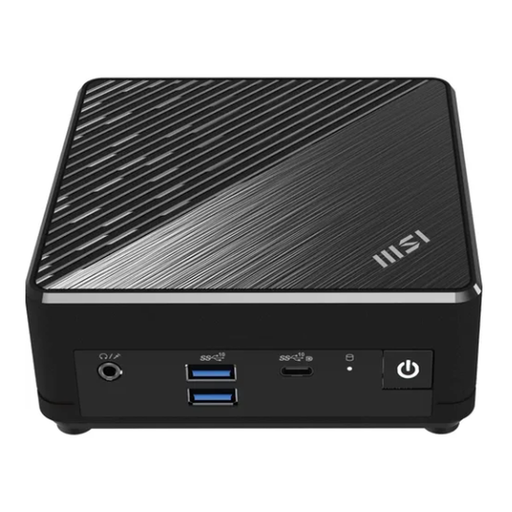
An option if you’re looking for a compact Windows computer with VESA mounting for your workspace.
Listed connections include HDMI, DisplayPort, USB-C and several USB ports. Check that the stated memory capacity suits the programmes you use at the same time.
No. Chrome for Developers describes Device Mode as a first approximation, with the code still running on the desktop. Use it for quick layout checks, and test any device-specific issues on the target device too.
Following Chrome’s instructions, enable USB debugging in Android’s developer options, connect the phone with a data cable and open Chrome’s device inspection tool on your computer. A USB hub or unsuitable cable can make it harder for the phone to be detected.
Yes, for the Web Inspector workflow described by Apple Developer: a connected iPhone or iOS simulator is inspected from a Mac. This doesn’t mean other types of layout preview can only be done on a Mac.
Your Europe, the European Union’s information service, explains that CE marking is required only for products covered by EU rules that specifically require it. It is a declaration by the manufacturer, not an independent EU quality mark; check the information for the specific product configuration.