Python beginners with two monitors
You want to display your code and learning materials side by side, rather than mirrored, and connect your existing monitors without any uncertainty about which ports to use.


For practising Python on two separate monitors, a fully equipped mini PC is a good fit if the specific configuration can drive both displays independently and its ports are compatible with your monitors. A barebone is a better choice if you want to select and set up the RAM, SSD and operating system yourself. If you’re using Python in VS Code, you’ll also need to install the interpreter separately.
You want to display your code and learning materials side by side, rather than mirrored, and connect your existing monitors without any uncertainty about which ports to use.
You want a computer that already comes with storage and an operating system, so you can focus on setting up your Python development environment.
You may want to add more storage later or try larger local projects, so you’re checking the specifications and upgrade options for the exact model variant.
If you’re learning Python on two separate monitors, the key things to consider are the display ports, ease of getting started, potential upgrades and what’s included in the box.
| What you need | What to check | Especially important if |
|---|---|---|
| Two separate displays | Check that there are two video outputs you can use at the same time, that they match the ports on both monitors and whether you’ll need any adapters. | You want to view your editor and learning materials on separate displays and connect your existing monitors. Around 36% of consumers put independent display output first. |
| An easy start with Python | Check the RAM, SSD and operating system actually included with your chosen variant; remember that you may need to install Python and an editor extension separately. | You want to avoid having to choose and assemble the hardware yourself, so a ready-to-use computer matters. Around 29% of consumers prioritise an easy start. |
| Room for future projects | Check the amount of RAM installed, not just the maximum supported, as well as the SSD specifications and the upgrade options actually available. | You want to try larger local projects later, so you’re checking what can actually be upgraded on your chosen variant. Around 21% of consumers put upgrade potential first. |
| Everything you need in the box | Check the RAM, SSD and operating system, as well as the power supply and any cables you need, against the listing for the exact variant. | You want to avoid missing parts and extra setup, so you check the whole package rather than just the model name. Around 14% of consumers prioritise a complete package. |
Port options for the ASUS ExpertCenter PN42 can vary by SKU. So a general claim about multi-display support doesn’t confirm that a particular version will work with your monitors.
Compare the ports on the version you’ve selected with the inputs on both monitors, and check whether you’ll need compatible cables or adapters.
Depending on the port combination, you may need additional cables or adapters that are compatible with your monitors.
GMKtec also offers the NucBox M6 Ultra as a barebone, without RAM, an SSD or an operating system. Other versions in the same product family may have different specifications.
Check what’s included with the exact version you’ve selected before planning your setup.
With the barebone version, you’ll need to buy and install any missing components yourself.
According to Microsoft, the Python extension for VS Code doesn’t include a Python interpreter. You won’t be able to run Python code as intended until you’ve installed and selected an interpreter.
Install the interpreter separately and select it in VS Code before running your first script.
The NucBox G3 is an example of a mini PC with two HDMI outputs; the NucBox M6 Ultra is also available as a barebone.
The A5 Pro 2026 with Ryzen 5 7530U is an example of a configuration with 16 GB RAM, a 1 TB SSD and Windows 11 Pro.
According to MSI, the Cubi-NUC-1M family has two HDMI outputs, with options for memory and storage drives.
The ExpertCenter PN42 is part of a compact, fanless product range, according to ASUS, with several possible display outputs.
The following Joybuy models are options for a Python learning setup. Whether they can run two monitors independently depends on the outputs on the specific version and the ports on your displays.
 No image available
Could be suitable if you want a PC with an operating system and storage already listed; check that the video outputs on the version you choose work with both monitors.
Windows 11, 8 GB DDR4 and a 256 GB SATA SSD are listed.
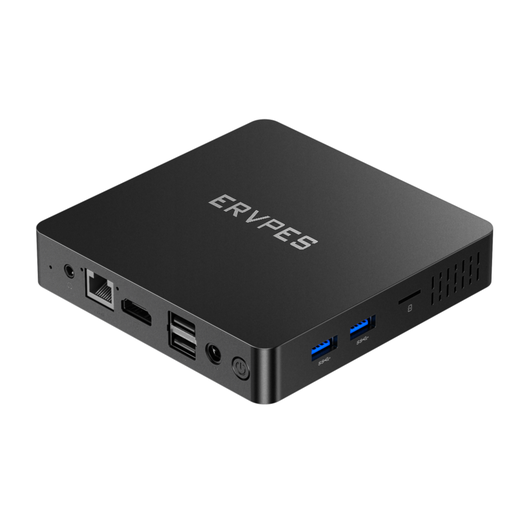 No image available
For a ready-to-use setup with an operating system and storage listed, check exactly which two independent display outputs the specific version offers.
The product name lists Windows 11, 8 GB RAM, a 128 GB SSD and an HDMI port. This alone doesn’t confirm that it can run two separate monitors.
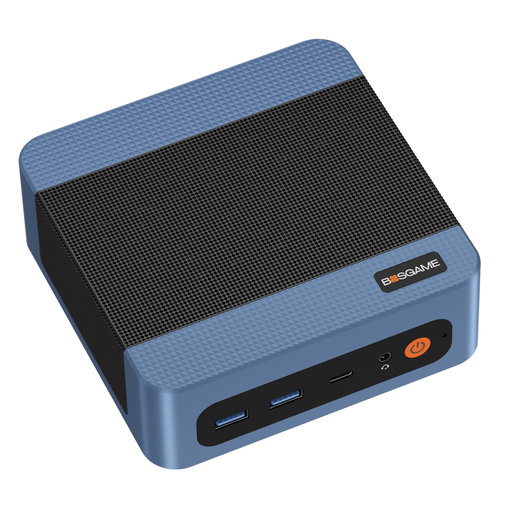 No image available
If you’re planning a higher-spec setup for future projects, check the exact version and its independent display outputs too.
The product name lists 16 GB DDR4, a 512 GB PCIe 3.0 SSD and two RJ45 LAN ports.
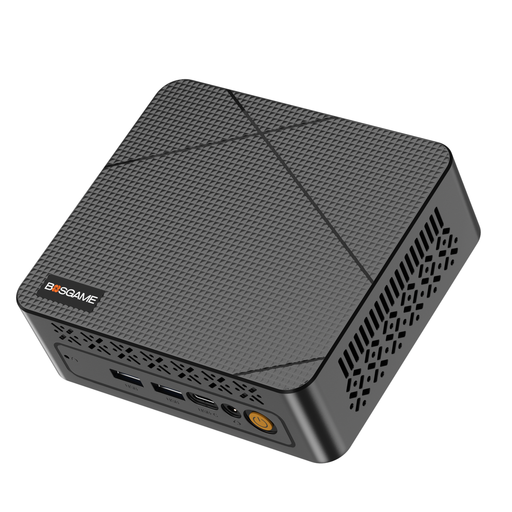 No image available
For two separate displays, check the video outputs on the exact version and make sure they match the inputs on your monitors before buying.
The product name lists 16 GB DDR4, a 512 GB SSD and two HDMI outputs.
 No image available
Could be an option for a compact learning setup; check that it can display different content on your monitors.
The product name lists 8 GB LPDDR4, a 256 GB SSD and two HDMI outputs. To show different content, set Windows to Extend rather than Duplicate display mode.
No, a single HDMI port doesn’t confirm that on its own. Check whether the specific PC version can drive two monitors at the same time with independent content, and whether its ports match your displays. MSI lists two HDMI outputs for the Cubi-NUC-1M family, and GMKtec lists them for the NucBox G3 too. Microsoft describes the Windows ‘Extend’ display mode for showing separate content, rather than ‘Duplicate’.
Install VS Code, the Python extension and a Python interpreter as separate components, then select the interpreter in VS Code. The Visual Studio Code documentation notes that the extension doesn’t include Python itself; Python.org provides downloads for a range of operating systems.
It depends on the exact version. According to GMKtec, the NucBox M6 Ultra version specifically labelled as a barebone doesn’t include RAM, an SSD or an operating system. Also check which display cables and other parts you’ll need for your setup.
For an ordinary online purchase of goods from a trader, you generally have a 14-day right to cancel from the date you receive the goods, subject to legal exceptions. The European Union also provides information about return costs. If goods are faulty, you have statutory consumer rights for at least two years from receipt; an additional manufacturer’s guarantee doesn’t replace these rights. Your Europe, the European Union’s consumer information service, is the source for these consumer rights.