For quotes, photos and browser-based planning, a fully equipped mini PC is a good fit, provided its operating system and ports work with your applications and screens. For local 3D or CAD planning, first check the requirements of the specific software and compare them with the graphics, memory and operating system of the exact PC configuration. A barebone gives you flexibility over the specification, but means extra components and setup.
Who is this mini PC suitable for?
Keeping a project organised together
If you collect quotes, photos and planning files at the same workstation, separate Windows user accounts can keep personal files and settings apart. Microsoft Support explains how these separate accounts have their own files and desktop settings.
Local 3D room planning
If you edit room or furniture models locally, compare the hardware requirements for the application and version you use with the exact PC configuration. The SketchUp Help Centre and Autodesk list system requirements for specific applications.
Limited desk space
If you want to keep using your existing screens and input devices while freeing up desk space, the ports and specific mounting options matter more than the size of the case alone. MSI describes how the Cubi NUC 1MG can be mounted behind a screen; ASUS also notes that the NUC 14 Pro comes in different configurations.
What should you look for when choosing?
First match the specification to the software and working style you need; then check the screen connections, what’s included and how much setup is required.
| Buying criterion |
What to check before buying |
Who is this particularly important for? |
| Project documents |
Memory and SSD in the specific configuration; operating system for the desktop applications you need. |
If I want to work with quotes, spreadsheets and photos at the same time, the full specification needs to suit the way I work. Around 31 % of consumers put smooth handling of project documents first. |
| Local 3D or CAD software |
Compare the graphics and drivers with the requirements of the application you use; check that the operating system is supported. |
If I want to edit models locally, I’ll choose hardware to suit my specific software and version. Around 31 % of consumers prioritise the requirements of their 3D or CAD application. |
| Shared desk |
Check the screen outputs against your existing monitors; consider mounting options and separate user accounts. |
If several people use the same space, I want to organise the connections, desk space and personal files to suit our needs. Around 23 % of consumers put the shared workstation first. |
| What’s included and setup |
Check whether RAM, an SSD and an operating system are included; allow for extra installation work if you choose a barebone. |
If I don’t want to add components myself, I look for everything I need to be included and for setup to be straightforward. Around 15 % of consumers prioritise these points. |
Buying decisions that could cause problems
-
Assuming a barebone is a ready-to-use PC
The kit configurations covered here may not include RAM, an SSD or an operating system. You’ll need to buy extra components and carry out additional installation steps.
Check what’s included with each specific configuration and allow for all the components and setup you’ll need.
Depending on the kit, you may need to add and set up the memory, SSD and operating system yourself.
-
Assuming similarly named Cubi models are the same
The MSI Cubi NUC 1M reviewed by COMPUTER BILD is not the same model as the Cubi N ADL S-254AT. The latter is listed with 4 GB RAM and a 128-GB SSD.
Compare the full model name and specification, not just the brand or a similar range name.
-
Treating an office review as proof of CAD suitability
A test result for one specific mini PC configuration doesn’t automatically prove that it’s suitable for your 3D or CAD application.
Compare your software and version with the operating system, graphics and memory of the exact configuration you’re buying.
Relevant brands at a glance
GEEKOM
The A5 Pro is a compact, preconfigured range of computers for document-heavy tasks. The German configuration covered here lists a Ryzen 5 7530U.
- COMPUTER BILD gave the tested configuration positive marks for speed and power consumption.
- The review notes limitations with graphically demanding games and that input devices aren’t included. It isn’t a CAD test and its findings don’t automatically apply to every GEEKOM device.
MSI
The Cubi NUC range is also designed for compact workspaces and mounting behind a screen. MSI lists a case volume of 0.826 litres for the Cubi NUC 1MG.
- Mounting behind a screen is a feature stated by MSI.
- The Cubi N ADL S-254AT with 4 GB RAM and a 128-GB SSD is a different model from the Cubi NUC 1M in the independent review.
GMKtec
According to GMKtec, the NucBox M6 Ultra is available with a Ryzen 5 7640HS configuration and as a barebone.
- GMKtec lists HDMI, DisplayPort, USB4 and two SSD slots.
- Details of the ports and slots don’t prove how the PC will perform with a particular planning application. The barebone may not include RAM, an SSD or an operating system.
HP
The Pro Mini 400 G9 is a compact range of business PCs, and the specific configuration is key when choosing one.
- COMPUTER BILD gave one particular test configuration positive marks for speed and noise levels.
- HP notes that components and features vary by configuration. The review’s rating doesn’t automatically apply to every version.
ASUS
With the NUC 14 Pro, you can choose between a preconfigured system and a kit that you can equip yourself.
- ASUS specifications distinguish between versions with and without pre-installed memory and an operating system.
- ASUS specifies a two-SO-DIMM requirement for the listed Intel Arc graphics. Check that the specification matches the regional version.
Joybuy products for renovation planning
These models are worth considering for document-based planning and a shared desk. If you use 3D or CAD software locally, check its requirements against the specific configuration.
 No image available
SOYO Y5Pro Mini PC, Intel Core i5 8250U/8350U, 8 GB DDR4, 256 GB SATA SSD
A preconfigured option worth considering for document-based planning; check that it suits the applications you use.
Specifications listed in the title: Intel Core i5 8250U/8350U, 8 GB DDR4, 256 GB SATA SSD and Windows 11.
View at Joybuy
 No image available
MaxMini B3 Mini PC, Intel N4100, 8 GB LPDDR4, 256 GB SSD
Worth considering for planning documents at a shared desk; check the specification against your applications and monitors.
Specifications listed in the title: Intel N4100, 8 GB LPDDR4, 256 GB SSD, dual HDMI and 1000M LAN.
View at Joybuy
 No image available
BMAX B6 Mini PC, Intel Core i3-8109U, 12 GB RAM, 256 GB SSD
An option for document-based planning if your existing screens are compatible with the ports on this configuration.
Specifications listed in the title: Intel Core i3-8109U, 12 GB RAM, 256 GB SSD, HDMI and DP.
View at Joybuy
 No image available
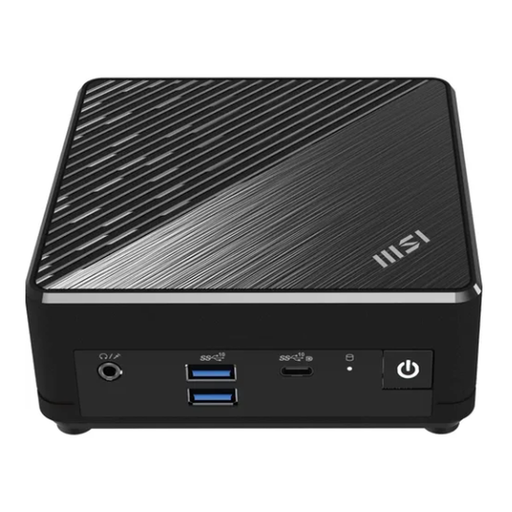
MSI Cubi N ADL S-217DE N200, 8 GB RAM, 256 GB SSD, Windows 11 Pro
This configuration may suit a tidy workspace; check that its ports match your existing screens.
Specifications listed for this version: N200, 8 GB RAM, 256 GB SSD and Windows 11 Pro.
View at Joybuy
 No image available
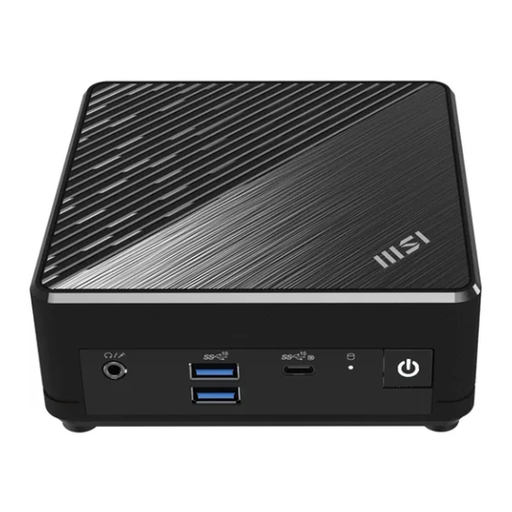
MSI Cubi N ADL S-254AT N200, 4 GB RAM, 128 GB SSD, Windows 11 Pro
Before choosing it for your project documents, check that the listed configuration suits the applications you use.
Specifications listed for this version: N200, 4 GB RAM, 128 GB SSD and Windows 11 Pro.
View at Joybuy
Frequently asked questions
Do several people using the same mini PC need to share a Windows account?
No. Microsoft Support explains that separate Windows user accounts have their own files, favourites and desktop settings. You should also decide which shared folder to use for your renovation files.
Will any mini PC run SketchUp or AutoCAD?
No. Start by checking the specific application and version: the SketchUp Help Centre lists its own hardware and compatibility requirements, while Autodesk lists the supported Windows versions for AutoCAD 2026. A rating for office tasks doesn’t automatically mean a PC is suitable for your models and files.
What should I check before connecting two screens?
Compare your monitors’ inputs with the outputs on the exact mini PC configuration, and make sure you have the right cables or adapters. ASUS’s port details for the NUC 14 Pro and GMKtec’s for the NucBox M6 Ultra apply to those product ranges and not automatically to other models.
What rights apply to a private online purchase in Germany?
For distance sales that are generally eligible for cancellation, EU consumer information states that the cancellation period is usually 14 days; exceptions and contract details should be checked. The statutory guarantee is separate from any additional manufacturer’s warranty; EU consumer information states that the statutory guarantee generally lasts for at least two years.
Is CE marking relevant for a mini PC sold in Germany?
Yes, where the applicable EU rules require CE marking. According to information from the European Union, manufacturers are responsible for ensuring that their products meet the relevant requirements; importers and retailers also have obligations. The marking doesn’t show whether a specific PC configuration is suitable for your planning software.


