Users running several VMs at the same time
Allow enough memory for the host system and all the virtual machines you plan to run in parallel. Microsoft Learn points out that the host and guest machines share the available memory.


Start by working out how much memory the host and all the virtual machines you plan to run at the same time will need. Then check the footprint, operating system and upgrade options. A mini PC could be a good fit if its specific configuration suits your desk and VM requirements; an SFF (small form factor) PC may make more sense if extra expansion slots matter more. Documented configurations vary by model, so you’ll still need to check what you need for yourself.
Allow enough memory for the host system and all the virtual machines you plan to run in parallel. Microsoft Learn points out that the host and guest machines share the available memory.
If your desk is small, the size of the case is only part of the picture. You’ll also need to check that the configuration of the specific compact model suits your planned VM use. Lenovo Germany and GEEKOM Germany describe compact and upgradeable models.
If you might need more memory, storage or slots in future, compare the upgrade options for each version with the space it takes up. Details of RAM and SSD access are available from Lenovo Germany and ASUS Germany, for example.
First, work out what will be the biggest constraint on your planned VM workstation: memory, desk space, compatibility or future upgrades.
A good fit if: desk space is limited and the RAM and SSD in the specific version are enough for the host and the VMs you’ll run at the same time.
The trade-off: A stated maximum capacity doesn’t tell you how much memory is already installed. GEEKOM Germany lists 32 GB RAM and a 1 TB SSD for one IT15 version.
A good fit if: a compact case is important and you’re planning to upgrade it later.
The trade-off: Access to components or a supported maximum capacity doesn’t tell you what’s included in the version you buy. Lenovo describes accessible RAM and SSD modules; ASUS Germany lists support for up to 96 GB RAM across the PN55 series.
A good fit if: extra expansion slots matter more to you than the smallest possible form factor.
The trade-off: Check that the case fits where you plan to put it and that its specific configuration meets your VM requirements. HP lists PCIe slots for the Pro SFF 400 G9, but this alone doesn’t prove it’s suitable for any particular number of VMs running in parallel.
| Buying priority | What to check before buying | Who is it most relevant to? |
|---|---|---|
| Memory for VMs running in parallel | Consider the memory requirements of the host and planned VMs together; check the installed RAM and upgrade options separately. | If I’m running several guests at once, there needs to be enough memory for the host and VMs combined. Around 36% of consumers would put RAM requirements first. |
| Desk space and specification | Check that the case fits where you plan to put it, then compare the RAM and SSD in the specific version. | With a small desk, I want to make sure the PC fits without losing sight of the VM specification I need. Around 29% of consumers would prioritise the space it takes up. |
| Host and guest compatibility | Check that the hypervisor, host operating system and guest operating systems you need are compatible. Microsoft Learn and the Oracle VirtualBox Documentation explain the relevant requirements and dependencies. | Before choosing a platform, I want to know that the hypervisor, host and guests I need will all work together. Around 21% of consumers would consider compatibility their most important buying requirement. |
| Upgrade options and included specification | Check the installed RAM, SSD, operating system and available slots for the specific version on offer. | If my test environment could grow, I want to know which components are already included and what I can add later. Around 14% of consumers would prioritise upgrade options. |
A general minimum requirement for Hyper-V doesn’t mean there will be enough memory for the number of VMs you plan to run at the same time. Microsoft requires enough memory for the host system and all virtual machines running in parallel.
Estimate the memory your host and guests will need when running together, then choose the right RAM specification.
The maximum supported capacity for a model range doesn’t tell you how much RAM or SSD storage is included in a specific version for sale.
Before buying, check the exact model and its details for RAM, SSD and operating system.
A mini PC takes up less desk space, while an SFF PC may offer extra slots. Neither form factor alone tells you whether there’s enough memory for your VM setup.
First check the VMs you plan to run and the space available, then compare the documented specifications and upgrade options for the specific models.
Worth considering if you’re looking for a mini PC with a specific RAM and SSD specification.
Worth considering if you want to compare accessible components and the specification of a specific ThinkCentre M75q Gen 5 Tiny configuration.
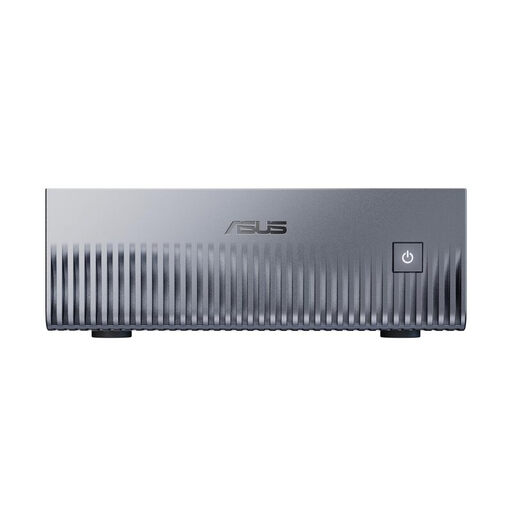
Worth considering if you want to compare documented RAM and storage upgrade options across the ExpertCenter PN55 series.
Worth considering when comparing a mini desktop with an SFF PC, provided the specific configuration suits your available space and VM requirements.
Here you’ll find compact mini PCs and an SFF desktop with specifications that may be relevant when planning a VM host. In particular, check that the specific version suits your requirements for the host, guests and desk space.
 No image available
Worth considering if its listed memory capacity and Linux environment suit your planned VM setup. Check that the guest systems you need are compatible with the ARM host and virtual hardware; according to the Oracle VirtualBox Documentation, this also affects which guests you can use.
Listed specifications include NVIDIA Grace Blackwell GB10, 128 GB Unified Memory, a 2 TB SSD and DGX OS/Linux.
 No image available
Worth considering if you’re looking at an SFF desktop rather than a mini PC and need Windows 11 Pro for your planned Hyper-V host. Check that the case will fit where you intend to put it, too.
This version is listed with an Intel Core Ultra 7 265, 32 GB DDR5 RAM, a 512 GB NVMe SSD, Intel Graphics and Windows 11 Pro.
 No image available
Worth considering if a compact mini PC could suit your desk. Compare its listed RAM and storage with the requirements of the VMs you plan to run at the same time.
Listed specifications include an Intel Core i5-1030NG7, 16 GB LPDDR4, a 512 GB NVMe SSD and Windows 11.
 No image available
Worth considering if you’re looking for a compact mini PC with Windows 11 Pro. Compare its listed memory with the requirements of your host and guest environments.
This version is listed with an Intel Celeron N5095 (4C/4T), 16 GB LPDDR4X, a 256 GB M.2 2280 SATA SSD and Windows 11 Pro.
 No image available
Worth considering if a mini PC with listed storage upgrade options suits your planned VM workstation. Check whether the specification of the specific version is already sufficient for your needs.
Listed specifications include an AMD Ryzen 7 7735HS, 24 GB LPDDR5, a 512 GB NVMe SSD, two M.2-2280 slots, support for up to 4 TB of storage and Windows 11 Pro.
No. This doesn’t show that the PC will be suitable for several VMs you plan to run. Microsoft specifies at least 4 GB in connection with Hyper-V, and also requires enough memory for the host and all virtual machines running at the same time.
For Hyper-V on Windows, Microsoft specifies Windows 11 Professional or Enterprise, a 64-bit processor with SLAT, and hardware virtualisation enabled in the BIOS or UEFI. Check that the specific PC meets these requirements; they apply to Hyper-V, not to every desktop in general.
Compare the installed specification with the supported capacities and slots for the specific version. Lenovo describes access to the RAM and SSD modules in the ThinkCentre M75q Gen 5 Tiny; ASUS Germany lists support for up to 96 GB RAM and two M.2 slots across the PN55 series.
According to Verbraucherzentrale, online consumer contracts generally come with a 14-day right of withdrawal from the date you receive the goods. Statutory rights relating to defects are separate from a voluntary guarantee; § 438 BGB generally sets a two-year limitation period for ordinary goods, starting from delivery.