What should you look for when choosing one?
First, work out whether several people will actually use the computer, then check that its specification suits your existing workspace. Microsoft Support explains how to use individual Windows accounts, while Germany’s Federal Office for Information Security recommends backing up your data regularly.
| Consideration |
What to check before buying |
Who it matters most to |
| Private job application documents |
Check support for separate user accounts, the Windows edition and a practical way to back up your data. |
If I don’t want other people to see my application files in their own user area, separate accounts and backups are important. Around 28% of consumers put protecting personal files first when sharing a PC. |
| Fit for your desk |
Check that the video output matches your monitor’s input, and that the PC has the USB ports you need, enough desk space and, where applicable, a VESA mount. |
If you want to keep using your existing monitor and peripherals, you’ll need compatible ports and a suitable place to set everything up. Around 22% of consumers prioritise how well a PC fits their workspace. |
| Ready to use straight away |
Check the operating system, RAM, SSD and any included peripherals for the specific configuration. |
If I want to start writing as soon as I’ve connected everything, I don’t want to have to source and install missing components first. Around 22% of consumers prioritise a complete configuration that’s ready to use. |
| Total cost of your writing space |
Make a note of the devices you already own and what’s included; factor in any missing components and the software needed for the same configuration. |
If you’re putting together a usable writing space rather than just buying a computer, make sure you include everything you’ll need. Around 17% of consumers focus on the total cost of their workspace. |
| Quiet operation |
Look at noise assessments for the exact configuration, and plan where to place the PC while keeping its ventilation openings clear. |
If I’m writing in a quiet shared space, a noisy fan can be distracting. Around 11% of consumers prioritise operation that’s as unobtrusive as possible. |
Mini PCs for your writing space
This Joybuy selection includes mini PCs running Windows or macOS for a compact writing space. Check that the operating system, ports and what’s included suit the way you plan to use your PC.
 No image available
SOYO Y5Pro mini PC, Intel Core i5 8250U/8350U, 8 GB DDR4, 256 GB SATA SSD
For a compact Windows writing space; Windows supports separate user accounts with their own files and settings.
Windows 11, 8 GB DDR4, 256 GB SATA SSD, two HDMI and one Type-C video output, plus four USB ports.
View at Joybuy
 No image available
Apple Mac mini M6, 24 GB unified memory, 512 GB SSD
A macOS configuration for your writing space, provided your existing monitor is compatible with the ports.
24 GB unified memory, 512 GB SSD, HDMI and Thunderbolt 4. You’ll need to connect a keyboard and mouse; check whether they’re included.
View at Joybuy
 No image available
Firebat mini PC F1 P, AMD Ryzen 7 H 255, 16 GB RAM, 512 GB SSD
A Windows configuration for a compact office workspace; if you share the PC, you can set up separate Windows user accounts.
Windows 11 Pro, 16 GB DDR5 RAM, 512 GB SSD, USB4.0 and Wi-Fi 6.
View at Joybuy
 No image available
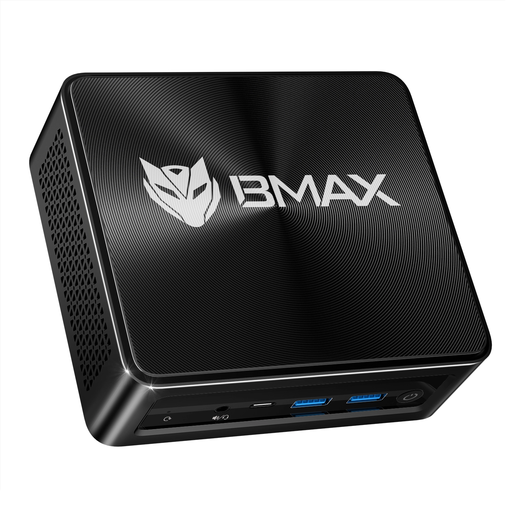
BMAX B8 A Pro mini PC, AMD Ryzen 7 8745HS, 16 GB RAM, 512 GB SSD
A Windows configuration for a small workspace, where you’ll need to check that the ports are compatible with your existing monitors and devices.
Windows 11, 16 GB RAM, 512 GB SSD, plus HDMI, Type-C, DisplayPort and USB ports.
View at Joybuy
 No image available
MaxMini B3 mini PC, Intel N4100, 8 GB LPDDR4, 256 GB SSD
A compact option for office tasks if you can connect your existing monitor via HDMI.
8 GB LPDDR4, 256 GB SSD and two HDMI ports. Use only indoors in a dry environment with the original power adapter supplied, and keep the ventilation openings clear.
View at Joybuy
Frequently asked questions about mini PCs at a shared desk
How do I set up a computer for several people to use?
Set up a separate user account for each person. Microsoft Support explains that Windows accounts can have separate files and settings. For important covering letters, Germany’s Federal Office for Information Security also recommends making separate, regular backups.
Do I need Windows 11 Pro to write covering letters?
Not just to use several user accounts: Microsoft describes separate accounts as a general Windows feature. If you need BitLocker, Microsoft says it’s available in Windows Pro, Enterprise or Education; the feature isn’t available in Windows Home.
What should I check before mounting a PC behind a monitor?
Check that your monitor’s input matches the video output on the specific mini PC, and that you have the USB ports and mount you need. ASUS lists the VESA mount for the ExpertCenter PN64 as optional, so it isn’t automatically included with every configuration.
What should I know about returns and safety when buying in Germany?
According to Germany’s Verbraucherzentrale consumer advice centre, consumers generally have a 14-day right to cancel an ordinary online purchase. The Verbraucherzentrale says the period starts when the contract is concluded or the goods are received. Cancellation is different from making a complaint about a faulty product. You should also check that the specific device has the appropriate CE marking, the required accompanying documents and safety information in German; Germany’s Federal Network Agency lists these points in relation to market surveillance.


