What should you look for when buying?
For documentation work in a student room, start by considering the programmes you need and the workspace you already have. Then check what’s included, the amount of space the computer will take up, noise information and available ports.
Fully equipped Windows mini PC
A good fit if: you have limited space and don’t want to choose the RAM, SSD and operating system yourself.
Consider: Specifications and included input devices vary, and a compact case doesn’t tell you how noisy the computer is.
Barebone mini PC
A good fit if: you want to choose and install the RAM, SSD and operating system yourself.
Consider: You’ll need to budget for any missing components and the time it takes to set everything up.
Larger desktop
A good fit if: specific internal expansion options matter more than having the smallest possible case, and you have enough space.
Consider: A larger case alone doesn’t guarantee good expandability or quiet operation.
Mac mini
A good fit if: the programmes you actually need run on macOS and you’re looking for a compact computer.
Consider: Check the ports, the monitor you need and the specifications of the exact model generation.
| What matters when buying |
What to check |
Who should pay particular attention? |
| Total cost and what’s included |
Check the operating system, RAM, SSD, monitor, keyboard, mouse and cables. Factor in the cost and set-up of anything that’s missing. |
If you want to know what else you’ll need for a ready-to-use workstation before you buy, it’s important to check everything that’s included. Around 29% of consumers put the total cost, including any missing parts, first. |
| Desk space |
Compare the case dimensions with the space available on your desk, and allow room for cables and ventilation. |
If your computer, monitor and study materials all need to share a desk, the space it actually takes up matters more than its form-factor label. Around 23% of consumers prioritise desk space. |
| Noise |
Check which exact model the noise figures apply to and the operating conditions they describe, such as idle or under load. |
If you work and relax in the same place, the noise from your particular computer may matter more than extra ports. Around 18% of consumers prioritise a quiet workspace. |
| Operating system and tools |
Check the requirements of the programmes and additional components you need against the installed operating system. |
If your documentation project requires specific tools, check that they’re compatible before choosing a computer. Around 18% of consumers prioritise a suitable software environment. |
| Monitor and multitasking |
Check the video outputs, monitors and cables, as well as the amount of RAM actually installed in the configuration on offer. |
If you want to work with documentation, reference materials and previews at the same time, the ports and specifications need to suit your monitor set-up. Around 12% of consumers prioritise monitor connections and running multiple applications. |
Joybuy products for a compact workspace
The following Joybuy products are described as compact mini PCs running Windows 11. Compare the specifications and ports of each configuration with your programmes and existing monitors.
 No image available
SOYO Y5Pro mini PC, Intel Core i5-8250U/8350U, 8 GB DDR4, 256 GB SATA SSD
A compact Windows 11 configuration for a dedicated documentation workstation. Check which of the two listed processors is included in the specific version.
It’s listed with 8 GB DDR4 and a 256 GB SATA SSD. The description also mentions two HDMI outputs, one Type-C port and dimensions of 105 × 113 × 45 mm.
View at Joybuy
 No image available
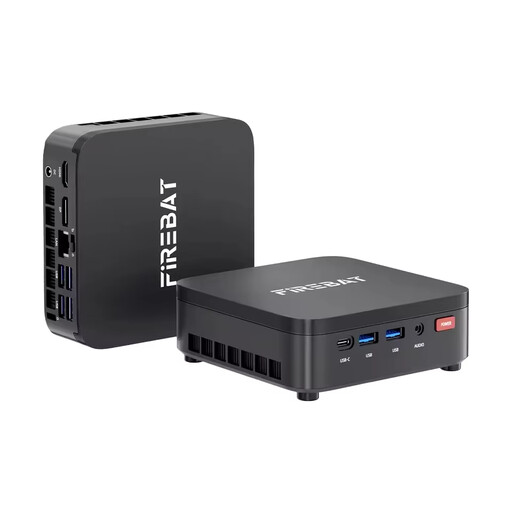
FIREBAT R3 mini PC, AMD Ryzen 3 4300U, 16 GB LPDDR4, 512 GB M.2 SATA SSD
The Windows 11 Pro configuration is an option if you’re looking for a compact computer with the operating system pre-installed.
The title lists 16 GB LPDDR4 RAM, a 512 GB M.2 SATA SSD, Wi-Fi 6 and Bluetooth 5.2. Use the original power adapter supplied and keep the vents clear; the device is intended for indoor use.
View at Joybuy
 No image available
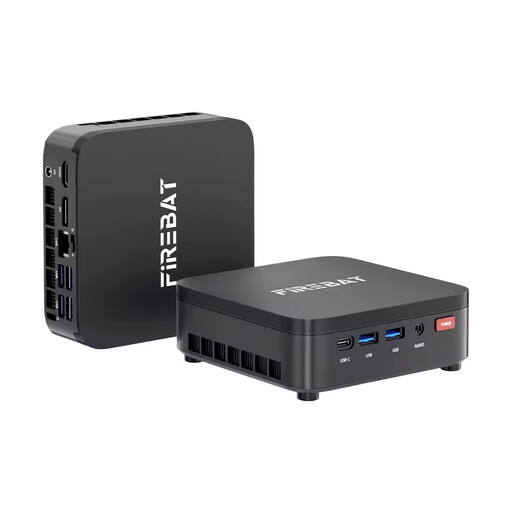
FIREBAT R3 mini PC, AMD Ryzen 3 4300U, 8 GB LPDDR4, 256 GB M.2 SATA SSD
This Windows 11 Pro configuration could suit a compact workspace if the listed memory and storage meet the needs of your programmes.
The title lists 8 GB LPDDR4 RAM, a 256 GB M.2 SATA SSD, Wi-Fi 6 and Bluetooth 5.2. Use the original power adapter supplied, keep the vents clear and protect the device from moisture; it’s intended for indoor use.
View at Joybuy
 No image available
MaxMini B3 mini PC, Intel N4100, 8 GB LPDDR4, 256 GB SSD
This mini PC could suit a compact workspace if you need the monitor connections listed in the title.
It’s listed with 8 GB LPDDR4, a 256 GB SSD, two HDMI ports and Gigabit LAN. Use the original power adapter, keep the vents clear and use the device indoors in a dry environment; do not open the case.
View at Joybuy
 No image available
BMAX B6 mini PC, Intel Core i3-8109U, 12 GB RAM, 256 GB SSD
This mini PC configuration could be a good fit if you want to use HDMI and DisplayPort with your monitors.
The title lists 12 GB RAM, a 256 GB SSD, HDMI, DisplayPort and Gigabit LAN. Check that the video outputs work with your monitors and cables.
View at Joybuy
Frequently asked questions
Is an editor alone enough to write API documentation?
Not necessarily. Visual Studio Code notes that some workflows may require additional components. Make a list of the tools your project needs and check their requirements individually.
What should I check before connecting a mini PC?
Check that the video outputs on the exact configuration match your monitor and the cables you have. Also check which input devices and internal components are included, as a barebone may not come with RAM, an SSD or an operating system.
How can I keep my computer in use for as long as possible?
The German Environment Agency recommends using devices for longer and repairing or upgrading them where appropriate, as well as using energy-saving features. Check whether the components you need can actually be replaced or added to the specific device.
Is a manufacturer’s warranty the same as statutory consumer rights?
No. When you buy from a business seller, statutory consumer rights generally apply; Section 438 of the German Civil Code (BGB) states that, for ordinary movable goods, the limitation period is usually two years from delivery. Any additional manufacturer’s warranty does not replace these rights. The rules outlined on the European Union’s information page for purchases from business sellers do not apply in the same way to purchases from private individuals.
Can I put an old desktop PC in household rubbish in Germany?
No. The German Environment Agency explains that electrical and electronic waste must be collected separately; local collection points are one way to return it. If you’re returning it to a retailer, check the terms of the relevant take-back point.


