What should you look for when choosing one?
First, make sure the mini PC suits the software you need and the files you work with. Then compare its ports, what’s included and the safeguards your data requires. The percentages in the table refer to consumers’ top priority in each case.
| Priority |
What to check before buying |
Who is this important for? |
| Memory and file storage |
Installed RAM and SSD capacity for the exact model; potential for upgrades. |
If you work with large spreadsheets or several data sources at once, available memory and space for files are particularly important. Around 33% of consumers put this need first. |
| Software compatibility |
Operating system and requirements of the programmes you actually use. |
If your data-cleaning work depends on specific programmes, check their operating system support before choosing a device. For around 27% of consumers, software compatibility is the top priority. |
| Ports and what’s included |
Check the video and USB ports against your monitor and peripherals; for kits, check the operating system and components. |
If you want to connect an existing monitor or set up the computer straight away, the ports and what’s included should meet your needs. Around 20% of consumers prioritise these requirements for a permanent workstation. |
| Survey data protection |
Check whether responses can identify individuals and clarify the applicable access and backup rules. |
If responses can identify individuals, you’ll need to plan for the safeguards required to process them, regardless of the device’s name. Around 20% of consumers put data protection first. |
Mini PCs at Joybuy
This selection includes compact mini PCs with different operating systems, storage specifications and port options. Before buying, check that the specific configuration suits your software and workstation.
 No image available
SOYO Y5Pro Mini-PC
For a compact Windows workstation; check the exact processor version against the requirements of your programmes.
The title lists Intel Core i5 8250U/8350U, 8 GB DDR4 RAM, a 256-GB SATA SSD, Windows 11, Wi-Fi 5 and BT5.2. It also lists two HDMI outputs and a Type-C port.
View at Joybuy
 No image available
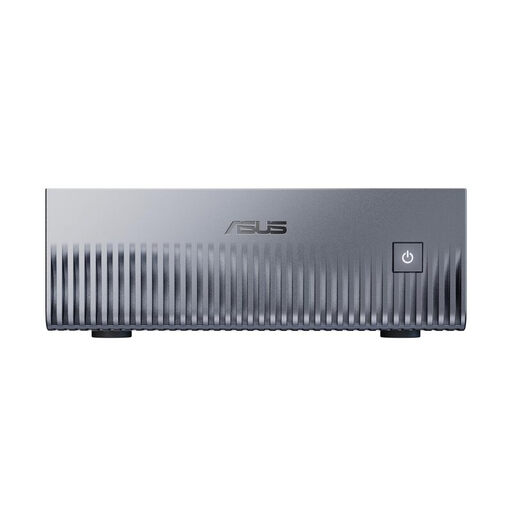
ASUS Ascent GX10 Mini AI Supercomputer
An option if your required work software supports Linux; check the operating system requirements before choosing.
The product title lists NVIDIA Grace Blackwell GB10, Linux (DGX OS), 128 GB Unified Memory and a 2-TB SSD. Microsoft describes Power BI Desktop as a Windows application.
View at Joybuy
 No image available
ACEMAGIC AK1PLUS Mini-PC
For a compact Windows workstation with specified RAM and SSD capacity; check that these capacities are right for your files.
The title lists an Intel Celeron N5095 (4C/4T), 16 GB LPDDR4X RAM, a 256-GB M.2-2280 SATA SSD and Windows 11 Pro. The description lists two HDMI outputs.
View at Joybuy
 No image available
ACEMAGIC E3B Mini Desktop Computer
For a Windows workstation where the specified RAM and SSD capacity, as well as multiple display outputs, are important.
The title lists an AMD Ryzen 7 7735HS, 24 GB LPDDR5 RAM, a 512-GB NVMe SSD and Windows 11 Pro. HDMI, DisplayPort and USB-C are listed as display outputs, along with two M.2-2280 slots.
View at Joybuy
 No image available
BMAX B6 Mini-PC
For a compact workstation where HDMI and DisplayPort need to work with your existing monitors.
The title lists an Intel Core i3-8109U with speeds of up to 3.6 GHz, 12 GB RAM and a 256-GB SSD. HDMI and DisplayPort are listed in the description.
View at Joybuy
Frequently asked questions
Do I need a Windows mini PC to use Power BI Desktop?
If you want to run Power BI Desktop locally, you’ll need a supported Windows system: Microsoft describes Desktop as a Windows application. For other tools, check their individual operating system requirements.
Can I use a barebone straight out of the box to clean data?
Not necessarily. According to ASUS, the NUC 14 Pro+ kit comes without a pre-installed operating system, RAM or storage drive, so you’ll need to plan for these components and set them up. A fully equipped NUC 14 Pro+ is a different type of product.
What return and fault rights apply to private online purchases?
For a qualifying distance-selling contract, consumers generally have 14 days from delivery of the goods to cancel; exceptions and possible return costs should be considered. In addition, EU law gives you the right to at least two years of legal protection if goods are faulty. The European Union’s Your Europe website explains these consumer rights; they are not the same as voluntary manufacturer warranties or business purchases.
Are pseudonymised survey responses automatically outside the scope of the GDPR?
No. According to the European Commission, pseudonymised data remains personal data if someone can be identified again; irreversibly anonymised data is treated differently in this respect. The BfDI cites encryption as a way to protect confidentiality, not as blanket permission for any kind of data processing.


