Joybuy product selection
This selection includes Windows mini PCs and Mac mini configurations for locally stored demonstration videos at a shared editing workstation.
 No image available
SOYO Y5Pro mini PC, Intel Core i5-8250U/8350U
Could suit a shared Windows workstation if the editing software and source files are compatible with the specific configuration.
Windows 11; 8 GB DDR4; 256 GB SATA SSD; Wi-Fi 5; Bluetooth 5.2. The title lists two possible processor models: check which version is on offer.
View at Joybuy
 No image available
Apple Mac mini M6, 16 GB, 256 GB SSD
An option if your editing software and existing devices are compatible with macOS, and the storage capacity suits your project.
12-core CPU; 12-core GPU; 16 GB unified memory; 256 GB SSD; Thunderbolt 4; HDMI; 2.5-GbE; Wi-Fi 7; Bluetooth 6.
View at Joybuy
No image available
Apple Mac mini M6, 16 GB, 512 GB SSD
An option if your editing software and existing devices are compatible with macOS, and the storage capacity suits your project.
12-core CPU; 12-core GPU; 16 GB unified memory; 512 GB SSD; Thunderbolt 4; HDMI; 2.5-GbE; Wi-Fi 7; Bluetooth 6.
View at Joybuy
No image available
Apple Mac mini M6, 24 GB, 512 GB SSD
An option if your editing software and existing devices are compatible with macOS, and the storage capacity suits your project.
12-core CPU; 12-core GPU; 24 GB unified memory; 512 GB SSD; Thunderbolt 4; HDMI; 2.5-GbE; Wi-Fi 7; Bluetooth 6.
View at Joybuy
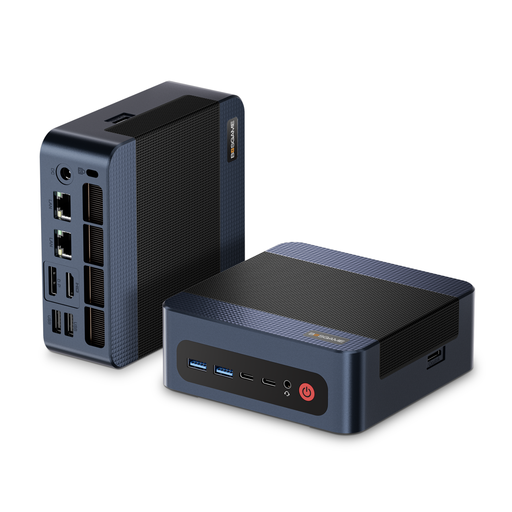 No image available
BOSGAME M4 Plus, Ryzen 9 7940HS, 32 GB, 1 TB SSD
Could suit a shared Windows workstation if the software and video footage are compatible with the specific configuration.
Windows 11 Pro; AMD Ryzen 9 7940HS; 32 GB DDR5 RAM; 1 TB PCIe 4.0 SSD.
View at Joybuy
Frequently asked questions
Does advertised 4K display output prove that a mini PC is suitable for 4K editing?
No. A display specification doesn’t show how well the computer will handle editing with your codec, effects and software. For Premiere 25.x on Windows, Adobe recommends at least 32 GB RAM for 4K and higher; also check the other requirements for the version of the software you’re actually using.
How can you organise a shared Windows editing workstation?
Windows allows you to create separate user accounts, each with its own settings and documents. Also agree where shared project files will be stored and who can edit them: separate accounts don’t automatically organise collaboration on video projects.
What should I check is included with a mini PC?
Check whether RAM, an SSD and an operating system are included with the specific version you’re ordering. The GMKtec M6 Ultra is explicitly available as a barebone version without these components; the specification you need depends on your workflow.
Is a manufacturer’s warranty the same as your statutory rights?
No. The Verbraucherzentrale distinguishes a voluntary warranty from statutory claims against the seller. The rights that apply in a particular case depend, among other things, on the buyer’s status.
Can the team film and publish demonstration videos showing identifiable people without further consideration?
No. You need to check the legal basis for your specific project. The State Commissioner for Data Protection and Freedom of Information of Rhineland-Palatinate explains that filming and using footage of identifiable people generally requires consent or another lawful basis. The specific assessment depends, among other things, on the people involved and the intended use; choosing a mini PC doesn’t give you permission to publish the footage.


